

iOS 26.2 Finally Fixed Liquid Glass - Here's How
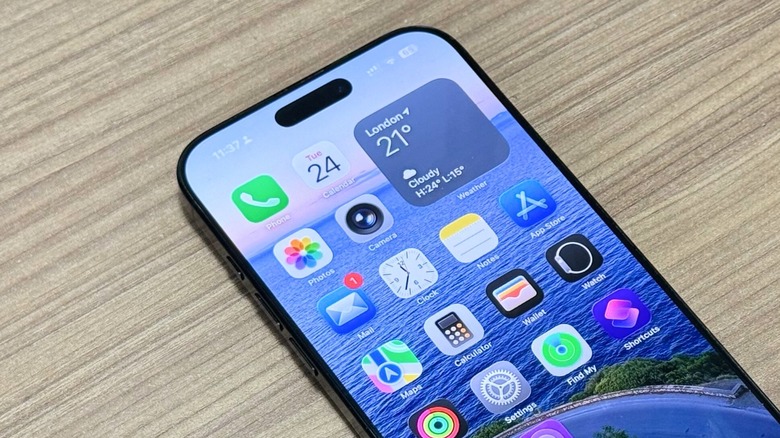
iOS 26 was the most ambitious iPhone operating system update since the iOS 7 revamp. Of course, with such a major change, not everyone was going to like the update, and during the iOS 26 beta cycle, Apple frequently adjusted the look and feel of Liquid Glass in an attempt to appease users. According to the company, Liquid Glass is intended to make the operating system "more expressive and delightful" without becoming unfamiliar.
This new design brings a more interactive UI that reflects and refracts light on objects. That said, with the first public iteration of Liquid Glass and iOS 26, Apple couldn't deliver on its vision, and it wasn't until the iOS 26.2 beta releases arrived that the company started to offer the same level of Liquid Glass animation that we had seen at WWDC. That included more skeuomorphic icons and a better balance between glassiness and readability. Not only does iOS 26.2 fix Liquid Glass, but Apple made several tweaks in the past couple of months to make it better than when it was first introduced.
Readability improvements in iOS 26.2
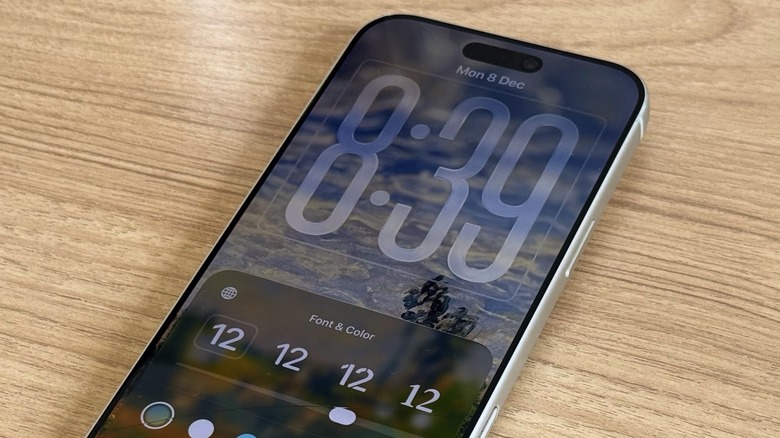
With iOS 26.2, Apple improved the readability of the Lock Screen Clock by adding new "Glass" and "Solid" options. You can find them by long-pressing the wallpaper on the Lock Screen, tapping Customize, and then tapping on the Lock Screen's Clock. While the company says it's bringing more options to match user's wallpapers in the future, this is a great way to make Liquid Glass more readable.
Another change Apple made as part of iOS 26.1 was giving users the ability to reduce the transparency of Liquid Glass. By going to Settings > Accessibility > Display & Text Size, you can tap a the Reduce Transparency toggle to blur some backgrounds to increase legibility. Another option is heading to Settings > Display & Brightness > Liquid Glass, and switching from "Clear" to "Tinted." Apple says tinted mode increases opacity while adding more contrast.
While I do like how Apple tweaked Liquid Glass over the past two major iOS updates, I did ditch the "Clean" option for icons due to the poor readability on the wallpapers I currently use. Besides that, I continue to rock Apple's original settings. Still, if you continue to find it hard to read or use iOS 26, you should definitely mess around with these new Liquid Glass options to find a look that works for you.