

This Clever DIY Gadget Uses Your Laptop's Old SSDs
We may receive a commission on purchases made from links.
Many of you might not know that you can reuse old hard drives from your laptops or desktop PCs, provided they meet a certain criteria. Unfortunately, most eMMC or flash storage cannot be reused, simply because it cannot be removed — these storage options are found in Chromebooks and ultra-thin laptops. But if your laptop has an SSD and it's removable, which they usually are, then you can absolutely repurpose it. The SSD alone comes in a proprietary open design, like a chipset or small form factor, but you can buy external cases to put them in.
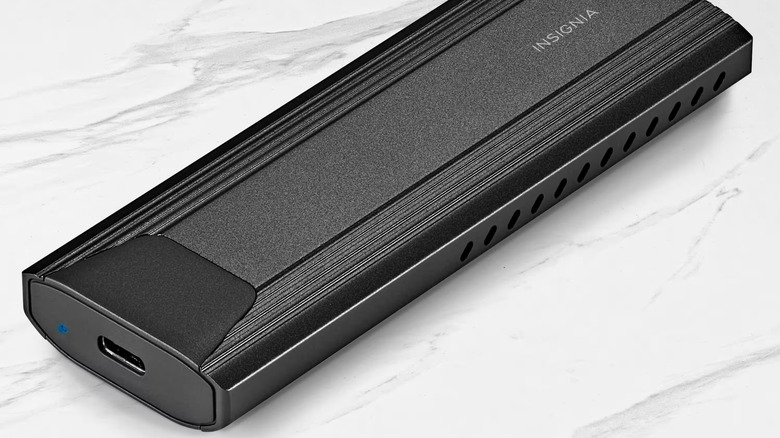
The Insignia M.2 NVMe to USB-C solid-state drive enclosure at Best Buy is a perfect example. You slide a compatible M.2 NVMe drive inside, seal it up, and then you can use it like a conventional external drive, plugging into your computer, laptop, or phone via USB-C. It offers transfer speeds up to 10Gbps — but that depends on the drive you use — ultimately giving you a super fast, ultra-reliable backup solution. There are enclosure alternatives from brands like Sabrent, Ugreen, or even ASUS ROG Strix. Prices range from about $20 up to $100 or more, depending on the brand and case style, but there are plenty of options, so you can surely find one that matches your needs.
Why throw out old components like your laptop's SSD if they still work? Especially when you can repurpose them for a reasonable price. With a suitable enclosure, you can also convert your SSD to a wireless external storage option. That means, if you're looking to expand storage or for a viable backup drive, getting a case and reusing old drives may be cheaper. It's a valid alternative to buying ultra-compact storage solutions like slim external drives brand new. They can be pricey.
Why turn your old SSDs into external drives with these enclosures?
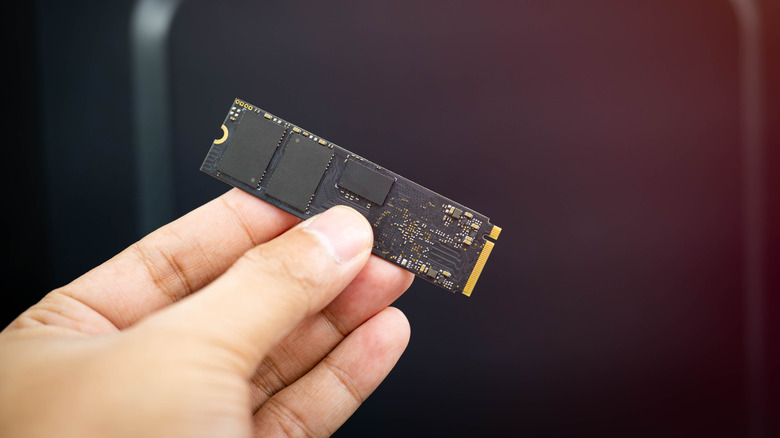
Depending on how old the SSD you're repurposing is, you may end up with a drive with much faster read and write speeds than your average flash drive. Not only that, standard NVMe SSDs come in capacities equal to or sometimes larger than your average flash storage, so turning them into a full-fledged external and USB-C-ready drive is cost-effective to boot.
Normally, you can't just plug an NVMe solid-state drive into a USB port. However, putting the drive into one of these enclosures completely changes that. Most, if not all, external enclosures come with USB support right out of the box. You can then take your drive, plug it into a USB or USB-C port, transfer files, interact with content, and more.
Experts recommend wiping or formatting the drive before you reuse it, which is a great idea, especially if it was the main drive on your old system and currently stores an operating system. But that's easy enough to do, and then you can use the fresh drive to store backups of your photos, documents, and even game install files. Imagine creating a portable Steam or GOG library on a drive you can take everywhere? With some of the biggest SSDs you can buy now, clocking in at 30TB of storage, that could end up being quite the game library.