

5 Hidden Features Every Android Smartwatch Owner Should Know
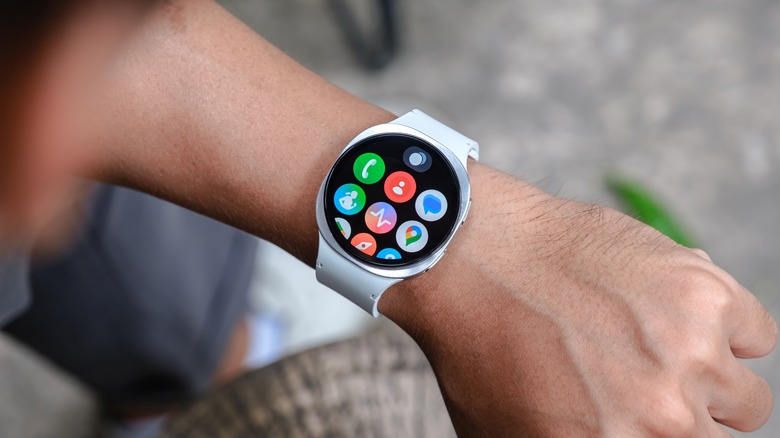
Your favorite Android smartwatch isn't just a simple companion to your smartphone. It shows notifications, tracks your steps, and displays time, but hidden beneath the familiar interface are a host of smart features that can turn your watch into a standalone tool. These features often go unnoticed because they're not obvious. They're found in Quick Settings, background apps, or small icons you might swipe past every day. So we're here to help you find them. For example, did you know your Android smartwatch can store and play offline music? Or act as a remote shutter for your phone's camera? You can even record audio right on the spot with it. And these are just a few of the hidden features that make your Android smartwatch special.
Android smartwatches aren't locked into a single purpose. Thanks to Wear OS and a myriad of third-party apps, the line between a smartphone and a smartwatch is blurred. Your wrist becomes a control center, a music player, and a backup tool when your phone is out of reach. So let's explore some of the most useful hidden features of Android smartwatches.
Wireless charging from a phone
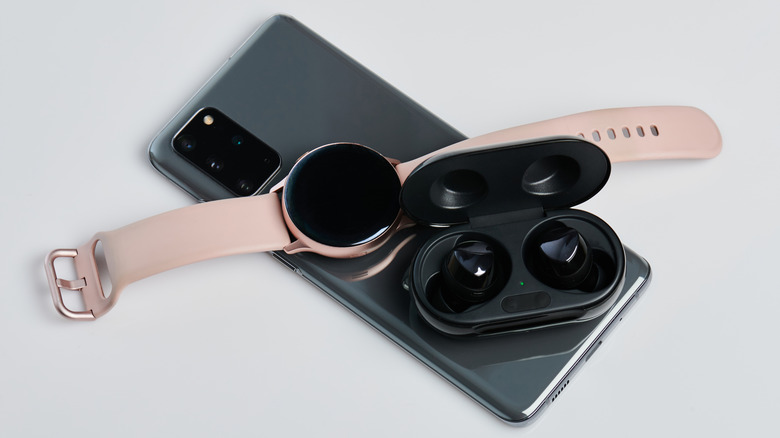
One of the coolest hidden features on the best Samsung phones is Wireless PowerShare. It gives you the ability to use your phone as a wireless charger for other compatible devices. And what better device to pair your Galaxy smartphone than with a Galaxy smartwatch? Instead of plugging in a separate charger for your wearable, simply place your watch on the back of the phone, and it will charge.
But there's a trick to it. The PowerShare feature won't turn on unless your phone has at least 30% battery. You can easily access the PowerShare feature through the Quick Settings menu to toggle it on. Once you place the watch back-to-back with your phone, the charging coils will align, and the battery transfer starts automatically. This works because both the phone and the smartwatch use the Qi wireless charging standard. Wireless PowerShare simply allows the charging coils to transmit power instead of receiving it.
However, charging your Android smartwatch this way is slower than using a wall charger. But it's a perfect way of quickly topping up the watch's battery if you forgot your charger. Unfortunately, not all Samsung watches support this feature. Galaxy Watch 7 and Ultra have a different rear sensor design, which won't allow charging through PowerShare.
Remote phone camera trigger

One fun hidden feature of many Wear OS smartwatches is the ability to control your Android phone's camera remotely. You no longer need to tap the shutter button on your phone to take a picture. Just use your watch as a hands-free camera remote. This is a perfect way of taking some awesome group selfies or photos from a distance. You can also use this feature to take some amazing long exposure photographs. For this, you'll need a tripod, or simply lean your smartphone against an object, so it doesn't move. You'll use your smartwatch remote camera control app so you don't have to touch the phone's screen. Even the smallest vibration of the phone while it's taking a long exposure photo can ruin it.
Typically, Android smartwatches come with the app already preinstalled. But if it doesn't, it's simple to download. Some newer apps even allow you to control the zoom function directly from your watch. You can either pinch the screen or use the bezel. But keep in mind that not all watch models allow remote zoom control, even if the app does. That said, Google Pixel devices have this hidden feature that uses your smartwatch as a viewfinder, so you can leave your phone, perhaps as a wildlife camera. Then you can hide and still see your phone's camera feed. Once the animal is in the viewfinder, tap the shutter release on your watch.
Record audio with your watch

Using your smartwatch to record audio feels like something out of a James Bond movie. A tiny microphone on your wrist that records the room while you stay cool and discreet, just sipping your martini. However, this James Bond gadget exists now in real life. With the right apps, you can record voice notes, thoughts, lectures, meetings, and reminders straight from your smartwatch.
Older models of Wear OS watches rely on third-party apps from the Google Play Store, such as VoiceMemo Wear and Wear Audio Recorder. The newer models come with a built-in feature and native apps that turn your wrist into a portable recorder. It's as simple as tapping the app icon and pressing record. Files are automatically saved on your smartwatch. But you can later transfer them to your phone or the cloud to make room for even more recordings.
These apps often let you adjust the quality settings, record the background, and organize your audio files just like you would on a smartphone. With enough storage on your watch, you can record for hours. That's what makes it extra useful for interviews and lectures. Some Android smartwatches even use AI to transcribe your voice recordings into text.
Listen to offline music without a phone

One of the most underrated features of Android smartwatches is the ability to listen to music, podcasts, or audiobooks offline. You can do it even without your smartphone being nearby. It's perfect for runs, walks, and gym sessions where you don't want to deal with the weight of a bulky smartphone.
To start, you'll need a music streaming app for your wearable and wireless headphones. The popular Spotify app for Wear OS lets you download playlists, albums, and podcasts directly to your smartwatch. But you can only do this with a premium Spotify subscription. Once downloaded, the music can be played from your smartwatch.
Another option is YouTube Music. Again, you'll need a premium subscription to download songs or playlists to your watch's storage. There are also other apps, such as WearMedia, that let you store and play music on your Android watch, if you want to avoid paying a premium. You'll just have to load up your watch with MP3 files yourself. Whichever option you select, this offline playback feature turns your smartwatch into a standalone music player.
Turn your smartwatch into a flashlight
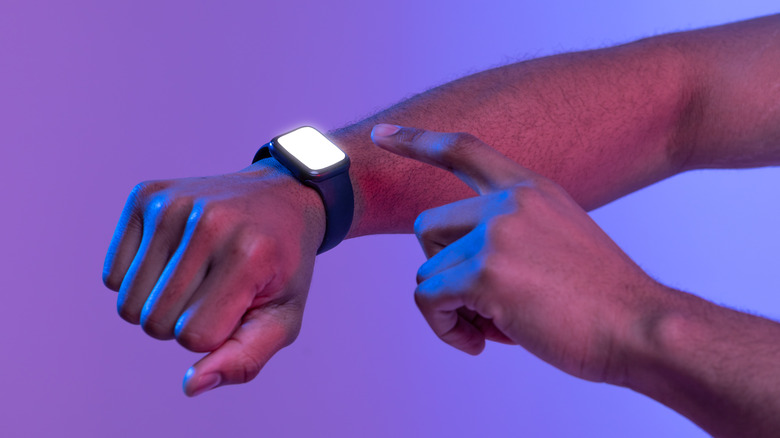
Your Android smartwatch can do more than just track your steps and display notifications. You can use it as a tiny but powerful flashlight. When you don't have your phone around, you can use your smartwatch to quickly find your way around in the darkness. Many Wear OS watches include a built-in flashlight or torch mode. It'll turn the watch's screen into a bright white light. When activated, the watch boosts the screen brightness to maximum and fills the display with a solid white background. This is enough to illuminate small spaces, keyholes, or under the hood of your car.
To access this feature on Wear OS, swipe down from the top of the watch to open Quick Settings, then simply look for the Flashlight or Torch icon. Tap it once, and your watch will light up like a mini lamp. Once you're done, simply tap it again to turn it off. If your watch doesn't have a built-in flashlight mode, don't worry. There are tons of apps on the Google Play Store that'll add this function to your Android smartwatch. Some of them even let you pick a different light color, set a timer, or use the SOS flash pattern for signaling. The Android smartwatch is the new Swiss Army knife.