

4 Free Android Launchers That Users Swear By
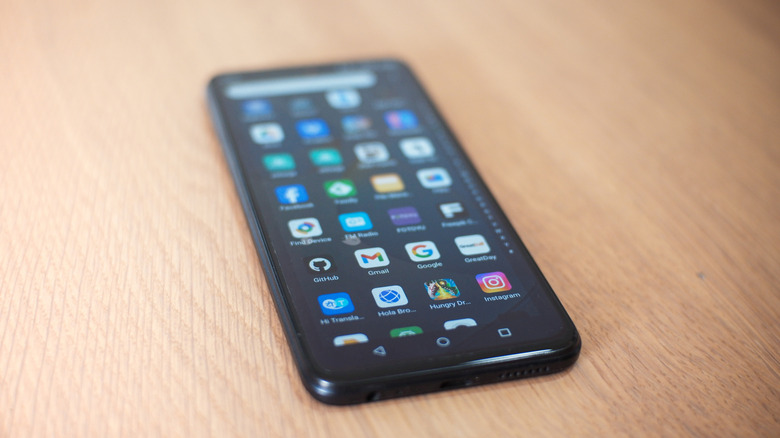
Unlike iPhones that look identical from a software perspective, Android phones from different manufacturers have distinct interfaces, such as Samsung's One UI, since each company customizes the experience offered to its users. However, brands aren't the only ones that can customize the phones, as Android also allows users to personalize this aspect through launchers.
Android launchers are one of the aspects that make this system so popular among users who love to customize their devices, since these apps can control almost the entire phone-use experience. These launchers not only allow users to personalize wallpapers and icons, but also other interactions, such as how apps behave and how gestures work, which can make a smartphone feel completely new.
With so many alternatives available, choosing a launcher can be daunting. Some of them are more focused on personalization for users, while others focus on a cleaner interface for those who prefer minimalism, making it a choice that depends on personal taste. Luckily, there is an Android launcher for every taste.
Square Home
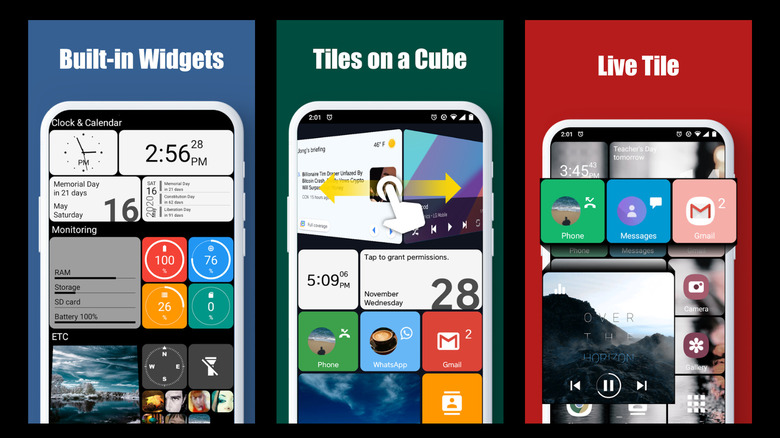
For anyone who has used a Windows Phone and misses the interface Microsoft had on its phones, very different from the more conservative approach of the current Microsoft Launcher, there is an option for that. Square Home offers users a series of grid-based menus that can be customized however they want.
So, it is possible to keep the main apps and widgets in easy-to-reach spots to access them while using the phone, but it is also possible to place several apps in the same place and switch between them with a finger swipe. For example, WhatsApp and shortcuts to other social networks can sit in the same spot, letting users jump between them without needing to scroll through the phone's screen to find what they need.
Despite the comparisons to Windows Phone due to the project's inspirations, Square Home can be flexible in what users can or cannot customize. That way, it is possible to give the most important apps more screen space, while secondary ones can be placed in smaller blocks, making it also one of the best launcher options for those who want to use it on tablets or foldable phones.
Total Launcher
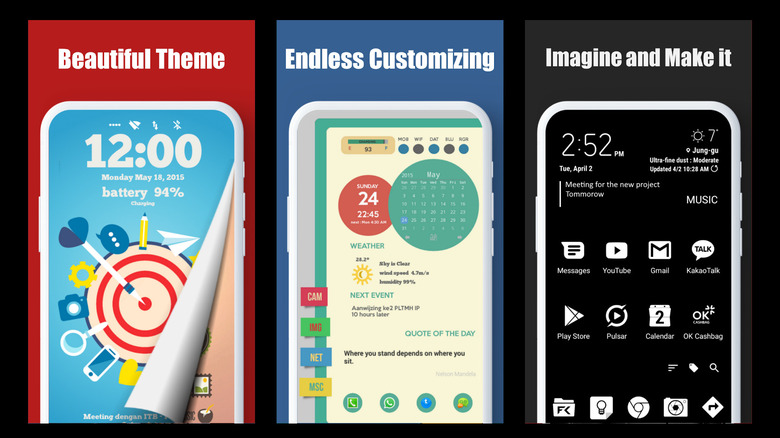
Total Launcher comes with a steeper learning curve compared to other Android launchers, but is one of the best options for customization. Instead of only organizing apps on the home screen or in the drawer, it gives users more freedom by letting nearly every element be moved and repositioned, like icons and widgets. The app even lets users change the font on their Android to better match their preferred style.
At the same time, it is the kind of launcher that is so customizable that each user's experience depends entirely on what they build. It is possible to create interfaces that are fully functional and pleasant to use with Total Launcher, but it is also easy to feel lost with so many possibilities available. It is an option for people who like to experiment and adjust the details.
Another interesting point about Total Launcher is that it includes a backup tool, so users can save what they have achieved and even share it with the community. That way, anyone who is not managing to build an interface that feels right can look at other people's creations and then adapt the details they did not like.
Kvaesitso
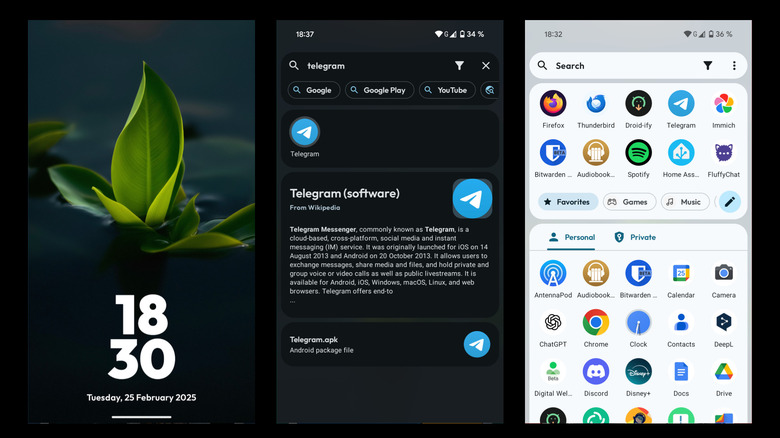
Despite not receiving the same recognition that other phone launchers have, Kvaesitso is also one of the best options for users who love a custom experience. That's because this app was made with a search-focused mind, so users can rely on a global search as the core of the entire interface that this launcher offers. Instead of letting users navigate across different screens and folders, it encourages faster interaction by letting them simply type what they want to open. That way, everything can be accessed from a single place.
That said, besides being one of the best launchers out there, Kvaesitso is also not for every type of user due to its unconventional layout. However, those who prioritize better workflows and want to use the app to improve productivity will find its learning curve well worth the effort, especially when compared to launchers focused solely on visual appeal.
Even so, for users who adapt to its concepts, Kvaesitso quickly becomes a lightweight and reliable experience. Though it is not available on the Play Store, Kvaesitso can be found on GitHub and is also open-source. For users who care about privacy and want to understand how developers handle data, it is possible to review the code and feel more confident about that aspect too.
Niagara Launcher
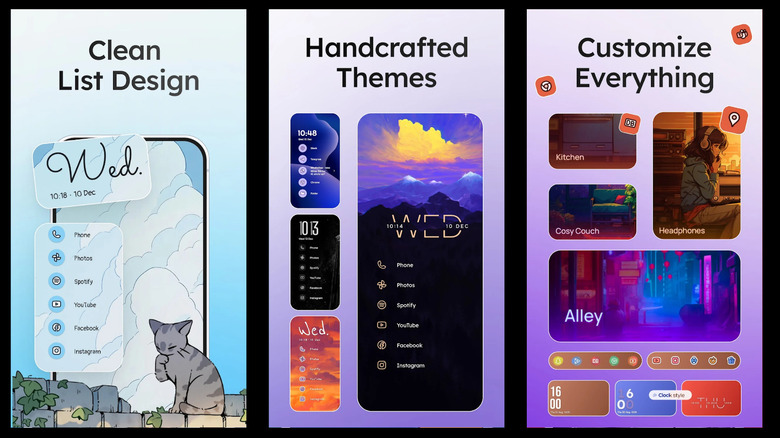
Niagara is a great choice for those who prefer a minimalist interface and is recognized as one of the best Android apps on the Play Store. Instead of overloading users with tons of options and widgets, the developers of this custom launcher opt to remove nonessential functions and prioritize ergonomics. It's a good approach for those who like to use a phone with only one hand, for example, since its entire interface is built with this philosophy in mind.
Another feature that makes Niagara great is the option to let users use a scroll bar, organized in alphabetical order, to search and open apps. That way, it is much easier to find apps for users who have a lot of apps installed on their phones, instead of navigating between different drawers and screens. Niagara also does a solid job of organizing the apps available on the device while also allowing quick access to their main features, without interfering with other phone functions.