

Is Your Car Getting Rid Of Android Auto? 3 Alternatives Worth Trying
Driving can often be a chore, one that's been made a lot easier to handle with advancements in car infotainment and assistance technologies. These let you play music, take calls, and, of course, get directions, all without having to take your phone out. They come in many forms, from completely self-sustained systems inside the car — like in Teslas — to ones that require your phone to be connected with it, like Apple CarPlay and Android Auto. There have always been brands that didn't support the latter, preferring that you use their own integrated systems instead, but they were uncommon. Now, more companies are concerned about having more control over data and not sending it to third parties, which is why some are moving away from Android Auto, despite the app still getting regular updates.
It's important to note that, for most upcoming cars, removing Android Auto doesn't mean that you'll lose access to your favorite features. Even without Android Auto, which has you connect your phone to your car, most modern vehicles will still come with an Android Automotive OS, oftentimes called Google Built-In. This functions largely the same as Android Auto would, but is integrated into your car, requiring no access to your phone. Still, this is proprietary software and might ask you for additional subscriptions, which is a valid reason to search for other options. If you have a car that's gotten rid of Android Auto (or you plan on buying one that doesn't have it), you still have apps that let you do everything Android Auto did and more.
Create a working desktop environment with Samsung DeX
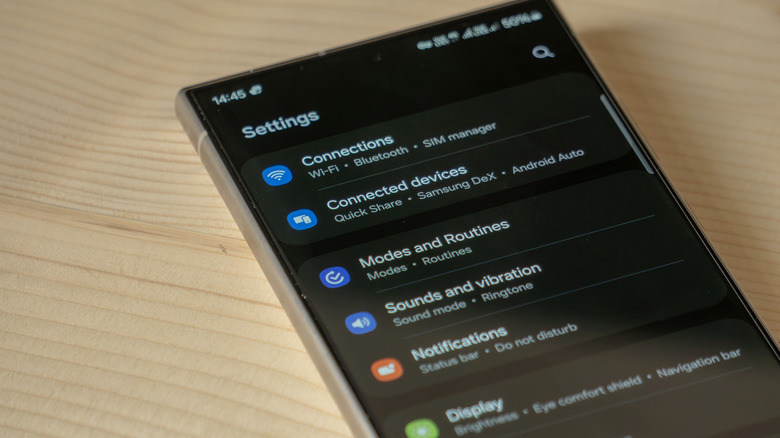
Samsung DeX is available on most new Samsung phones, such as the Galaxy S22 and S22 Ultra, and newer Samsung tablets like the Galaxy Tab S8. It's a handy feature that lets you use an external monitor or TV as a dedicated desktop environment, making use of your Samsung device's specifications to handle all the processing. This is typically used on Samsung tablets to host the desktop within itself, or to use an external monitor as a PC while using your Samsung phone as a touchpad. Using AutoPro X, you can use DeX on your dashboard, allowing you to have all the functionalities of a computer inside your car.
AutoPro X is a device that can be plugged into your car's infotainment system the same way you'd connect your smartphone. You can then connect your phone to the device wirelessly, open Samsung DeX as you normally would, and have a working desktop environment. This won't be able to handle everything, as it's still only using your Samsung device's system and not an actual computer, but it can still do everything your Android Auto did. In addition, since this isn't specifically made for cars, you're not restricted by any safety protocols, which means YouTube, Netflix, and any games you like are all fair game for passengers or when parked. If you're the one driving, you should still be focusing on the road.
Mount your Android phone or tablet on your dashboard
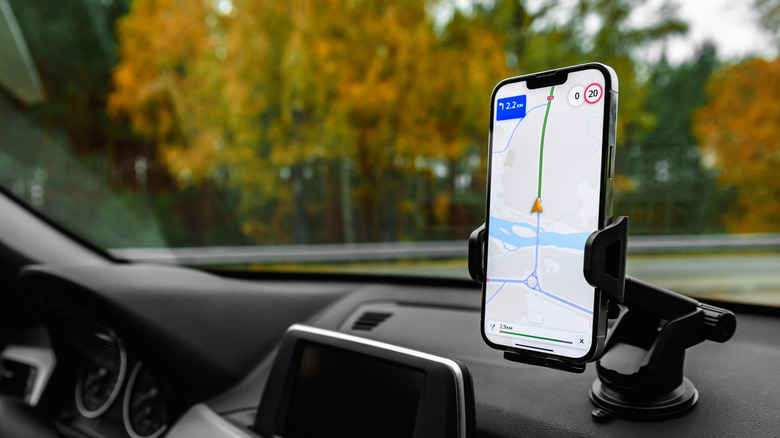
Oftentimes, you don't need a fancy solution to deal with simple problems. If your car's dashboard doesn't support Android Auto, you can prop your Android phone or tablet on a safe mount and use it as an external screen. This won't make up for the car's Google Built-In or Tesla system, which lets you control and observe different aspects of the car, but it does act as an extra screen for things that you'd otherwise expect Android Auto to aid you with. This includes using maps, taking calls, and listening to music, but also things that aren't allowed on Android Auto due to its safety features, such as using third-party apps.
To make the experience more fitting, you can even download a third-party launcher to emulate the feeling of an integrated car dashboard. While the original Android Auto on Android phones isn't available anymore, there are plenty of alternatives that provide a similar feeling. Some commonly used apps include Headunit Reloaded, Vivid Car Launcher, and AutoZen.
Use your car's browser and apps to create a server
Car manufacturers have many reasons why they're getting rid of Android Auto, with most of them revolving around making better use of your data without sending it to a third party. Most cars that block Android Auto do so by disabling third-party app installations or by specifically targeting Android Auto itself. In both cases, you can still use the car's own browser to use any features you need, including phone mirroring. For this, you can use an app like TaaDa to connect to your phone, create an isolated server, and open the specific web address in the browser. Upon doing so, you have a working Android Auto-like interface, functioning completely inside the browser app.
Alternatively, if you don't necessarily want to mirror your phone screen, but just want to use a single app, there's a chance that the app has a web browser version as well. This is especially true if it's one often used in cars, such as Waze. If you're looking for an alternative to Android Auto simply for that, it's a good idea to find out whether your desired app can be used in the browser, and just opt for that. Using a website can often be slower than using an installed app, but as long as you have a good internet connection, this shouldn't present any problems.