

The Cheap And Easy Way You Can Instantly Revitalize Your Old PlayStation 3
We may receive a commission on purchases made from links.
If your old PlayStation 3 is collecting dust or if you're thinking about picking up a second-hand model, there are quite a few clever uses for the aging PS3, like watching DVDs, streaming media, and emulating retro titles. But if you're still using it to run PlayStation 3 games, there's an easy way to revitalize the system. You can swap out the hard drive, replacing it with a SATA solid-state drive (SSD) to improve your experience. The benefits come from the instant seek times of an SSD over traditional drives.
To do so, you'll need 2.5-inch drive with a height between 7mm and 9.5mm — you can usually find drive dimensions on the product page. The SSD should have a DRAM cache which helps with the slower SATA port in the PS3. You also want to stick to 1TB max for storage capacity as drives with more space are known to have corruption issues. Specific examples of SSDs that should work include the Crucial BX500, or the Samsung 870 EVO.
Even with faster drives, the first-generation SATA-150 (SATA-I) port in the PlayStation 3 maxes out at 1.5Gbps. So, while loading and install times should see some improvement with an SSD in your PS3, performance may vary from game to game.
Installing an SSD in your PS3 is a cheap and easy upgrade
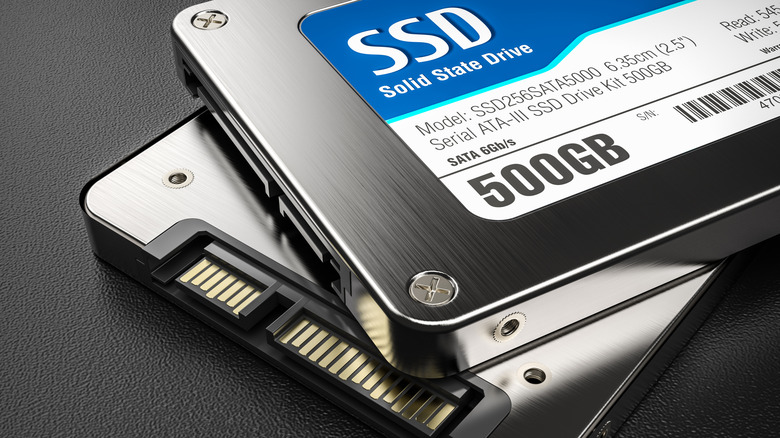
Given that there are solid-state drives priced between $60 and $200, and the install process is fairly straightforward even if you're not well-versed in hardware upgrades, swapping out the old drive is an easy and cheap way to breathe new life into your aging PlayStation 3. Depending on the capacity of the existing hard drive, a larger capacity SSD may allow you to store more games or media.
But be aware that you might want to get a replacement sooner than later because of the industry-wide storage shortage thanks to the AI boom. Users who have installed an SSD in their PS3s have found faster loading times in games like "Grand Turismo 5" and "Gran Turismo 6," as well as snappier and more responsive interactions with the XMB.
There are also reports of games that usually suffer from texture pop-ins, like "Rage" and "Brink", not showing the same issues with an SSD installed, or seeing significantly less of it. Plus, SSDs are typically more reliable than hard drives, while generating less heat and offering power-usage benefits. Swapping to an SSD in your PlayStation 3 should make it more efficient overall, and that's a worthwhile upgrade in my book.