

This New Roku TV Feature Will Help Your Home Screen Stay A Bit More Organized
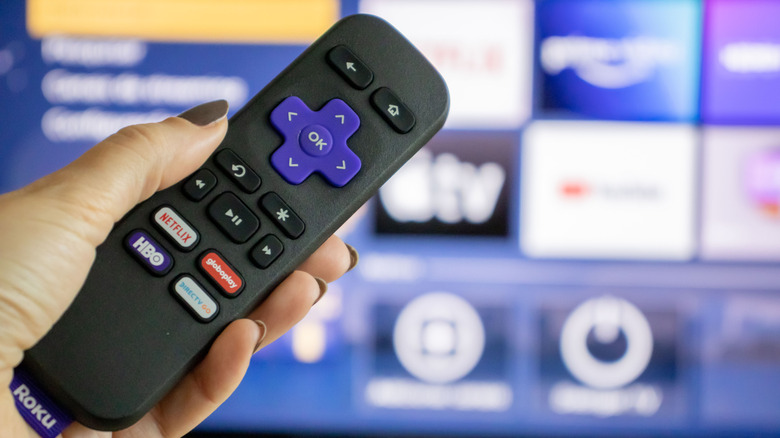
Roku's home screen is generally well-organized and easy to use, even if it is not perfect. It's divided into categories on the side, most of them tucked away, and your main hub is mostly filled with "channels" or apps you install on the device. Every once in a while, improvements come through software updates, which is the case with a recent change in the new Roku OS 15.1 rollout that is already available to some users. It's part of a larger push to improve the OS, coming hot on the heels of the big Roku OS 15.0 update, which added goodies like improved HDR10+ and Dolby Vision passthrough.
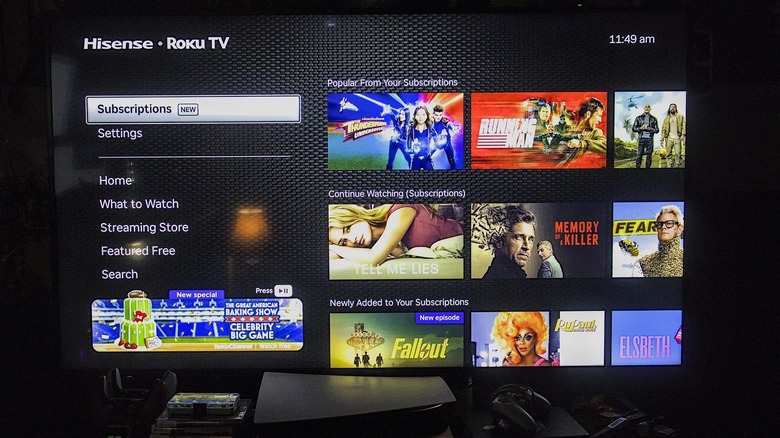
The biggest change in 15.1 is a new "Subscriptions" tab, which appears in the left-aligned home screen list. What this does is aggregate content available to you from your various streaming subscriptions, across all apps like Disney+, Hulu, Paramount+, Prime Video, and others. It separates them into various categories — for instance, "Popular," "Newly Added," and even "Continue Watching," the latter of which allows you to pick up where you left off in previous sessions. Ultimately, this new tab makes it easier to keep up with shows and movie releases on the services you use most.
Another new feature rolling out allows you to adjust the number of tiles that show up on screen. By default, tiles are organized into 3-by-3 grids, but this takes up an oddly large amount of screen space on bigger TVs. Now, you can adjust to smaller tiles and hide various categories on the side within the Roku settings. That allows you to better customize the home screen experience, which is a welcome change.
How to adjust your Roku TV's home screen settings for Subscriptions and tile size
The timing of the rollout may vary depending on your Roku model or TV brand, but when it's available, you can go into Settings > Home Screen to adjust the configuration as you see fit.
To change the tile size, for example, you navigate to Settings > Home Screen > Tile size, where you can select between two options: "Smaller" or "Larger." The latter is the default 3-by-3 grid, and the smaller option switches to 4-by-4 tiles.
On that same settings page (Settings > Home Screen), if you scroll up to the Menu Items list and highlight "Subscriptions," you can disable the tab by selecting "Hide." You might also notice in this same menu that you can disable or hide other Home Screen tabs like Sports, Live TV, Daily Trivia, and more. That's good to know if you want to declutter your home screen altogether. While you're in the system menu, you might also want to check your privacy settings to make sure ad-tracking is disabled.
No, these new settings and features don't eliminate some of the uncomfortable truths about using Roku devices. But they do make the home screen less cluttered and put a little more control back into the user's hands, even if it is only minimal.