

4 Reasons Why You Should Be Using A Laptop Cooling Pad
We may receive a commission on purchases made from links.
A laptop cooling pad may not be the most exciting accessory you can purchase for your go-anywhere PC, but it might finally solve that awful lag you've been experiencing. When your computer is powered on, internal components like the CPU and GPU are the life force of your machine. The more tasks your laptop has to do, the harder the processor and graphics card have to work, resulting in more heat output.
The hotter your laptop becomes, the less efficiently it will perform. Computer-generated heat may also cause certain components to age and fail faster. Sure, your laptop might have built-in fans, but those can only do so much. Fortunately, a laptop cooling pad like one from Teknek is a quick remedy for all that thermal energy your PC doesn't know what to do with.
The best pads provide increased airflow using fans and other thermal reduction materials, and you usually won't pay more than $100 for a top-tier cooling pad. Pretty much any laptop owner will benefit from owning a cooling pad, but there are four specific use cases when a laptop cooling pad should be a must.
Your laptop is getting old

Computers of all shapes and sizes are prone to wear and tear, and laptops are no exception. Internal peripherals like the CPU and GPU are supposed to age over time, but if you're the type of power user who always has multiple programs running simultaneously, your laptop will likely age faster than the average machine. Laggy performance is often a telltale sign that your laptop is having a tough time, as is an unusual buildup of heat and increased fan activity.
If you've been using your portable PC for anywhere from two to five years, PC experts actually recommend upgrading your laptop. Unfortunately, not every laptop owner can afford the hefty chunk of change that many brands cost these days. While a laptop cooling pad isn't going to reverse-age the affected parts of your PC, it is cheaper than buying a whole new computer, and can help slow down the aging process by managing some of the heat load. Not only should this help to reduce the operating temperature of your laptop, but you may also notice a boost in overall performance.
For upper-midrange and premium laptops, an active cooling pad with integrated fans might be your best bet. Passive pads reduce heat by way of their physical design and thermal absorption materials, which might not be enough for a laptop that's peaking in the red.
You're a heavy-duty PC gamer

If you do the majority of your PC gaming on a gaming laptop, you should definitely invest in a laptop cooling pad. Modern gaming is more graphically demanding than ever, and even if your laptop rocks the latest Nvidia GPU, a massive AAA game is going to chew through a ton of system resources. If your laptop fails to keep up, the trickle-down effect may impact both the temperature of your PC and gameplay quality.
It's a condition known as thermal throttling, which is actually a failsafe that slows down certain gaming deliverables (e.g., frame rate, load times, etc.) so your laptop has a better chance of cooling down efficiently. A laptop cooling pad can help reduce throttling, which should also result in improved and more consistent gaming performance.
Even if you outfit your laptop with a cooling accessory, PC gamers with a hot-running machine may also benefit from changing and optimizing a few system and in-game settings.
You want more comfort
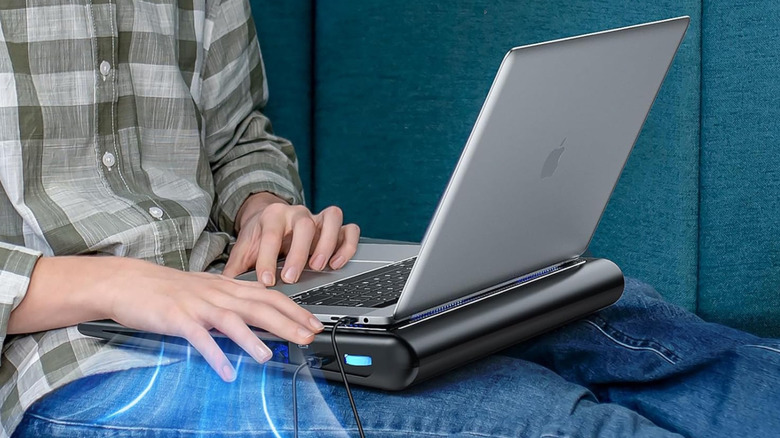
Carrying around a piping-hot laptop isn't just a dark mark on your PC's performance; it's literal pain to your hands and lap when you're gaming. Fortunately, a number of laptop cooling pads provide enough lift for your portable PC to clear your legs (if you're using it on your lap). Avoiding direct contact with your hot computer is one plus, but a cooling pad will also work to reduce the internal temperature of your machine the entire time you're using it.
Conveniently, many cooling pads also offer a boost in height for your laptop. This will come in handy if you've been dealing with neck or shoulder pain caused by slouching and other types of overextension. Just a few extra inches of height may be all it takes to start cutting down on some of those aches and pains. Some pads even come with adjustable feet, so you'll be able to adjust for the perfect height.
You need a charging hub
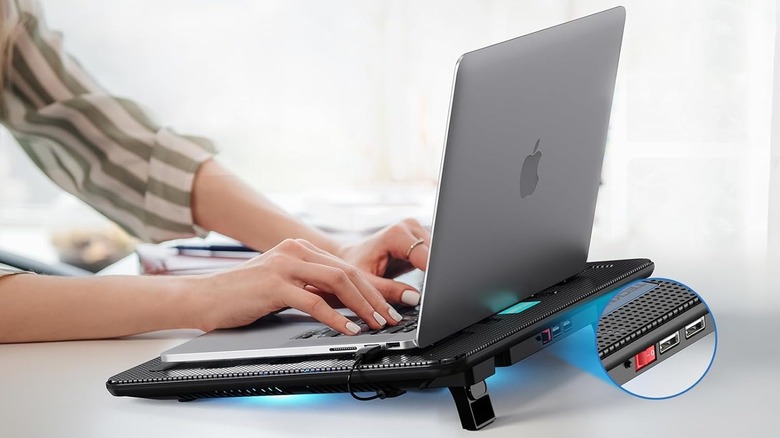
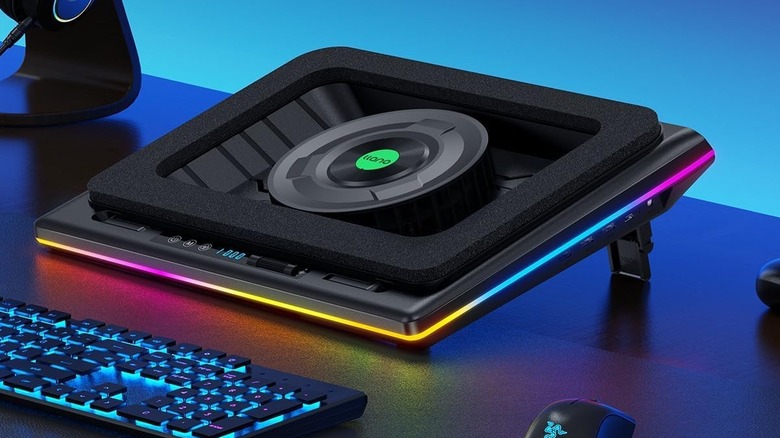
Laptop cooling pads aren't just one-trick ponies; the best models on the market are far more versatile, and come with features like built-in RGB lighting, powered fans, and USB ports for when you need them most. The latter is particularly useful for charging phones and earbuds, and for hooking up external devices like mice and keyboards. The Llano V12 RGB Laptop Cooling Pad is jam-packed with frills, and one such perk is the inclusion of three USB-A ports, on top of customizable RGB lighting and other advanced features.
Do keep in mind that if charging electronics is what's most important, you may want to consider one of the best portable chargers instead. The lion's share of cooling pads on the market only have USB-A ports, and more and more consumer tech items are starting to take advantage of USB-C — which most portable chargers have plenty of.