

What Those Blinking Lights On Your Ethernet Port Are Really Telling You

Have you ever looked at the back of your computer and noticed the lights where the cables are plugged into your PC? Maybe you're trying to understand why you're having slow internet issues and noticed the different colors of the ethernet ports on your router, but don't know what they mean. While it might not seem like an important thing to keep an eye on, the color of the light around an ethernet port can actually relay crucial information, especially if they are blinking.
Firstly, it's important to note that there are at least three different light colors typical found around an ethernet port: green, amber (it may look more yellow or orange depending on the model), and red. These three colors sound off distinct meanings for the status of your connection. Secondly, you will notice that they blink sometimes, while other times they may appear completely solid. This can vary depending on the device and how its LED lights are set up, which is important to keep in mind when determining the state of your connection.
What the different colored ethernet lights really mean
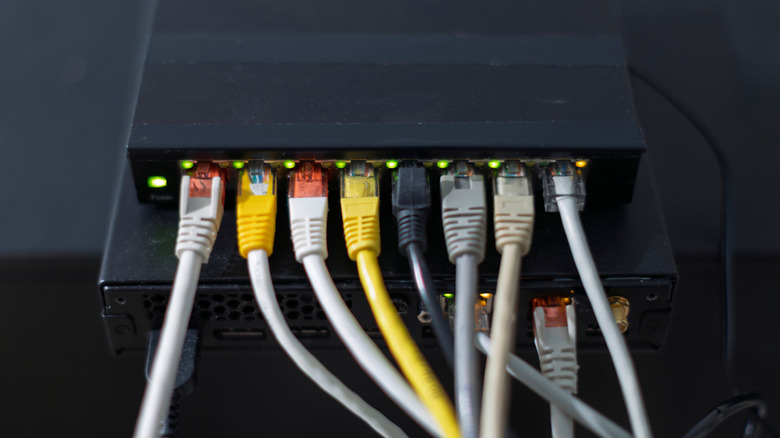
Firstly, a solid green light means that your ethernet connection is stable and is over 100 Mbps. If it is blinking, it means that there is active traffic and data traveling along that cable.
Next, an amber light usually means that there is an issue that may need your attention, such as your speed being limited to between 10 and 100 Mbps (some brands also use amber lights to indicate speeds in excess of 1,000 Mbps). This could be because of a network issue or even because you didn't choose the right ethernet cable for your connection. If you're experiencing slow internet, then checking the cable can be one of the easiest ways to troubleshoot your internet speed without replacing your router. An amber light on enterprise level gear can indicate an issue with the power over ethernet (POE) connection.
Finally, red or no light at all means that the connection is interrupted. Some devices may have two tiny LEDs — one that blinks and one that doesn't — or just one LED that changes from solid to blinking. The easiest way to determine which system your device utilizes is to check the manual and online guides from the manufacturer.