

5 Desktop PCs To Avoid At All Costs, According To Consumer Reports

The expert reviewers at Consumer Reports rated dozens of the most popular desktop PCs to help everyday people decide which ones are worth buying — and which ones to avoid at all costs. If you want to save yourself from the pitfalls of buying used PC parts, you can use CR's computer ratings and reviews to find the best prebuilt options. Consumer Reports collates its rankings for desktop towers, mini PCs, and all-in-one monitor PCs into one monolithic list. We scoured that list and delved into individual product reviews to specifically find which desktop tower PCs you should avoid based on CR's findings.
There are many notable manufacturers in the desktop PC space, such as ASUS, Dell, HP, and more. Consumer Reports' list ranks the market's current lineup of PCs based on performance, versatility, and other key metrics evaluated by a trusted team of experienced testers. We singled out CR's least favorite desktop towers from each manufacturer to designate which current-generation PC in their respective product lines should be avoided.
ASUS V500 Mini Tower 15L
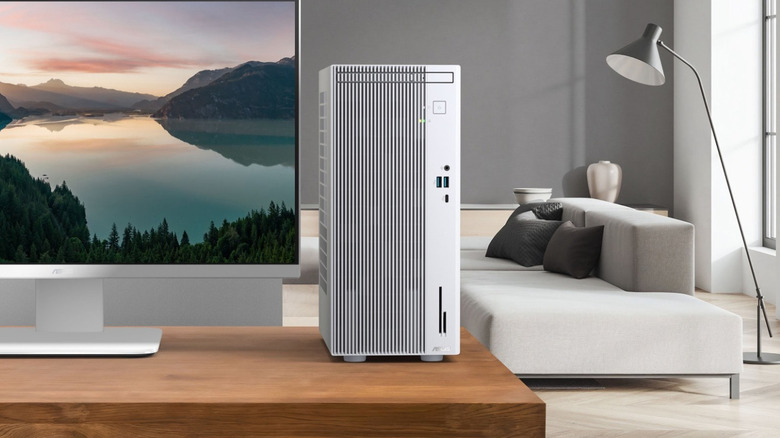
Despite its name, the ASUS V500 Mini Tower 15L is not one of the mini PCs that people are using to replace streaming devices. It is a full-fledged tower PC in every regard, albeit one that achieves a more compact size by compromising on certain specifications. It's an appealing entry-level PC, but it doesn't serve as a great long-term investment because it is difficult to upgrade. A lack of mounting space inside the chassis makes it impractical to install additional drives.
Installing a better graphics card would also require a better power supply unit beyond the bundled 180 W PSU, among other modifications. ASUS markets the V500 as "the ideal PC for families" due to its ability to handle everyday research and browsing as well as modern entertainment and gaming. The Consumer Reports team backs up this claim by giving this desktop tower a solid score in their versatility tests.
The problem lies in the extent to which it can accomplish those various tasks. Reviewers have criticized the V500's ability to keep up with the graphical demands of modern gaming and creative work; Consumer Reports corroborates this claim by giving the Mini Tower a very middling evaluation in its performance tests.
Dell Slim Desktop ECS1250
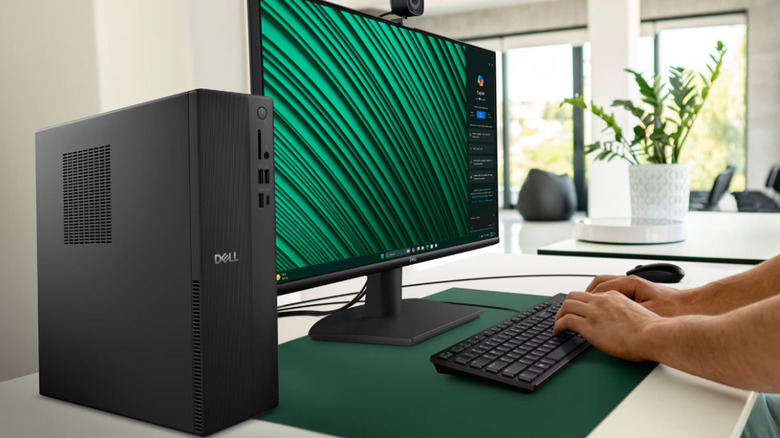
A narrow PC tower can certainly look sleek and save space, but the Dell Slim Desktop ECS1250 proves that there may be more cons than pros with this design. As with any compact PC, the ECS1250 suffers from a lack of expandability and a higher likelihood of thermal throttling. Heat accumulates quickly in a small frame, and the problem only compounds the more work you're loading onto the PC.
Where the ECS1250 can shine is in its ease of use. Setup is straightforward, and its form factor guarantees that it can fit into any cubicle or office space where you need to perform simple work. Emphasis on "simple," though, because its sole reliance on integrated graphics means that it will struggle greatly with modern gaming, 3D rendering, or heavy video editing. Consumer Reports rates its performance as passable, but you should definitely avoid this desktop PC if there's any chance that you'll need to perform more demanding tasks.
HP OmniDesk Slim S03-0034
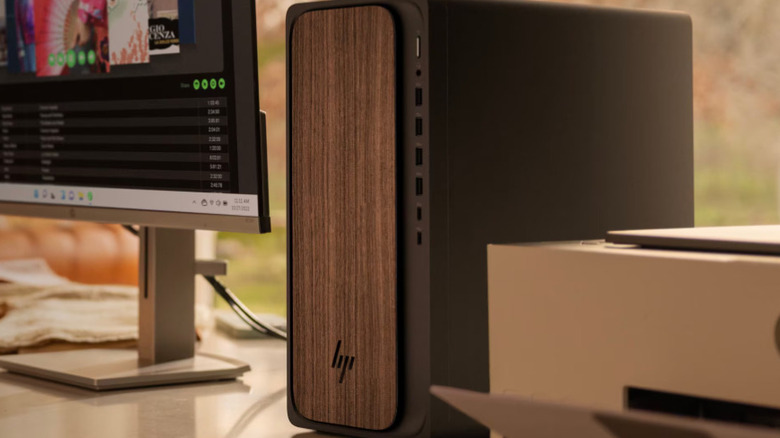
The HP OmniDesk Slim S03-0034 is a budget desktop PC with an MSRP of just $499. You might be drawn to this tower if you're looking for something affordable that can simply get the job done, but you might feel some buyer's remorse afterward. The S03-0034 comes with just 8GB of RAM, which could be an insufficient amount of onboard memory for efficiently running modern AAA games, if you're a gamer.
Furthermore, this is another compact tower model that leaves little to no physical space for installing better components. If you find yourself needing a more powerful machine, you'll likely have no other choice than to buy a better one outright.
The S03-0034 received one of the lowest performance ratings among Consumer Reports' list of current-generation desktop PCs. It struggles to keep up with the demands of today's software, making it a questionable choice even for basic office tasks and everyday productivity. If there's even the slightest chance that you'll need to juggle multiple tasks at once or engage in more demanding workloads, consider a more capable option.
Acer Aspire Desktop TC-1785-UA92
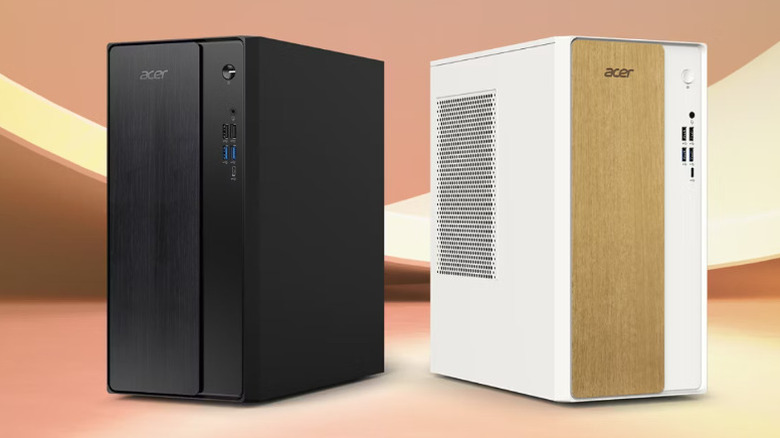
The Acer Aspire Desktop TC-1785-UA92 is a full-sized tower PC with budget specs. With marketing that touts it as a "student & business desktop," it's clear that this PC is not meant for high-end tasks or cutting-edge gaming. Even so, you can get your money's worth if you keep in mind that the 8GB of RAM in the baseline model is only suitable for low-end workloads.
The main reason to avoid this desktop is that it's not as customizable as it seems. Despite being a full-sized tower that would typically imply upgradability, Acer's 1780 series PCs use a 300-watt proprietary power supply with limited GPU connection options. This is a significant restriction for upgrading the TC-1785-UA92.
Among the manufacturers included on Consumer Reports' current list of computer ratings, Acer is the one with the lowest owner satisfaction score; its frustrating use of proprietary components in low-end PCs is certainly one factor that justifies that fact.
Lenovo IdeaCentre 3 90VT0067US
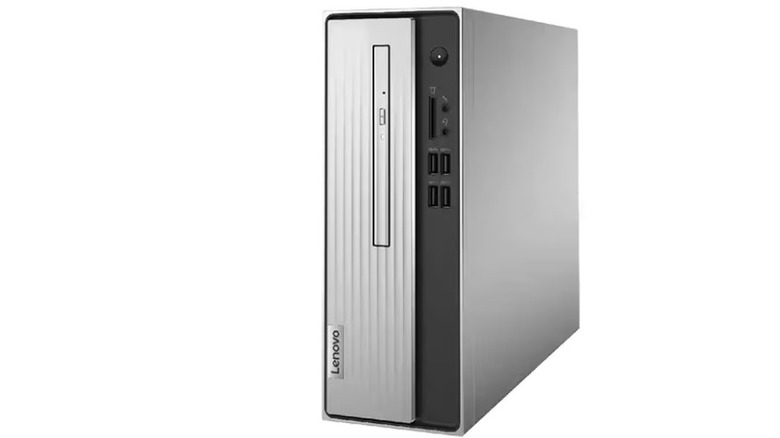
The Lenovo IdeaCentre 3 90VT0067US is the most affordable tower PC in Consumer Reports' current rankings, but it's also one to avoid at all costs. With 8GB of RAM and a 256GB SSD, its specs meet the bare minimum for acceptable performance. Like other budget models, it features integrated graphics only with no practical way to install a discrete GPU, making it unsuitable for any gaming or creative work.
Consumer Reports assigned a low performance rating to the IdeaCentre 3, and its versatility in handling everyday tasks was merely par for the course for PCs in this price range. Its compact nature and budget-friendly design can also make it more prone to overheating and component failure from heavy use, necessitating further investment if you have to replace the PC outright. If you want to save money in the long term, it can be more worthwhile to spring for a more reliable and long-lasting computer.