

High-End Routers Are Great, But The Smart Money Buys A Cheaper Model
We may receive a commission on purchases made from links.
You've paid for a good internet plan and gotten the perfect Ethernet cable to make it wired, but getting a better Wi-Fi router is ideal if you want your phone to have the same high speed as your wired connection. The router your ISP provides when setting up your connection is fine for most, but sometimes you get lower speeds than you're paying for. In these cases, getting a third-party internet router is one way of fixing slow internet. There are a lot of differently priced routers, and not everyone needs a $300 TP-Link Archer GE650.
More expensive routers often come with extra features. These include privacy protocols, like built-in VPN, better network security, and website blocking. If any of these features interest you, then paying extra for those is justified. If, however, you're only looking at network speeds, you don't need to spend a fortune on your router, as it would only lead to a minuscule improvement. Even a $119 router like the TP-Link Archer BE230 can support Wi-Fi 7 to give you multiple gigabit per second speeds.
For most people, this is overkill. According to Speedtest, the average U.S. home only has an internet plan that goes up to 306 megabits per second, which is 127 times slower than the 46 gigabits per second that Wi-Fi 7 routers can theoretically handle. For people living in a relatively small-sized home and not having many smart devices constantly eating up bandwidth, the best Wi-Fi router can often be as cheap as $50.
The best Wi-Fi routers for most people
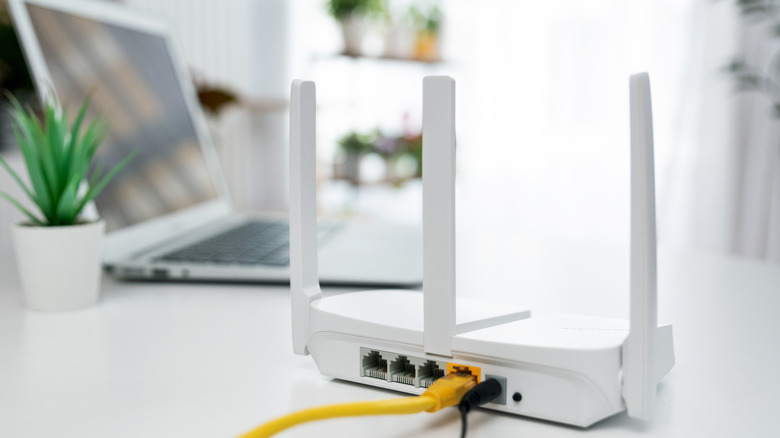
The type of Wi-Fi router you should get depends mostly on your internet plan. If you have a plan of up to 300 Mbps and only a few devices to connect, an old Wi-Fi 5 router like the TP-Link Archer A54 can do the job well enough for only $34.99. If you have a slightly faster plan or want to connect more devices, we recommend upgrading to a Wi-Fi 6 router. These can be relatively cheap as well, and you can get a router like the TP-Link Archer AX10 for $59.99 on sale. This can connect more devices simultaneously and provide a much faster connection, with the 5 GHz bands showing speeds anywhere from 600 Mbps to about 1 gigabit per second.
For those in larger homes or better internet plans, you need to get a router that supports Wi-Fi 7 to upgrade further. You don't need to pay a premium for this either, though, as options like the previously mentioned Archer BE230 can be bought for less than $100 in certain deals. This can easily give speeds beyond 1 gigabit per second near the router due to Multi-Link Operation, and its Ethernet ports can further increase these speeds to above 2 Gbps. The router is still a dual-band router, though, which means it doesn't have the third, faster band that more expensive Wi-Fi 7 routers do. Still, this is the most premium router most people should opt for, letting you download large files in seconds, play games without any local lag, and even stream multiple high-quality videos without issue.
When to pay more for a router
If you don't particularly care about extra features that come with the router, there are only two cases where you should consider paying extra. First, if you're an avid competitive gamer or want to stream 4K videos on your devices, getting that extra bit of efficiency in connection speed helps. Second, if you're someone who lives in a multi-level house or want to get a router for an office building, a cheap router won't have the coverage to spread the signal effectively.
Paying extra for a better router that supports Wi-Fi 6 or even Wi-Fi 7 is one way of making the most of your internet. Wi-Fi 7 routers can support speeds up to 46 Gbps and Multi-Link Operation (MLO) that lets devices supporting it connect to multiple bands for a more consistent internet, whereas routers without Wi-Fi 7 only let you connect to a single band. These routers also often feature an extra third channel to connect to dedicated devices supporting this high-speed Wi-Fi 7, offloading lower bandwidths for an even smoother experience. As we've mentioned before, a more premium router will not improve your speed beyond what your internet plan provides, but it can get you closer to the advertised speed if your devices aren't making the most of it.
For range, cheaper routers are enough for small apartments, but if you have a multi-level home that spans a wide distance, you have to buy Wi-Fi repeaters to get the connection to far away places. In such cases, you can opt for a router with a broad connectivity range, such as the GL.iNet Flint 3. Alternatively, you can also consider getting a Wi-Fi mesh system with a router such as Amazon eero 7 for even more stable range.