

That Slot On Your Laptop Isn't A Port - Here's What It's Actually For
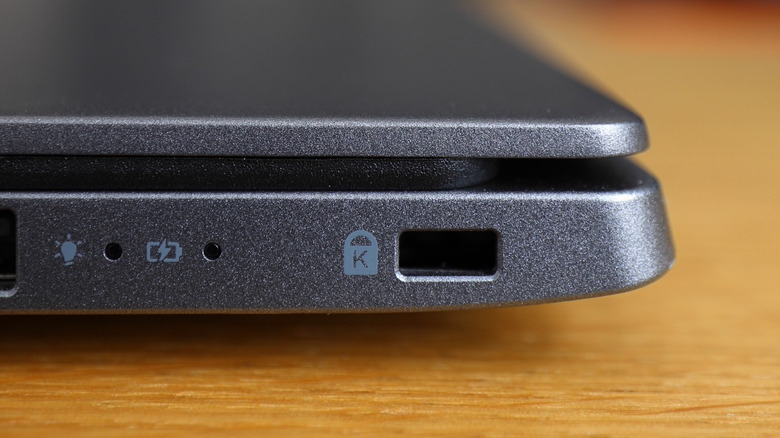
If you've owned a laptop in the past twenty years or so, chances are high that you've had one at some point. But it's easy not to think about, especially since it doesn't seem to do anything at first glance. The object in question, of course, is that little slot located on the side of many laptops — you know, the one near your USB and charging ports that has a lock icon next to it. Well, what if we told you it is actually useful for something?
That slot — which has been included on many laptop brands for the past two decades — is for a special type of lock called a Kensington lock. These are essentially security devices, which you can use to secure your electronics directly to a table, desk, or other immovable object. Ever been to Best Buy, Walmart, or any other store with laptops and electronics and noticed how some of them are tethered to a cable? That's a Kensington lock, and there's a good chance your laptop supports one, too.
What devices support Kensington locks?

There's an array of devices that were designed with Kensington locks in mind. Some of the best laptops have them (usually not ultrabooks or ultra-thin laptops, though), as do desktops, monitors, projectors, and many other expensive types of electronics that might need to be secured in some way. You can check if your laptop has a Kensington lock slot by checking along the side or back for the connector slot. If you have one, then you can look up your laptop's model to find a lock that will fit it.
Kensington Security Slots (or "K Slots," as they're sometimes called) have been around for more than 30 years. Over that time, the locks have expanded to support a variety of different devices, including the aforementioned options, as well as printers, speakerphones, and more. Its namesake company, Kensington Computer Products, says that 95% of laptops, projectors, printers, and monitors are compatible with its locking solutions — at least as recently as 2022.
The amount of supported devices has changed some as things like ultrabooks and super-thin laptops become more readily available, but regular-sized laptops still tend to offer a Kensington Security Slot. If you plan to buy a cheap laptop from Walmart or other stores, you may want to see if it offers room for a Kensington lock.
Are Kensington locks actually secure?
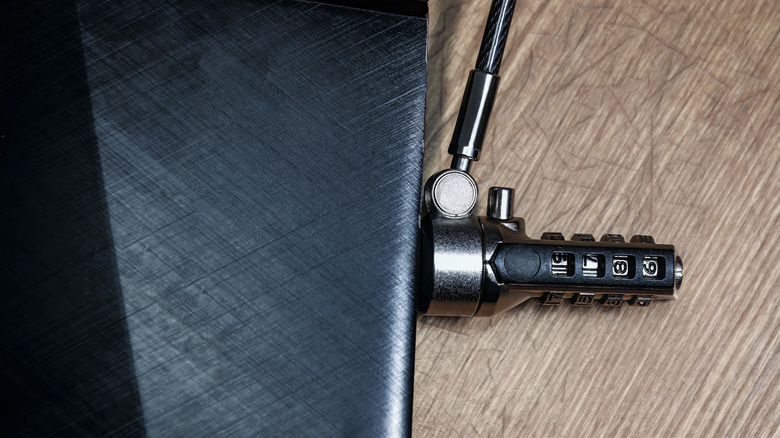
The most important thing to note here is that these locks are not always going to stop theft. They are more designed as deterrents for "grab-and-run" scenarios. As such, they can still be bypassed, but they make things a bit harder for potential thieves. Additionally, these locks are really only going to be as effective as the mounting location you choose for them. If you simply connect them to a cable around a table leg that can be easily moved to bypass it, you're not going to get much additional security from it. This is why stores often have the cables designed to go under a table, where they can be attached to other, more secure objects.
If your laptop offers a Kensington Security Slot, you very well might want to invest in a lock for it. This can help provide additional peace of mind if your working environment leaves you worried someone could run off with your laptop. And if you pair one up with essential security apps that actually protect your computer, you'll surely feel more secure knowing your data is better protected against software and hardware threats alike.