

5 HDMI Mistakes That Are Holding Your TV Back
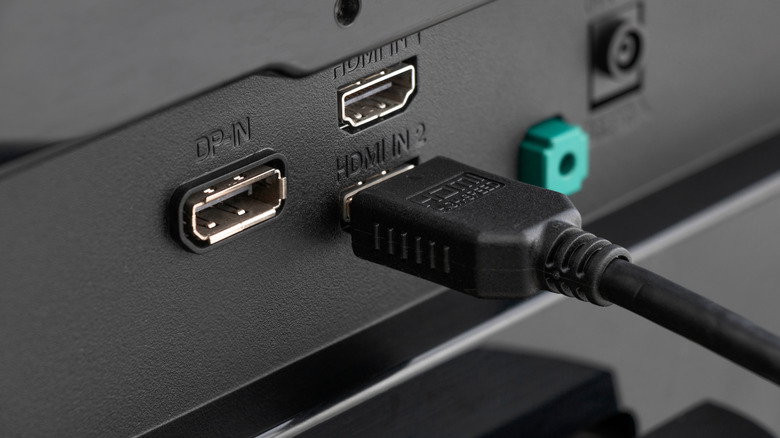
Most modern smart TVs are feature-packed and promise sharper visuals and better sound, but they don't always live up to your expectations. And while you might think that your television is the problem, that's not always the case. Sometimes, issues stem from how you use the HDMI cable and ports or configure the settings. Even small mistakes can have a drastic impact on picture quality, audio output, and overall performance. Not properly utilizing the ports can even limit your TV's functionality. Yet people generally ignore these potential issues because of the myths surrounding HDMI cables and ports.
Maybe your smart TV isn't delivering the same performance that was advertised. Perhaps the audio-video clarity has gone downhill in the past few months. Regardless, it's worth checking whether common HDMI mistakes are ruining your viewing experience before you go ahead and upgrade to a newer model.
Using the wrong HDMI cable
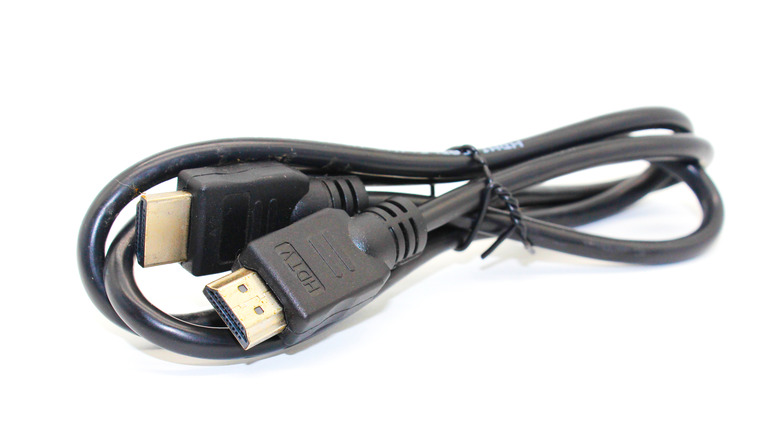
The most common mistake people make is using an incompatible cable, because until a few years ago, the cable didn't really matter. But that's no longer the case. Not all HDMI cables are the same anymore, nor do they deliver the same resolution, audio, and refresh rate. So, if your TV's audio stutters or it isn't delivering crystal-clear visuals, it's time to take a look at the cable.
Modern HDMI cables come with support for features like variable refresh rate (VRR), Audio Return Channel (ARC), and Enhanced Audio Return Channel (eARC). Then, they offer better High Dynamic Range (HDR) capabilities, a wider range of colors, and additional audio streams, which are directly related to the audio and video quality on your TV, especially while gaming or watching movies.
HDMI cables are often referred to by versions such as 1.0, 1.2, 1.4, 2.0, 2.1, and 2.2, though that's not how they are officially marketed. HDMI 2.1, one of the more recent versions, offers 4K@120Hz and 8K@60Hz, with a maximum bandwidth of 48 Gbps and support for HDR. So, if your TV supports this standard, this is the cable you should go with for the best experience. As for HDMI 2.2, it was just unveiled at CES 2025, but since most devices don't support it, getting one doesn't make much sense, at least for now.
Plugging devices into the wrong HDMI port
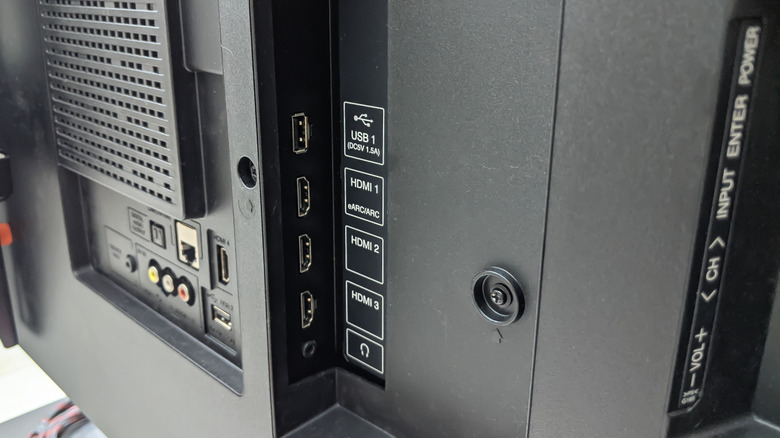
Plugging the cable into the wrong HDMI port is just as bad as using an incompatible cable, because this, too, doesn't allow your setup to deliver its full potential. Every smart TV comes with several HDMI ports, and while you can, theoretically, plug the cable into any of these, only one or two will provide the best experience. And that too depends on the use case and connected device(s).
Again, the HDMI 2.1 (or HDMI 2.0) ports are ideal for streaming content and playing games. And for better audio on your soundbar, you should go with the port marked as "HDMI eARC." In some models, eARC also doubles as an HDMI 2.1 port — information about this should be available in the TV's manual. If that's the case, it should be your preferred choice. So, verify which HDMI port you are currently using on your smart TV and switch to HDMI 2.1 or HDMI eARC for the best audio, video, and performance.
Not enabling the right HDMI settings
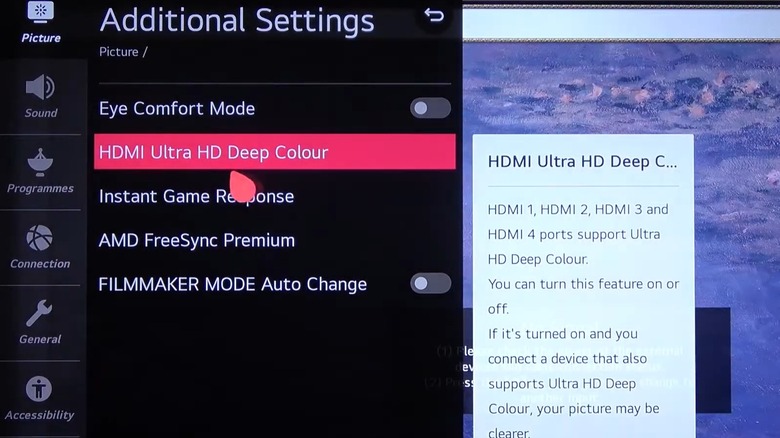
Even using the right cable and port isn't sufficient if the HDMI settings on your TV and connected device are not tailored to deliver the best experience. These settings, although available on most smart TVs, are often turned off on all HDMI ports by default for compatibility reasons. So, if the visuals aren't clear, check the TV's built-in picture settings and look for features like "HDMI Ultra HD Deep Color," "HDMI UHD Color," or "Enhanced Format," depending on the manufacturer. If you find any, enable it and verify whether it boosts your picture quality.
Additionally, some TVs come with dedicated modes to streamline the performance of individual devices. For instance, settings like "PC Mode," "Game Mode," "Cinema Mode," or "Sports Mode" can optimize the experience when you connect a computer or console or stream movies and games.
Ignoring dust accumulation in HDMI ports
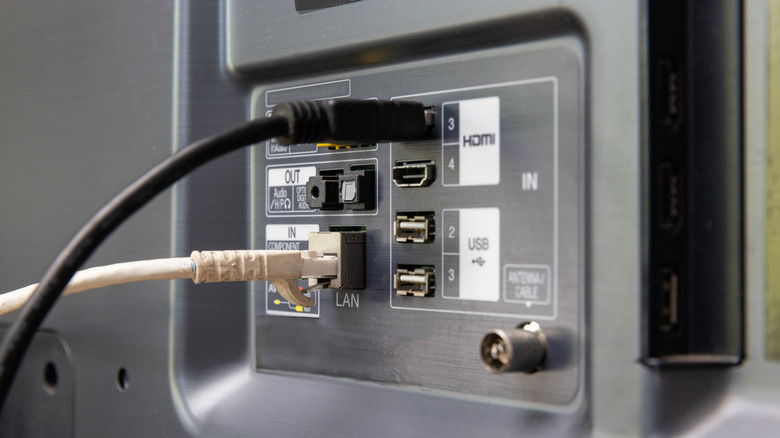
Like every other piece of tech, dust is one of the TV's worst enemies. Dust buildup in the speakers can reduce the audio quality, while accumulation in HDMI ports can affect the connections and prevent the cable from firmly plugging in (one of the reasons you should clean your HDMI ports). This, in turn, leads to flickering or, in worse cases, a black screen on your TV. Dust accumulation is more common in unused ports, especially if the television is placed close to the floor or near an open door or window.
Clearing the dust is simple. All you need is a soft piece of cloth (preferably microfiber) and a can of compressed air. Now, turn off the TV, unplug it from the power source, hold the can of compressed air 2 to 3 inches away, point the nozzle towards the HDMI port, and blow air in short bursts. To clean the outer surface, use the microfiber cloth. If there is grime, use a cotton swab dipped in isopropyl alcohol and gently wipe it off.
Periodic cleaning of HDMI ports not only prevents issues from arising but also extends the lifespan of your TV. Uncontrolled dust accumulation coupled with oxidation can cause corrosion, rendering the ports non-functional, and replacement usually requires too much time and money. So, it's always a good idea to clear the dust from time to time.
Avoiding an HDMI switcher
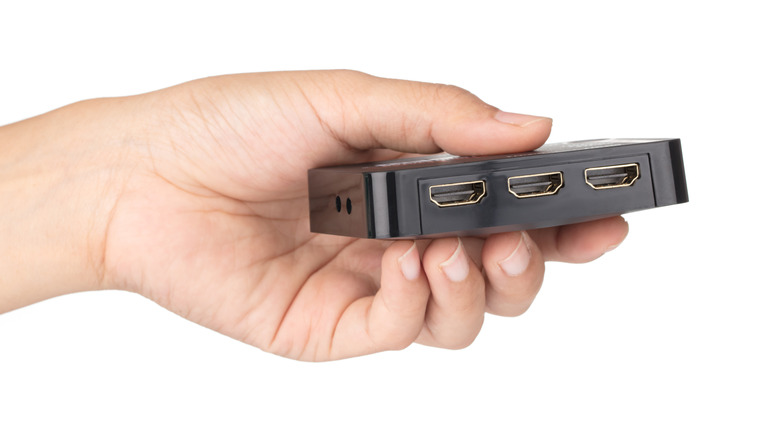
Most smart TVs come with two to three HDMI ports, which are sufficient for regular use. But if you have more devices to connect, it's often a hassle to switch between them. You will need to unplug one HDMI cable and plug in another, and doing this frequently can lead to wear and tear that affects the port's usability and lifespan. This is where an HDMI switcher comes into the picture — it lets you connect multiple devices to the same port. One end plugs into the TV, while the other, with multiple ports, is used for devices.
HDMI switchers have come a long way over the years. Earlier, you had to manually switch to the device you wanted to use, but we now have automatic switchers that detect incoming signals and auto-switch to the active device. So, if you've been delaying the purchase all this while, now is the time to get an HDMI switcher to seamlessly connect multiple devices to your smart TV.