

5 Heavy-Duty 3D Printer Tools You'll Actually Use
We may receive a commission on purchases made from links.
FDM and resin 3D printing have evolved rapidly over the last couple of years. Gone are the days of painstaking setup and leveling; the latest 3D printers worth their salt now self-level, monitor for print failures, and more. But an often overlooked part of getting into 3D printing is the tools users need before and after physically printing any project. While there are plenty of cool new 3D printing gadgets to look forward to, people often overlook proper preparation, post-processing, and safety precautions when getting into 3D printing.
Investing in high-grade and practical equipment can transform a project from a chore into a fun pastime just by streamlining a 3D printing workstation. It's about getting things done right the first time. From air filtration to 3D scanning objects and turning them into an STL file to print off, the right equipment doesn't just make 3D printing easier, it keeps users safe, and it expands what can be done with 3D printers in general.
Useful heavy-duty 3D printing tools often overlap with workshop mainstays like knives, files, and power tools, so some of these picks might look familiar. Of course, users can just buy the basic tools and get going, but by investing in one's hobby with genuinely helpful tools, a day's worth of post-processing can turn into a couple of hours with some rewarding fun in the process.
Hozo NeoBlade Wireless Ultrasonic Cutter
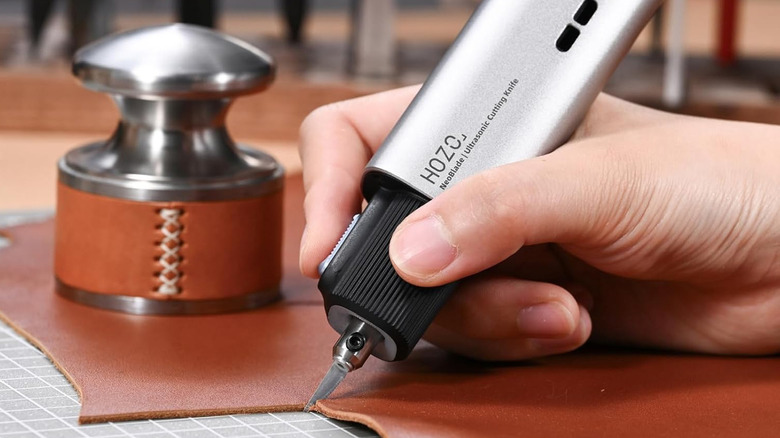
Precision tools can be the most important part of post-processing FDM prints and maintaining 3D printers, and they're among the gadgets everyone new to 3D printing should have. The same goes for removing supports on fine resin prints that don't leave a pothole or mark. The Hozo NeoBlade is a craft knife that goes through wood, leather, acrylic, and more like butter, so trimming down prints made of cured resin or PLA is a piece of cake. It uses ultrasonic technology to make the blade vibrate at a frequency of 40 kHz, which is how it can cut through so many tough materials with precision. It weighs just under 190 grams and comes with a grip and LED light, so it's easy to use even in tight spaces.
Another cool feature is an intelligent 40-watt power adjustment system that automatically adapts its output based on the resistance of the material it's being used on, which helps prevent it from stalling or overheating. Speaking of cooling, it has a 13,000-RPM turbofan built in to take care of thermals, even on longer projects. It comes with six SK5 steel blades that attach to the device magnetically, including a standard craft blade, chisel-shaped, and even curved blades that are made to outlast standard carbon steel. The 1,300 mAh battery quickly detaches from the rear of the NeoBlade to swap with another battery, with docks and spare batteries sold as well. Don't worry, there's a child lock on NeoBlade too.
Junchamp Electric Belt-Sander
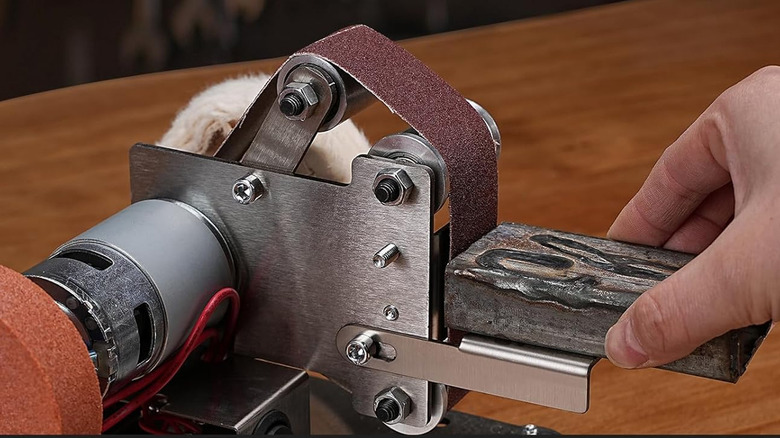
Nobody likes manual sanding, especially when using anything tougher than standard PLA filament when FDM printing. Belt sanders are always handy to have around, but the Junchamp Mini Electric Belt Sander sells for $59.99 and has everything needed to turn a project full of print lines into a smooth and polished masterpiece. The machine is built with high-quality stainless steel, and it's powered by an all-copper motor with double bearings to provide high torque while staying smooth and quiet (for a belt sander).
It has seven speeds, ranging from 4,000 to 9,000 RPM, although it's best to start slow on a print to avoid breaking it. This model comes with various sanding belts, ranging from 120 to 1,000 grit, with higher grits for polishing work widely available online. You can also use it as a bench grinder and polishing wheel by attaching a grinding or buffing disc on either side of the belt sander housing. A full-sized bench sander wouldn't be good for many projects, as it's just too powerful and meant for heavier tasks like metal and wood work. But this is just the right size to solve bulkier post-processing work like cleaning up and polishing cosplay armor, helmets, or a Master Sword from "The Legend of Zelda," for example.
Creality Raptor Pro 3D Scanner

Instead of finding an STL file or sculpting your own, why not just scan a real-world object to 3D print? The Creality CR-Scan Raptor Pro is a metrology-grade instrument that's great for scanning and even reverse-engineering something. Although it's usually discounted at retailers, its MSRP is $1,899. It sounds like a big investment, but this is an industrial-grade piece of equipment able to deliver 0.02 mm resolutions that was made for high-precision workloads. The Raptor Pro uses 22 blue laser lines and seven near-infrared structured light modes, making it capable of capturing everything from 5-millimeter miniatures to 4-meter industrial components. For users wanting to replicate anything in the real world, this is the tech to buy.
A big challenge with cheaper 3D scanners is reading metallic materials and dark surfaces directly, leaving blank spots in 3D scans. This usually requires users to use specialized sprays on such surfaces, but the Raptor Pro just does the job — it even handles automotive glass with a transparency level of up to 71%. It also recommends a PC with a minimum 32 GB of RAM and an Intel Core i7 or equivalent processor, and this is due to how quickly the Raptor Pro captures and pushes complex geometry for processing at 60 frames per second. So yes, it's quite the investment, but if you plan on using 3D scanning technology to power your 3D printing projects, it's worth it.
Elegoo Marsmate Air Purifier
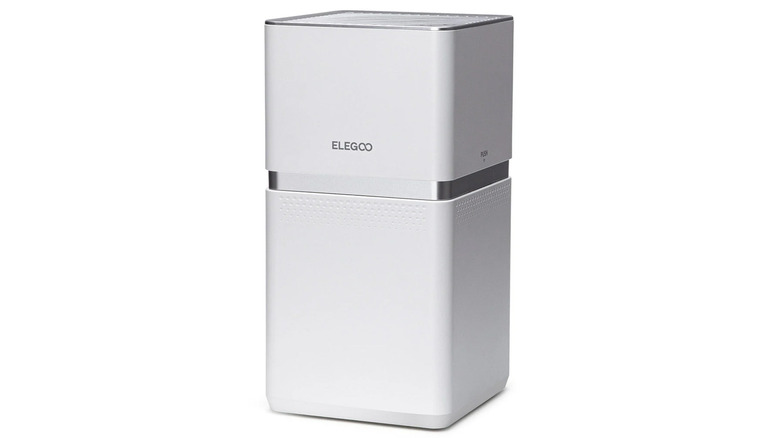
Volatile organic compounds (VOCs) are a big concern when it comes to resin 3D printing, which is why it's a good idea to add a device like the Elegoo Marsmate Air Purifier to your 3D printing workstation. It's a heavy-duty solution designed to remove up to 95% of resin odors by using a large, specially designed activated-carbon filter that efficiently clears air around a resin 3D printer while only drawing 6 W of power. It's quiet for an air purifier too, reading at around 35 dB while using its built-in VOC sensor that monitors air quality in real time. If VOC concentration hits 1.4 PPM, or if the filter lifespan exceeds 1,440 hours, a red indicator light alerts users to replace the element.
It weighs about 15 pounds, making it stable and durable on a worktop. Users working with Elegoo resin 3D printers can hook the Marsmate up to the exhaust on the back of their printers to directly extract harmful fumes and purify them at the source. Alternatively, Elegoo offers mini air purifiers that can be added near the printer while using the Marsmate to purify the general workspace during printing and post-processing. Just remember, it's still good practice to work in a well-ventilated area and use powder-free nitrile gloves and respiratory protection when dealing with resin 3D printers.
Elegoo Mercury Plus V3.0
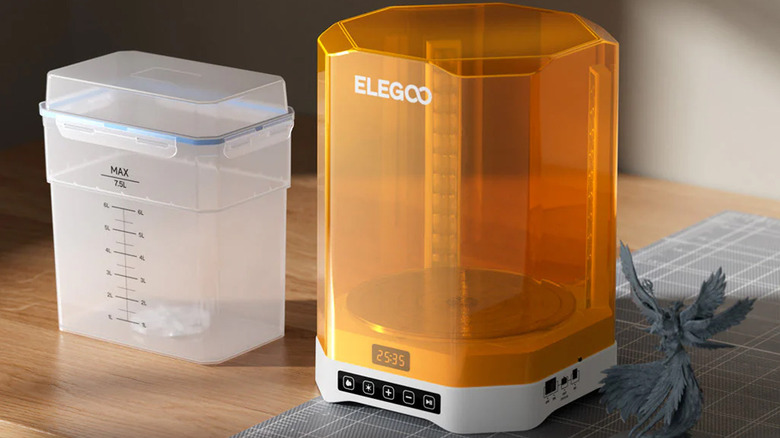
There are so many ways 3D printing could change this year, but having a wash and cure station alongside a resin 3D printer for post-processing will still be as important as the 3D printer itself. Resin post-processing is completely different from FDM projects, as the build plate dips into a vat of resin and cures each layer one at a time. It's a great way to 3D print anything with fine details, such as collectibles and miniatures. Wash and cure stations take care of cleaning excess resin from the print, then UV cures the project to solidify the resin and get it ready for sanding off support contacts, sticking together, and painting.
Elegoo's Mercury Plus 3.0 is one of the best in this category, in large part due to the company putting different cleaning and curing solutions through their paces over the last four years. It comes with a 2-gallon cleaning tub, which users can fill with either isopropyl alcohol or specialized detergent. It has a magnetic agitator at the bottom that spins liquids to clean off resin prints, and it comes complete with a basket or room to place up to a 10-inch build plate with a project attached.
Users can then take off the cleaning tub, attach a clear rotating turntable, put the cleaned print in the middle, and cure it with a 24-light UV array. Mercury Plus 3.0 comes with an anti-UV cover to protect users during this process, which blocks 99.9% of UV rays.