

What The Bottom Port On Your Xbox Controller Is For
We may receive a commission on purchases made from links.
Since the first model's release alongside the Xbox 360 (the original Xbox console infamously sported a bulky and awkwardly designed controller nicknamed "The Duke"), the Microsoft Xbox controller has become one of the baseline choices for console and PC gaming. This persists into its current iteration alongside the Xbox Series X, even giving the PS5's DualSense Controller a run for its money.
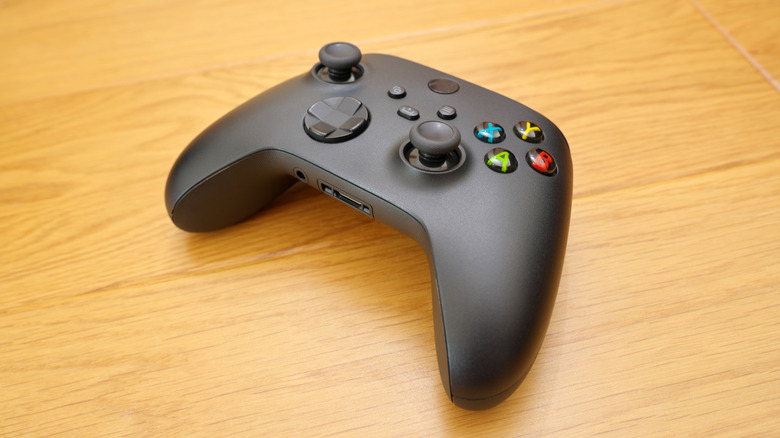
While most of the face and function buttons and ports on the controller have obvious applications, there's one bit on the bottom of the device that's less apparent, a small, rectangular port. This mysterious port is actually a leftover feature from the Xbox One years, originally conceived to make up for the lack of a dedicated headset port.
The port on the bottom of an Xbox controller is formally known as the Microsoft Expansion Port, a proprietary connection designed to connect a small variety of peripherals to your controller. These peripherals primarily include chatting devices, such as headset connectors and keyboards. As current-generation Xbox controllers have dedicated headset ports, the Expansion Port has become somewhat vestigial, with third-party offshoots of the controller scrapping it entirely. That said, if you still have an Xbox controller with an Expansion Port, you can use it, provided you have a compatible peripheral.
The Expansion Port was originally added for chatting peripherals
The original Xbox 360 controller, fittingly for the console's online multiplayer-focused design, featured a 3.5mm audio jack on its bottom, intended to receive the official Xbox 360 gaming headset. This was a well-liked feature during that console's time, leaving players confused when the Xbox One released in 2013 and its controllers lacked that port. In lieu of the 3.5mm audio jack, the first Xbox One controller featured an Expansion Port.
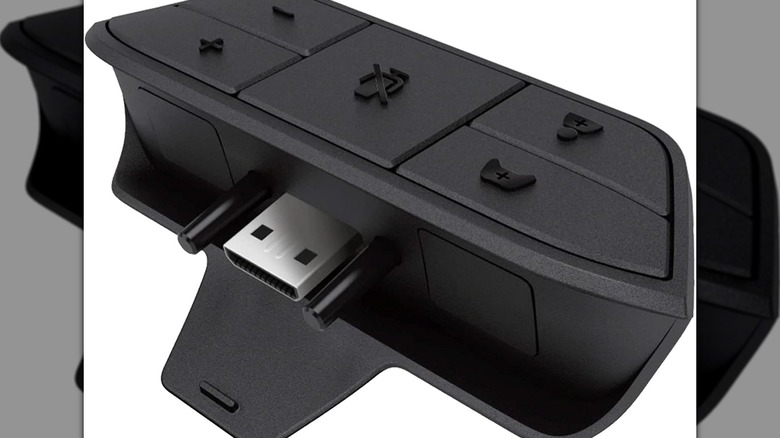
If you wanted to plug a headset into the controller, you would need to purchase a separate audio adapter that could plug into the Expansion Port, which you could then plug your headset into and use the onboard volume and mute buttons. You could also connect a headset to the port directly if your headset had an Expansion Port jack.
This proprietary setup was not a popular choice with gamers, with audio adapters going largely unsold. This is why, a couple years later, Microsoft released a revamped version of the Xbox One controller with a 3.5mm jack next to the Expansion Port for easy headset connection.
The port has been mostly dummied out, but still supports some peripherals
Since the release of the updated Xbox One controller, Microsoft has used that same framework up into the modern day, including both the 3.5mm audio port and the Expansion Port on the controllers for the Xbox Series X and Series S.
The Expansion Port, however, has largely gone ignored by Microsoft itself and the gaming public at large, as there's no real need to use it if you can just plug a headset with its own volume and mute buttons right in. Third-party controllers that mimic the Xbox controller's design, such as the PowerA Wired Controller, forgo the Expansion Port entirely, leaving only the 3.5mm jack.
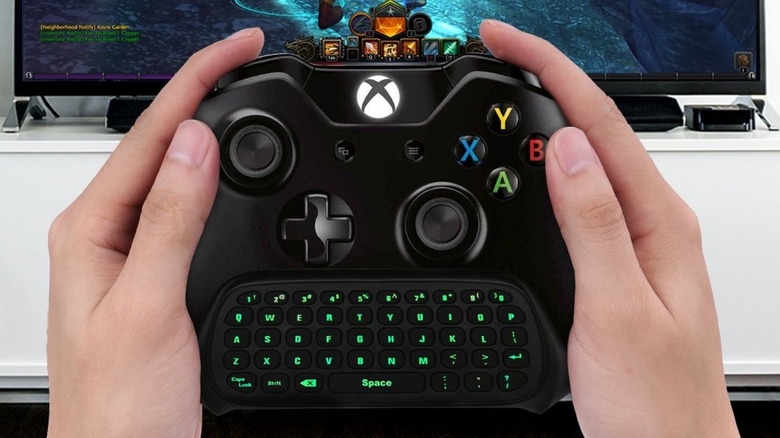
While the Expansion Port has become more or less vestigial, if you have a first-party Xbox controller or still use your old Xbox One controller, you could use it if so inclined. Besides the audio adapter, one of the other most prominent Expansion Port peripherals was the Chatpad, a compact keyboard you could plug into your controller for typing in-game chats in supported games. You can't buy the actual Microsoft Chatpad anymore, but there are third-party keyboard peripherals available on Amazon, such as the MoKo Xbox One Controller Keyboard, which plugs into both the Expansion Port and the audio jack. Whether the next iteration of Xbox console continues to include the Expansion Port remains to be seen.