

The MacBook Neo's USB-C Ports Look Identical – But They Work Very Differently
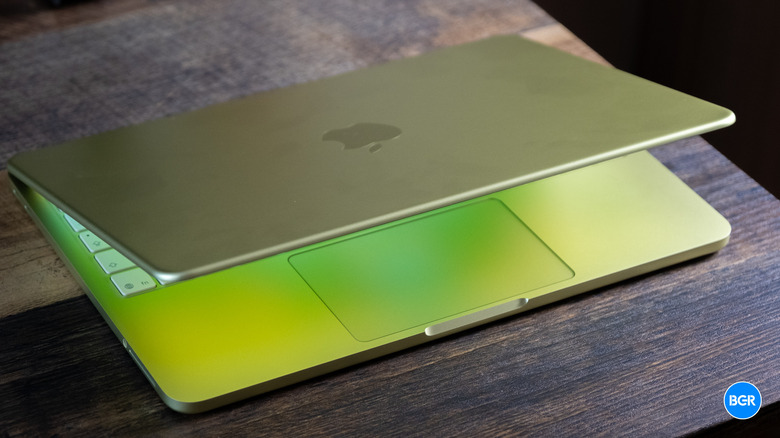
The low-cost MacBook Neo is a major success for Apple, after receiving positive early reviews. Its performance, battery life, and repairability are all highlights of the $599 machine, with reviewers pointing out the lack of real competition from Windows laptop makers. That's something we noted in our MacBook Neo review: The laptop is "easily better than any Windows laptop" priced similarly.
There are compromises to consider, which we've also detailed, including the lack of Touch ID on the most affordable model, the inability to upgrade the RAM, the lack of a MagSafe connector, and the differences between the two USB-C ports. Such distinction is not seen on other MacBook models, which feature ports with identical specifications.
The two USB-C ports on the left side of the MacBook Neo look identical, so you won't know which one supports faster data transfers or an external display until you test them with a monitor or a high-speed portable drive. As the MacBook Neo targets users who may not need more advanced capabilities from their device, some users may never notice the differences.
The MacBook Neo's USB-C specs
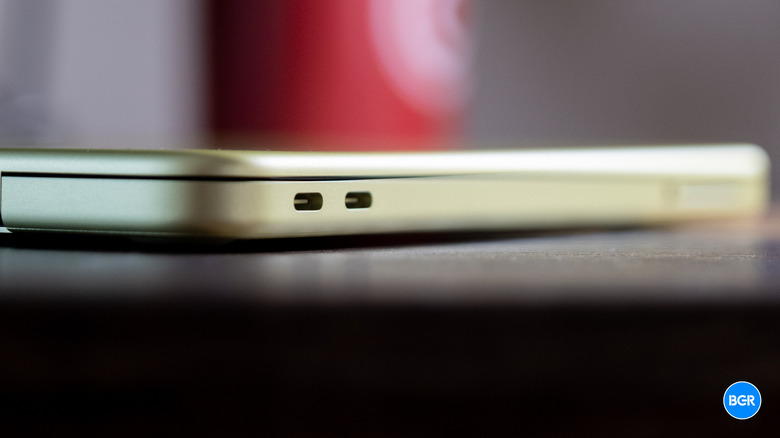
You should know what each USB-C port can do, nonetheless. Both can recharge the battery at similar speeds, requiring a 20-watt (or higher) power adapter for the job. They also support data transfers, but the port on the left has a higher USB 3 speed of 10 Gb/s, while the one on the right supports only USB 2 speeds of up to 480 Mb/s. If you use external SSDs with the MacBook Neo, you'll want to connect them to the port on the left to take advantage of faster data transfers. Accidentally plugging a storage device into the port on the right will not prevent you from moving files around, but the process will take longer.
The USB-C port on the left is also the only one with DisplayPort, which allows you to connect an external monitor to the MacBook Neo. The port handles screens up to 4K (3,840-by-2,160-pixel resolution) and 60 Hz refresh rates, according to Apple. You can only connect one external display to the MacBook Neo, even if you close its lid, leaving you with at most two screens to use — if you count the laptop's own screen. Also, if you plug the display into the wrong USB-C port, the laptop will notify and ask you to change the port.
In case you need to connect two external drives and an external display to the MacBook, you may need a USB dock connected to the left port to handle both data transfers and DisplayPort output. To get used to the different USB-C ports, a good rule of thumb is to use the right port for charging the laptop and the left one for connecting storage drives and a second monitor.
What about Thunderbolt support?
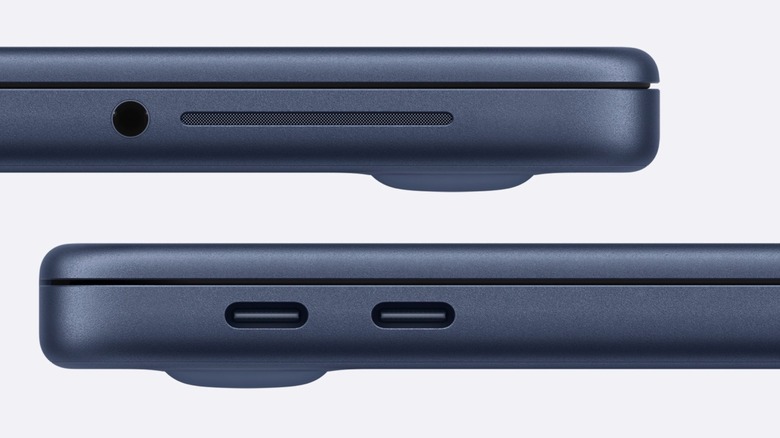
Neither USB-C port comes with the Thunderbolt standard, which would increase data transfer speeds up to 40 GB/s (with Thunderbolt 4) or 120 GB/s (withThunderbolt 5). These ports are available on the more expensive M5 MacBook Air and M5 MacBook Pro. That's the kind of compromise expected from a laptop that sells for $599, just like the lack of MagSafe charging support. The discrepancy between the MacBook Neo's USB-C ports may seem surprising, but it could reflect a cost-saving choice.
Apple used the A18 Pro chip to power the MacBook Neo, the same processor it used for the iPhone 16 Pro and iPhone 16 Pro Max in 2024. The A18 Pro can outperform the M1 chip in benchmarks, which was Apple's first M-series processor for MacBooks and iPads. Reviews have also shown that the A18 Pro can offer dependable performance. In our review, we found the MacBook Neo to perform well in several tasks, such as using multiple browser tabs, having apps run in the background, and handling light photo editing tasks.
However, Apple doesn't appear to have upgraded the A18 Pro chip for the MacBook Neo. That may be why the laptop only supports 8 GB of RAM, as the A18 Pro featured only 8 GB of memory inside iPhones. Also, the iPhone 16 Pro models feature one USB-C port that offers 10 Gb/s transfer speeds and connection to an external display via DisplayPort, so the MacBook Neo may be simply inheriting that limitation. According to Apple and tech expert John Gruber, it was "a significant engineering achievement to get a second USB port at all on the MacBook Neo while basing it on the A18 Pro" processor.