

Netflix Quietly Stopped Supporting Some Older Smart TVs - Here's Why
Every smart TV comes with a pre-loaded selection of apps, and if an app isn't already packaged with your smart TV, check the app store — chances are, any popular app will be available for you to download and enjoy. One of the most common TV streaming apps you'll find on virtually every smart TV is, of course, Netflix. However, some owners of older smart TVs might have noticed that recently, the Netflix app has stopped working on their devices. There's no shortage of other paid streaming services that are worth your money, but with Netflix's massive catalog and countless pieces of original content, we get why you'd want to keep it around. So, what's going on?
Unfortunately, Netflix's latest update has rendered some older models of smart TVs incompatible with the app. That extends not just to older smart TVs but also to some older receivers, as well as other common devices used for streaming services, such as the PlayStation 3. If you're still using a TV that Netflix no longer supports, that's a good indication that it might be time for an upgrade. But if you want to hang onto your TV — especially if it works just fine, or if you'd prefer to keep it in the kids' bedroom or up at the cottage — there are ways you can get the app to work with outdated hardware.
Which smart TVs has Netflix stopped supporting?
Netflix hasn't issued an official announcement about it yet, but if you have a smart TV that's more than a decade old, chances are Netflix has already ceased support for it. Some Reddit users have also posted about seeing an error message when trying to access Netflix using the now-old PlayStation 3. The message advises that Netflix "will no longer be available on [the] device after March 2, 2026." It then directs the user to navigate to a Netflix page that lists devices compatible with the Netflix app. The page lists various TV and streaming device brands, but it also features a note stating that "Netflix may no longer be available on some TVs and TV streaming devices made before 2015." You'll know your TV is affected if you get an error message when trying to access the service on it.
The reason for this change is simple: just like smartphone OS updates are only supported for a limited number of back-dated devices, TVs with older operating systems can't accommodate the demands of new updates in Netflix's latest app version. Furthermore, like older smartphones that have neither enough processing power nor enough RAM to handle the demands of many new apps, older TVs can't handle the advanced audio, video, or even security features on the latest version of Netflix.
How to get around the problem
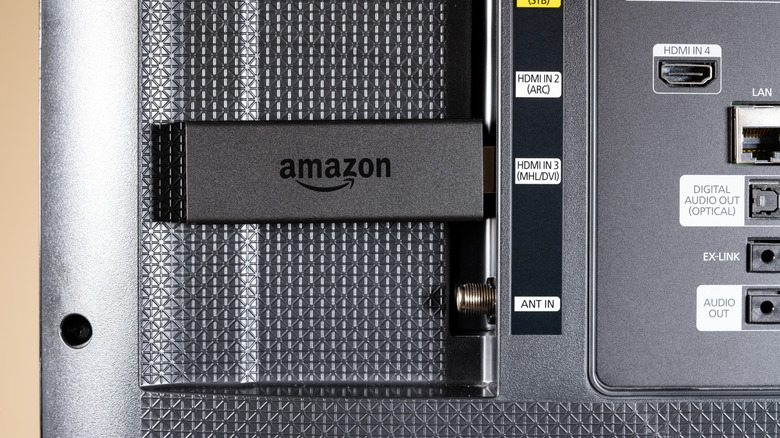
Thankfully, there are simple ways you can still access Netflix from an older smart TV that no longer supports Netflix natively. You can opt for an affordable streaming stick, or you can invest in one of the major streaming box devices that offer more storage and better performance. As long as your TV has a free HDMI port, you can plug in a Roku TV Stick, an Amazon Fire TV Stick, or other similar devices to access top streaming services. Streaming boxes, including Apple TV and Nvidia Shield TV, work the same way.
If your TV has casting capabilities, you can wirelessly cast content from your laptop, tablet, or phone. You could also plug a laptop into your TV via HDMI, DisplayPort, or even USB-C and watch Netflix on the big screen using the Netflix app installed on your computer. If you want to use your mobile device as the Netflix source, you can use a USB-C to HDMI adapter to connect your phone to your TV. Newer gaming consoles, like the PlayStation 5 or the Xbox Series X, can also function as media streaming boxes; much like the PS3 once did, these systems allow you to download and use the Netflix app straight from the device.
So, while you might initially be alarmed by the Netflix error message on your decade (or older) smart TV, there are plenty of workarounds for you to get the app working again on your hardware.