

5 Things You Never Knew Your Xbox Series X Could Do
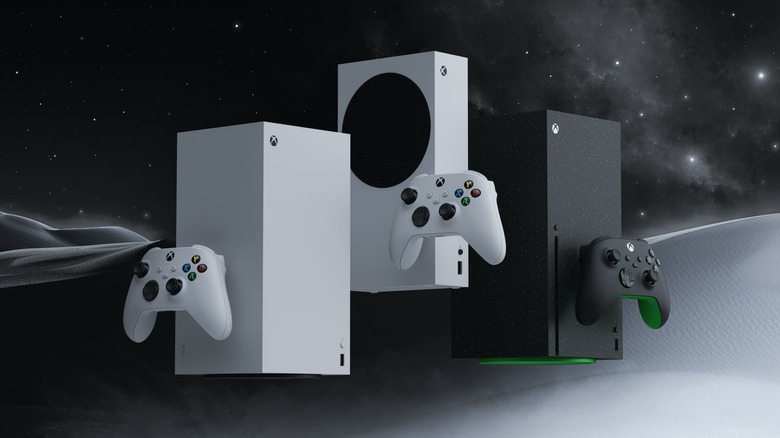
Xbox Series X has been out for over five years. Even if Game Pass isn't as great a value as it once was, the console is still a great gaming platform that's over twice as powerful as its predecessor, the Xbox One. This means the latest titles like "Resident Evil Requiem" and "Call of Duty: Black Ops 7" look great and run smoothly.
The Xbox also comes with cool features — some new and some returning from previous hardware — that give users a lot of flexibility when shaping their gaming experience.
Though Microsoft is looking ahead to the next generation of gaming with the recently announced Project Helix, it's worth going over some underappreciated and overlooked aspects of the Xbox Series X that make it special amid stiff competition from Sony and Nintendo. These include broad quality-of-life features and accessibility options that let gamers with disabilities join the fun.
Quick Resume
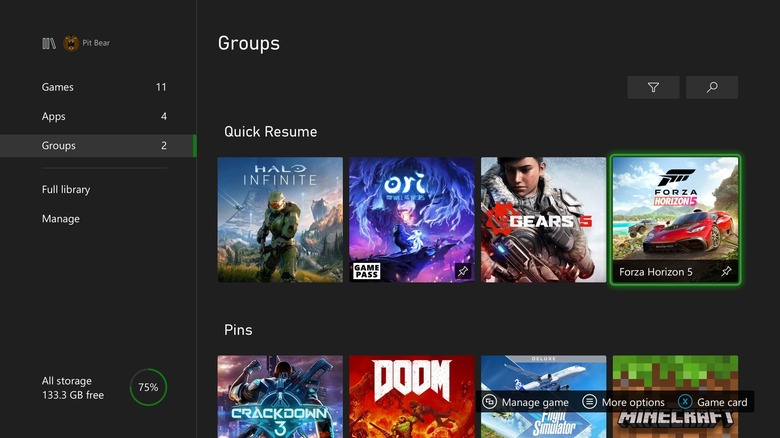
This isn't a particularly unknown feature, but it is one Xbox users don't appreciate enough. Quick Resume allows you to switch from one game to another without losing your place, allowing you to seamlessly jump back in right where you left off. You can have up to three full-memory games saved via Quick Resume at a time, and you can have even more if you're playing less resource-intensive titles. The feature works with almost all games, though online and multiplayer titles will need to reconnect when you open them back up.
As of a 2022 update, you can also pin up to two games to Quick Resume, which is great if you play a lot of titles but have a couple you constantly go back to. It's one of those things that Series X owners may not think about often but certainly benefit from, with a user on Xbox's subreddit saying, "I didn't realize how much I relied on it until I used another console." Quick Resume is perhaps the best functionality introduced with the Xbox Series X, and it deserves to carry over to Project Helix.
Use your smartphone as a remote
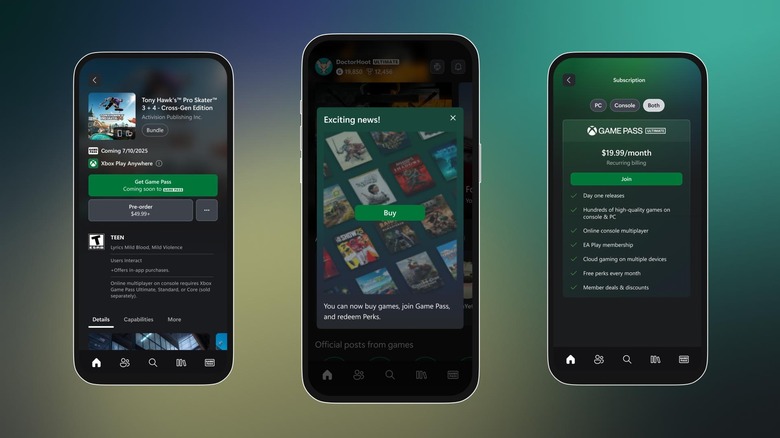
The Xbox app is a great way to connect with friends, share clips, and buy or download games from anywhere. You can also use it to access Xbox's AI companion, Copilot for Gaming (unrelated to Microsoft's PC Copilot), which can help you find new games and give you gameplay tips. One lesser known, but useful feature of the app allows you to use your smartphone as a remote control, which is especially useful while you're using the console to stream video content.
This is super easy to set up. All you need to do is open the Xbox app and tap the console icon in the top right corner, next to the notification bell. Assuming you already have your console connected to the app, select it and choose Open remote control. From there, you can navigate the console's menu and options with your phone, meaning you don't need to worry about your Xbox controller dying or having its battery life drained. This feature, however, won't work on games.
Controller customization
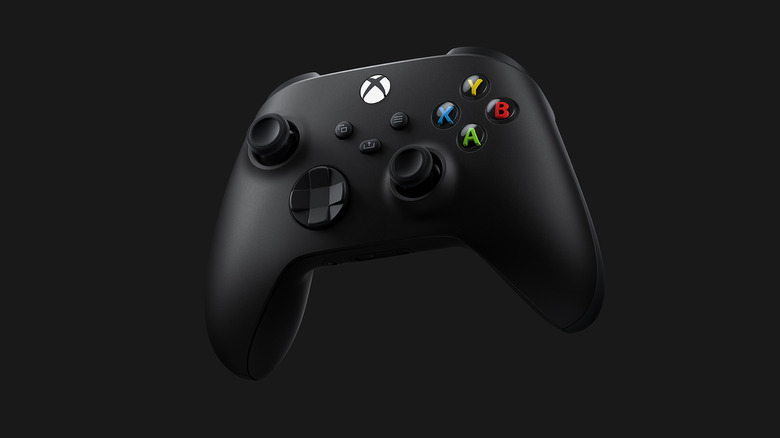
This has more to do with Xbox accessories than the Series X console itself, but it's incredibly useful. Controller customization options have become a common accessibility feature, but it's an area where Xbox goes further than other console makers. In addition to allowing players to remap button inputs and change what each one does, the console lets you create and save controller profiles when using an Xbox Elite Wireless Series 2 Controller or an Adaptive Controller. You must be logged into your Microsoft account to save up to three custom profiles.
The Xbox Adaptive Controller is an innovative peripheral that allows those with mobility-related disabilities to customize their rig to suit their needs. Whether you require a specialized configuration to play or simply prefer a certain button setup for different kinds of games, Xbox gives you the ability to easily shape your experience.
Controller Assist

While we're on the subject of controllers, Xbox consoles have another cool feature that allows players to work together, even on single player games. Previously known as Xbox Copilot (again, not Microsoft's Copilot AI), Controller Assist lets you link two Xbox controllers to work together with one as the primary and the other as the assisting controller. In other words, you can have two players operate one character from separate joysticks.
This may sound like a niche feature, but it has useful applications. It's perfect for anyone who wants to share a single player game, such as a parent or older sibling helping a child complete a challenging level without passing off the controller.
This feature also has countless applications as an accessibility option. A player who can't reach certain buttons or who has trouble with real-time combat systems could have another person handle those inputs from an assisting controller. It's not something everyone is going to use, but it opens up a lot of creative options for those who need them.
Customize your home screen
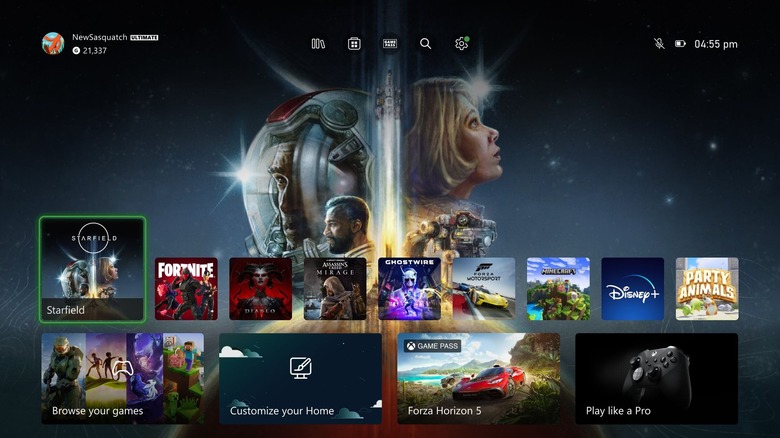
Most of us are used to our console start screens featuring the most recently used games and apps, but what you may not know is that Xbox allows you to customize your home screen.
You can select the games you want pinned, press the Menu button (the one with the three horizontal lines), and choose Add to Home. You can also make groups and pin them to your Home screen just as you would do with an individual game or app. This is great for anyone who owns a lot of games from the same franchise or shares a console with a child who has a separate library of age-appropriate games.
There are other customization options, too, such as editing your recently played list and hiding system apps. It's a relatively small feature that doesn't impact gameplay or console performance, but it's an area where Xbox Series X has an advantage over PlayStation 5. Sony's console only lets you customize the Welcome Hub and its widgets, while the Nintendo Switch 2's Home menu changes are restricted to light and dark options.