

4 Ways The Nintendo Switch 2 Is A Major Upgrade Over The Original
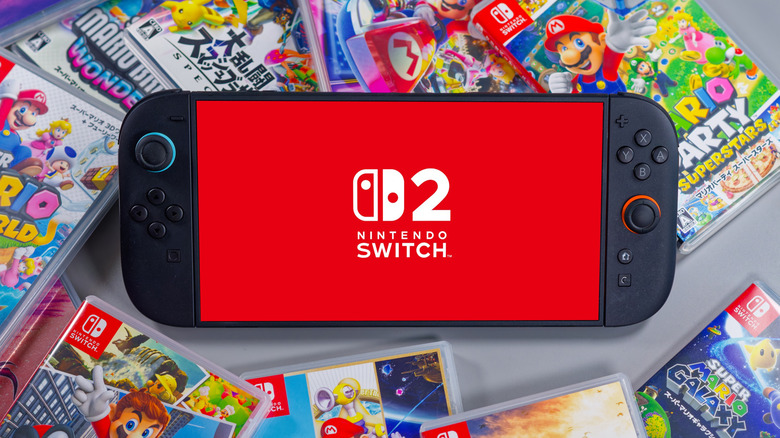
The Nintendo Switch 2 has been out for nearly a year now, and really seems to be picking up steam. It's already Nintendo's fastest-selling console of all time, with over 17 million units sold as of 2025.
That doesn't even take into account all the hardware purchased since "Pokopia" launched on March 5, giving the Switch 2 its first real system-selling game. Much of the Switch 2's success comes down to quality. The new hardware runs games better without changing too much about the hybrid system's innovative design and functionalities.
That said, the Switch 2 is more than just a slight improvement. Nintendo added creative new features, and while not all are necessarily useful (how many of us are really going to use GameChat over Discord, even if it works better than expected?), there are still a lot of areas where the Nintendo Switch 2 is a huge step forward.
Improved graphics and faster speeds
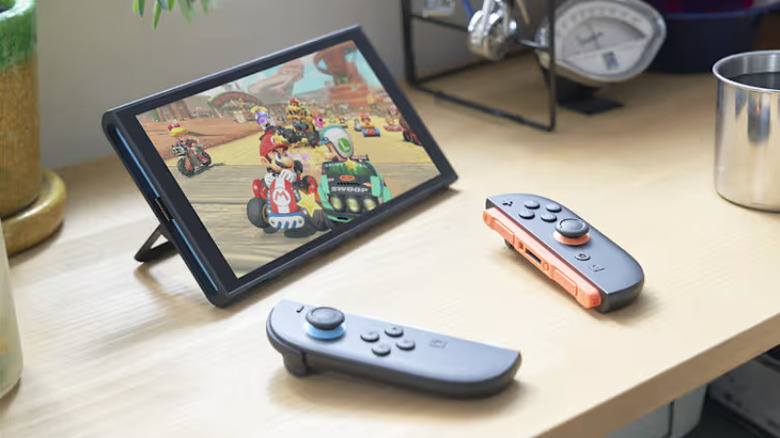
This one should be a given for any new console, but it's worth discussing the Nintendo Switch 2's specs to illustrate its power over its predecessor. The original Switch was capable of 1080p when docked and 720p in handheld mode with a max frame rate of 60fps. Compare that with the Switch 2, which can hit 4K HDR and 120fps when docked. It can also run games in handheld mode at 1080p, with a recent Switch 2 update giving backwards compatible games the same boost.
That means games look and run better on Nintendo Switch 2. Though it's still outclassed by the Xbox Series X and PlayStation 5, as a hybrid system, power isn't the console's ultimate goal. What's more important is that multi-platform games offer a comparable experience, even it they look and run better elsewhere.
On that front, the Switch 2 has been largely successful, with ports of "Cyberpunk 2077" and "Apex Legends" receiving high praise. The latter is notable considering how poorly "Apex" ran on the Switch, and proves how much more powerful Nintendo's next-gen console is.
Joy Con 2
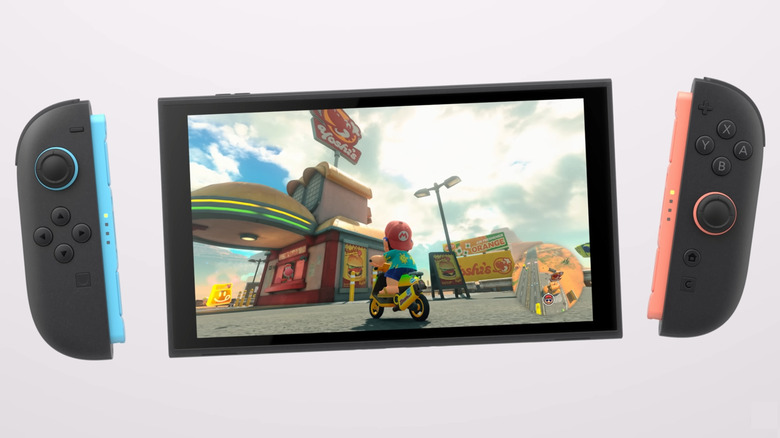
The original Nintendo Switch introduced Joy Con controllers. These were key to the console's hybrid design, and contained features like HD rumble, immersive haptic feedback that could simulate feelings like ice cubes shaking in a glass. However, the original Joy Con had glaring flaws, including their tiny size and stick drift. Not long into the Switch's life, Nintendo released the Switch Lite . This cheaper handheld-only model came with controllers permanently attached to the system, meaning many Switch owners didn't even have Joy Cons. As a result, few games from after 2019 took advantage of their capabilities, making HD Rumble feel like a cool tech demo rather than the future.
The new Joy Con 2 are a noticeable improvement, even if they look almost identical outside of color. For one, they're about half an inch longer than the old Joy Con, and have larger SL/SR buttons, so they feel better in larger hands without being too bulky for small ones. The controllers also attach to the system using magnets instead of sliding into a rail and being held by a latch, which could wear out and break, causing the controller to slide out.
The Joy Con 2 aren't perfect; a teardown of the controllers found no specific changes from the originals that would prevent stick drift, so that could be an issue down the line. Still, the new Joy Con are markedly better than the originals, with a better design and a literal game-changing new feature in mouse controls (more on that later).
Better tabletop experience
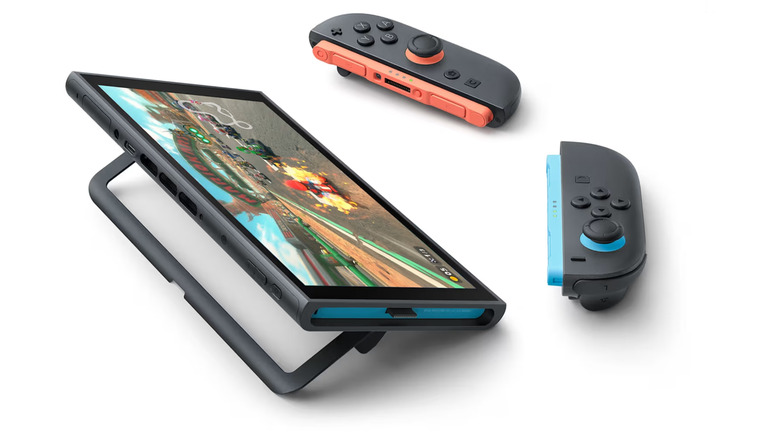
All three of the Nintendo Switch's modes (docked, handheld, and tabletop) see improvements thanks to the Switch 2's improved specs, but one change to the hardware design itself makes tabletop mode better than before: the kickstand.
The original Switch's kickstand is a tiny, flimsy piece of plastic that breaks so often that Nintendo sells replacements on its website for $4. Additionally, it can only set the console at a certain angle, and using it blocks the charging port. That mean you need a stand just to charge the Switch while playing, negating the purpose of the kickstand.
The Switch OLED took a step forward with a wider kickstand on the back of the console, and the Nintendo Switch 2 is similar with a U-shaped stand. While not quite as hefty as the OLED, the Switch 2's kickstand is far more sturdy and stable. It's also freely adjustable, making it easier and more convenient to play. Perhaps best of all, the second charging point on top means you can have your console plugged in for longer gaming sessions.
Mouse controls
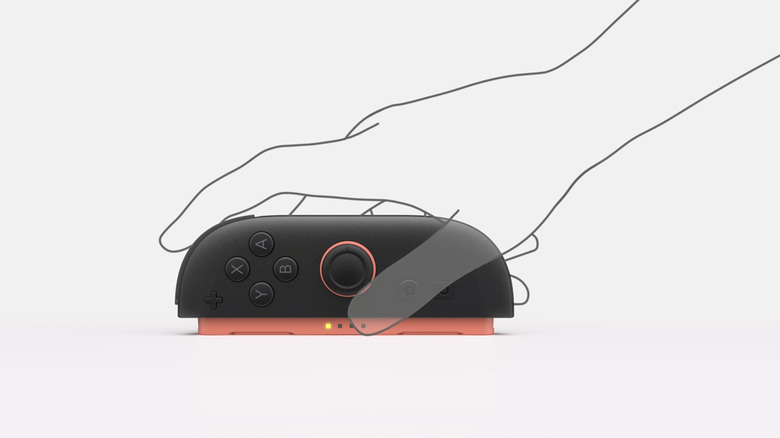
When Nintendo announced the Switch 2 would have mouse controls, many console gamers (myself included) thought they were a cool gimmick, but not something they'd actually use. After all, games originally developed for mouse and keyboard are constantly being ported to home consoles with controller support, so mouse controls seem extraneous. However, after playing "Pokopia," it's impossible to deny how great the Switch 2's mouse controls are.
Mouse controls are a genuine game-changer for a game like "Pokopia," where little mistakes like hitting the wrong spot or placing a block on the wrong tile can add up to hours of extra work, especially if build a lot. What's also impressive is how easy it is to swap to mouse mode and back. Just take out the Joy Con, place it with the inner rail (the colorful part) on a flat surface, and move it around like a mouse. When you're done, simply return to using the controller as usual.
Currently, over 50 Nintendo Switch 2 games support mouse controls, and even a handful of SNES classics available though Nintendo Switch Online are compatible. It's exciting to imagine how these controls could be implemented in future games. For example, a Switch 2 edition of "Super Mario Maker" would be a perfect fit for mouse controls, allowing for greater precision while designing levels. Even if it's not as good as an actual gaming mouse, games like "Pokopia" that implement the feature well prove that mouse controls are a great addition to the Nintendo Switch 2.