

How To Deep Clean Your Silicone Phone Case
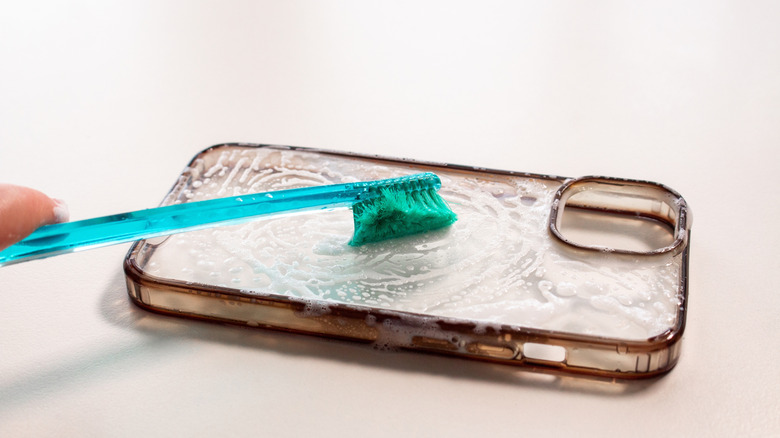
Your phone case is designed to protect your device, but that means it's subjected to the brunt of abuse, including exposure to dirt, grime, and nastiness. Cases, like phones, are also breeding grounds for bacteria, so if you want to keep it looking fresh and clean, you'll need to maintain it properly. But how do you clean dirt, oils, stains, and other general grossness off a silicone case? Believe it or not, it's fairly easy.
First, it's important to know what you shouldn't use. Avoid harsh cleaning chemicals, abrasive tools, extreme heat, and solvents (such as acetone or aerosol sprays). They'll damage the case, either by weakening the case or discoloring it. Instead, use mild dish soap, warm water, and a soft-bristled toothbrush.
Start by removing the case from your phone and let it soak in water for a minute. Then, mix in a few drops of the mild soap and gently scrub the case. For any stubborn stains, you can use a smidge of baking soda on the brush with more gentle scrubs. When you're done, dry the case with a microfiber or soft cloth making sure to remove all moisture and soap residue. If your case has a MagSafe component, use the same cleaning process listed above but avoid direct scrubbing to the magnet or ring areas.
What about clear silicone cases that yellow, can you clean those?
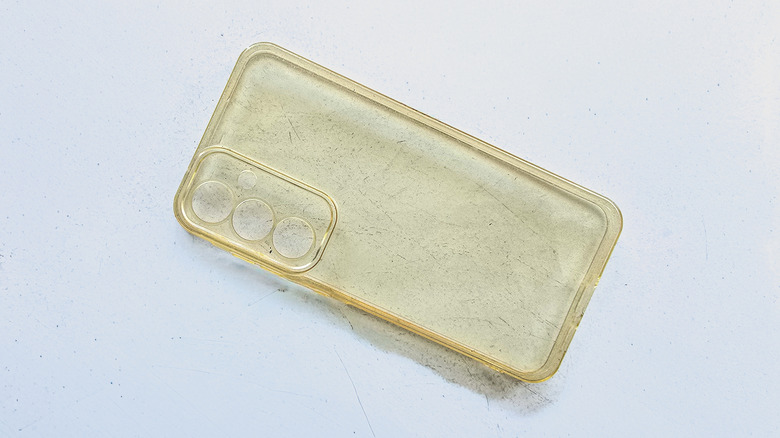
The simple answer is yes. Periodic and consistent cleaning will keep your case in good shape, but that alone won't be able to stop the yellowing completely, just slow it down. If you don't want to replace a yellowed case, you can try retrobriting, which uses sunlight and hydrogen peroxide to clear a yellowed finish, but it's not applied directly to the case.
Yellowing happens for a number of reasons. Direct sunlight and UV exposure, skin oils, contaminants, and exposure to extreme temperatures can all affect the discoloration of silicone phone cases. You can reduce UV exposure and do your best to keep the case away from extreme temps, but those natural skin oils, dirt, and other contaminants are going to build up over time. Cleaning the case can remove them and helps prevent them from staining the silicone. While you're at it, you might also consider cleaning out your phone's USB-C port or charging ports of dust and debris.
Realistically, if you want to deep clean your Android device the right way, or even your iPhone, you need to remove it from its case and clean at least weekly, but more often is healthier. That's because they can be rife with microbiological contaminations merely because of what we come into contact with during the day and pass to our phones by touching and using them. Regular cleanings not only keep your phone and phone case looking good, but, more importantly, it helps keep nasty germs away from your face.