

Is Mobile Hotspot Or USB Tethering Faster? Here's What You Need To Know
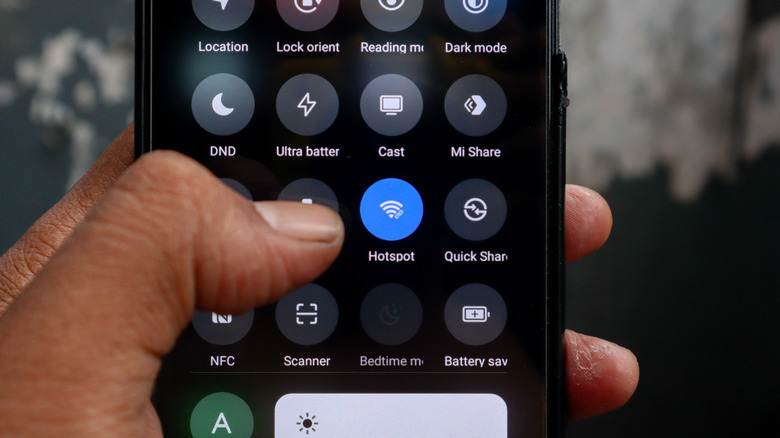
We often rely on a mobile hotspot when internet access isn't available or dependable. While traveling, it's extremely useful, allowing us to quickly check emails or perform important tasks. All you need is a smartphone with an active data plan. While a mobile hotspot is convenient, it's not the only way you can share your smartphone's data with a PC, and certainly not the fastest. USB tethering is faster, and the only additional requirement is your phone's cable.
USB tethering, as the name suggests, uses a wired connection to share internet between the two devices. Unlike a mobile hotspot that turns your smartphone into a mini router, USB tethering is faster and more stable. It also prevents your phone's battery from draining completely since the phone charges simultaneously.
I tested mobile hotspot and USB tethering, and the latter consistently delivered better results. This doesn't mean you should avoid using your mobile hotspot. It has its advantages, but if you only want to share the internet with one device, USB tethering is undoubtedly the better choice.
USB tethering is faster in our tests
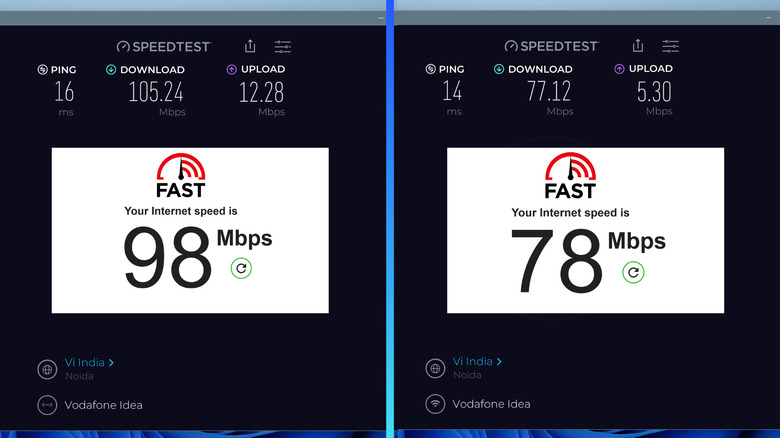
For the test, I used an iPhone 13, Apple's USB-C to lightning cable, and a Dell Inspiron 2-in-1 laptop. First, I used "Speedtest by Ookla" to test my smartphone's internet speed. The download speed was around 140 Mbps, while the upload speed was roughly 15.3 Mbps. I then connected the iPhone to my laptop using its cable and set up USB tethering. Upon checking the speed with "Speedtest by Ookla," the download speed stood at 105.24 Mbps and the upload speed at 12.28 Mbps. I also tried "Fast.com," and it showed a speed of 98 Mbps. The results for USB tethering are on the left in the above image.
Now, it was time to set up the mobile hotspot. I placed the phone less than a foot away from the laptop for the best signal strength and minimal interference. When I tested it using "Speedtest by Ookla," the download speed turned out to be 77.12 Mbps, while the upload speed was 5.30 Mbps. That's roughly a 25% drop in internet speed when switching from USB tethering to mobile hotspot. I cross-verified the results with "Fast.com," and it now showed 78 Mbps, down by a little over 20%. The results for mobile hotspot are on the right in the above image.
I ran a couple more tests over the next few hours, and the results were similar. USB tethering consistently delivered faster speeds than mobile hotspot. This aligns with the common belief that wired connections are better than wireless. Ethernet is also more reliable than Wi-Fi in most cases.
Mobile hotspot is more convenient
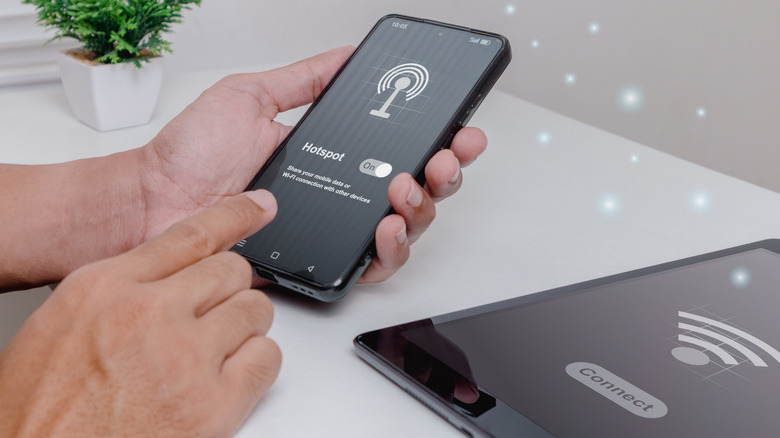
Beyond the obvious speed and performance benefits of USB tethering, there are other factors to consider before you can choose one of the two. Mobile hotspot, for instance, allows you to simultaneously connect around 8-12 devices, while with USB tethering, it's just one. So, if several devices need internet access at the same time, mobile hotspot is the better choice. Apart from that, setting up a mobile hotspot is relatively simple, and you don't need a cable. You can easily move the devices around, while with USB tethering, the maximum achievable distance between the two is tied to the length of the cable. Also, hotspots have wider compatibility. For instance, devices like Kindles don't support USB tethering, but will easily connect to a mobile hotspot just like any other network.
As for USB tethering, it's more secure since no one else can see the network or intercept the data. Additionally, there's no Wi-Fi interference due to appliances and objects around you. And with lower latency, you get a seamless experience, especially while gaming.
If you have to pick between mobile hotspot and USB tethering, it comes down to convenience, performance, and security. When convenience matters, mobile hotspot is the right choice. If performance and security are your key concerns, USB tethering is undoubtedly the winner.