

Here's How Much A Replacement Battery For The MacBook Neo Will Cost You

Apple released its all-new MacBook Neo in March. What makes this Mac laptop so enticing is its $599 price point ($499 for education) and its high-quality build, with 8GB of RAM, Apple's A18 Pro chip, at least 256GB of storage, and two USB-C ports. While most laptops in this price range are nowhere near what the MacBook Neo can deliver, it's also important to ask yourself how much some of the device's maintenance could cost. For example, battery replacement is an important consideration when buying any tech product. Fortunately, replacing this laptop's battery will cost less than a third of its official price.
Replacing a MacBook Neo battery might not be something users have to worry about for many years to come, but you will have two choices for battery replacement in the form of ordering a genuine part from Apple's Self Service Repair program or booking a Genius appointment at an Apple Store. For the Self Service repair price, users pay $134.25 to replace the battery themselves, with a $22.50 credit once the original part has been returned. For the Genius appointment, Apple charges $149, and so should Apple premium resellers as well.
Should you take your MacBook Neo to Apple or repair yourself?

While Apple offers users the option to get original parts for this MacBook through its Self Service Repair program, it's not something the company encourages. Not only are the original parts expensive, but repairing most Apple products requires a level of expertise that most people don't have, as iFixit has proven that over and over.
More importantly, repairing Apple products requires several unique tools that are hard to find. Even though users can head to iFixit to get them, the easiest way is renting a repair kit from Apple, which will set you back $49 for the MacBook Neo version. Considering the battery price, it's still more expensive than taking the product to Apple and paying its fee to replace your battery. It also removes the stress of worrying about breaking something during the repair, having to return multiple items, and not knowing how to perform the repair yourself.
When should you replace the battery of the MacBook Neo?
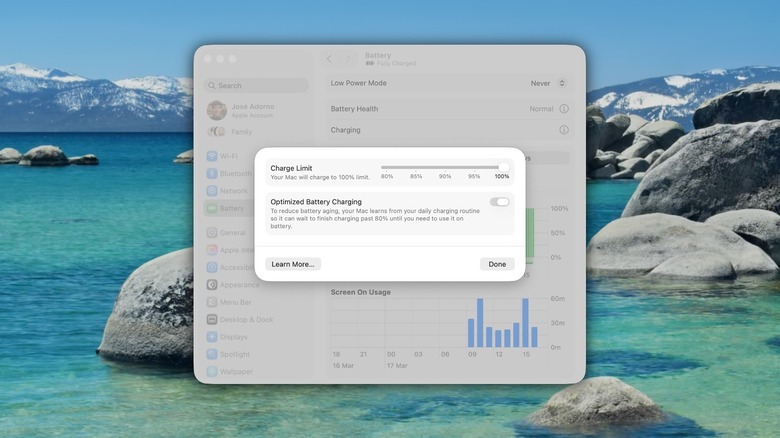
When you need to replace your MacBook's battery depends on several factors, such as how often you use your computer, how many battery cycles it has, and if your device's Battery Health page shows it's time for a replacement.
For example, I've had an M1 Pro MacBook Pro since early 2022, and it still shows "Normal" battery life, with up to 85% of its original capacity after 479 cycles. This is because, for a while, I preferred using a Mac Studio instead of my MacBook, and I often leave it on the charger. However, if you keep plugging and unplugging your laptop from the charger, the cycle count may increase faster.
While every usage is unique, it's safe to say that your MacBook will have great battery life for several years to come, and the moment you should change the battery is when Apple starts to notify you about "Service Recommended" on your Mac laptop. Still, since the company just released this MacBook, the best you can do is to follow some tips and tricks to take care of it, and use features like Apple's new Charging Limit functionality and the optimized charging feature to get the most life out of your battery.