

Which Raspberry Pi Should You Buy? Every Raspberry Pi Series Explained
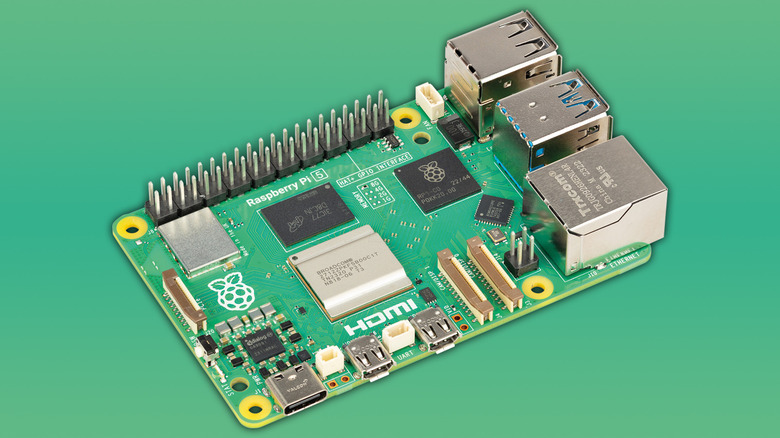
Since 2012, Raspberry Pi has been providing various low-cost single-board computers (commonly known as SBCs) for educators, tinkerers, and beyond. If you're in the market for a Pi, however, you may be intimidated by the range of available product lines. We'll break down what each one does to help you decide which option would best suit your needs — but right off the bat, if you're looking for a Pi with the most up-to-date specs and support, you'll want to look into the Raspberry Pi 5. These models vary in price significantly based on RAM capacity, however, with the 1GB model costing $45 and the 16GB model costing $305.
The Pi 5 is the "standard" model in the flagship series featuring the tried-and-true hardware layout of what used to be known as Model A or Model B Pis. As of the Pi 5, however, both the Model A and Model B nomenclature have been ditched. The boards in this series are the size of a credit card, yet they're powerful enough to run local AI agents. They sport several common I/Os, as well as a 40-pin General Purpose Input and Output (GPIO) header. With GPIO, you can hook a Pi board up to countless other electronics using a breadboard or by soldering components on, making this model incredibly versatile. You can even connect HATs, which are purpose-made, rule-based boards that Raspberry Pi introduced back in 2014. Popular HAT choices include NVMe drives for quicker OS boots, as well as Pi's AI HAT+ for running your very own AI applications.
Alongside the Pi 5, there are two current-gen models of Pi hardware: the Pi 500 and the Compute Module 5. The Pi 500 is conveniently enclosed in a keyboard chassis, and with its relatively low cost and compact form factor for a personal computer, it's ideal for those in education or for aspiring coders. The Pi 500+, the premium model of the Pi 500, even sports an NVMe SSD and mechanical switches in place of the Pi 500's embedded storage and membrane keys.
Is it still worth purchasing a Raspberry Pi 4?
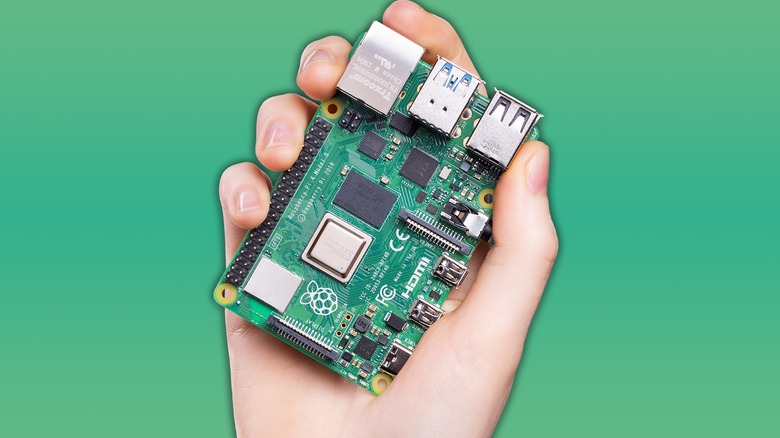
Given it was launched in 2019, the Raspberry Pi 4 has been outpaced by the Pi 5, which is 2.5 times faster and can thus be used for more rigorous tasks. There are other limitations to the Pi 4 besides reduced processing power; for instance, it doesn't have onboard PCIe, so you can't add hardware like an AI HAT or an NVMe SSD daughterboard without modifying the device itself. Conversely, the Pi 5 supports this hardware out of the box and features embedded PCIe connectors. However, the Pi 4 still holds its own for many types of projects — and if you don't care about having the latest and greatest Pi model, the Pi 4 is a great bit of kit to grab if you're interested in undertaking quick, easy, and beginner-friendly Raspberry Pi projects at a more affordable price point.
While the Pi 4 has been impacted by Raspberry Pi's recent price increases, it can still be quite affordable. The 1GB model has a modest price tag of $35, although the 8GB model is significantly costlier at $165. You can use a Pi 4 device for complex applications like setting up network-attached storage servers, weather stations, and even closed-circuit television (CCTV) setups with software like Frigate. It's also great at playing older games using emulation packages, such as RetroPie, or being the brains at the center of your smart home via Home Assistant.
What's the Raspberry Pi Compute Module all about?
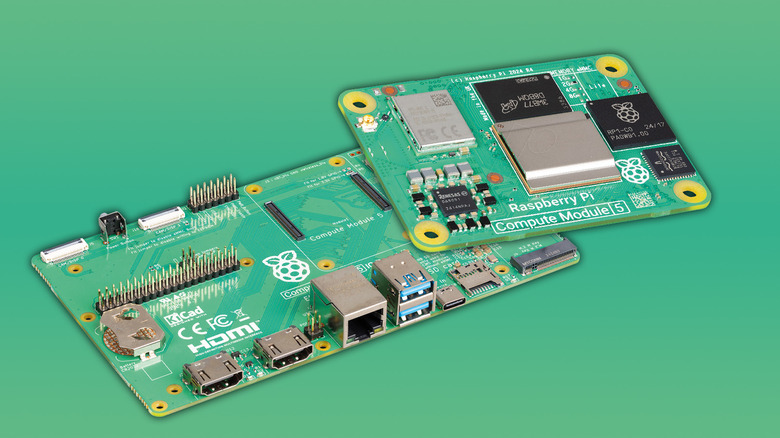
If you're designing an embedded system or even a commercial product, the Raspberry Pi Compute Module 5 (aka the CM5) is an excellent purchase. CM5s start at $67.50, although the highest-end version with 16GB of RAM and 64GB of onboard storage costs $330. These models aren't ideal if you're a Raspberry Pi novice, though. Pis in the Compute Module series are typically used for industrial purposes, and they're specifically catered to those looking to work off their own PCB.
Compute Modules feature the essentials of computer hardware: a processor, RAM, and (optional) eMMC storage. But because they have no I/Os, Compute Modules need to be placed on carrier boards, such as the Raspberry Pi Compute Module 5 IO Board, with ports to connect to things like power and PCIe interfaces. One major upside to Raspberry Pi's official carrier boards is that they come with full-sized HDMI ports instead of micro HDMI ports. For complete control over your project, you can design your own carrier board or get one printed through a company like PCBWay. There are also custom, ready-made boards available with specific features — including touch displays and explosion-proof chassis — designed to help you meet a myriad of project goals.
Raspberry Pi first introduced the Compute Module after the Raspberry Pi 1, then followed it up three years later with the Compute Module 3. These looked like RAM sticks and could easily be housed in setups that supported clustering, where the combined power of multiple devices could be put toward executing tasks. Conversely, Compute Modules 4 and 5 are small, rectangular boards that are easier to implement into projects. As it's technically just a Raspberry Pi 5 in a smaller, more limited form factor, the CM5 is still versatile. You could pack the tiny computer into a custom handheld gaming console, use it to power advanced robotics projects, and much more. And if you choose to design your own carrier board, you can put your CM5 to work in near-limitless ways.
What is the Raspberry Pi Zero 2 W for?
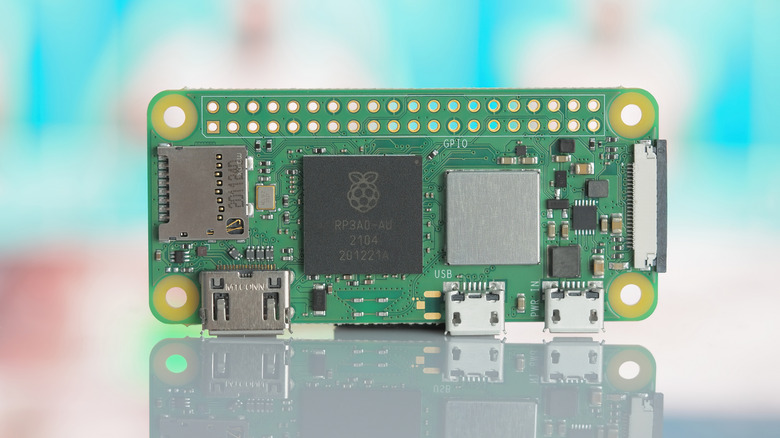
The Raspberry Pi Zero is an even smaller form factor device than the flagship Raspberry Pi models are. It outputs just a fraction of the Raspberry Pi 4's power, but retains the Raspberry Pi essentials: a processor, onboard memory, a GPIO header, and several inputs, including an SD card slot and a mini HDMI port. These boards now come in the Raspberry Pi Zero 2 W format, which offers built-in Wi-Fi and Bluetooth 4.2 for improved connectivity. With an MSRP of just $15, they're slightly more expensive than the original Pi Zero, but they do offer more power.
As with the Compute Modules, the Zeros aren't designed to be used as computers themselves, but rather as embedded solutions for educational purposes and DIY projects. They provide just enough power and flexibility to be implemented into a range of projects, including DIY devices like security cameras and Bluetooth speakers. Zeros, however, run on a single-core 1GHz processor power and feature only 0.5GB of onboard RAM. Barring niche scenarios, browsing the internet or even using a graphical interface is sluggish on Zeros, so they're best used as headless devices using protocols like SSH.
One common use case for the Pi Zero is turning it into a KVM (kernel-based virtual machine) by leveraging its ability to run Linux. Once connected, the Pi Zero can act as an intermediary controller between whatever device you're on and other devices on your network. Other networking-centric projects supported by the Zero include Pwnagotchi, which entails experimenting with GPIO connections, e-ink, and networking.
How about the Raspberry Pi Pico?
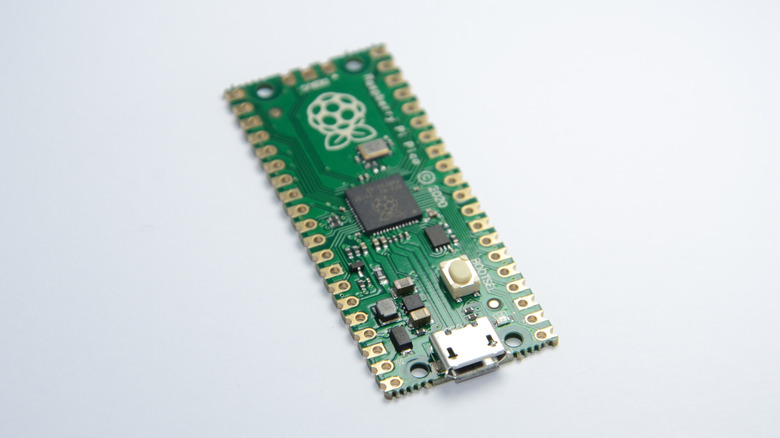
The Raspberry Pi Pico is a remarkably small microcontroller. Often used in hardware-centric projects, these devices act as a brain that can move mechanics or route power to electronics that are connected to them. Picos run off Raspberry Pi's own RP2350 chips, which were upgraded from the 2040 chips on previous iterations to offer greater power output. Even so, the current version of the Pico remains incredibly affordable, typically costing between $5 and $7. The Pico 2 was even used to power badges at a hacker convention, Def Con 32, in 2024. Besides getting you into the event, they could also run the original Doom.
Picos are ideal for projects that only need a bit of juice to get going, although they're surprisingly varied in what they can achieve. The latest editions, the Pico 1 W and 2 W, support both Bluetooth 5.2 and wireless LAN, which really expands the range of projects you can delve into with a Pico — like a wireless pump that waters your flowers. With the onboard GPIO, you can hook the Pico up to just about any electronics, and there are custom Python scripting languages like MicroPython and CircuitPython that can run directly on the Pico. There's plenty of documentation for these languages, as well as online learning resources, libraries, to make them relatively easy to get into, even for beginners.
Raspberry Pi price hikes
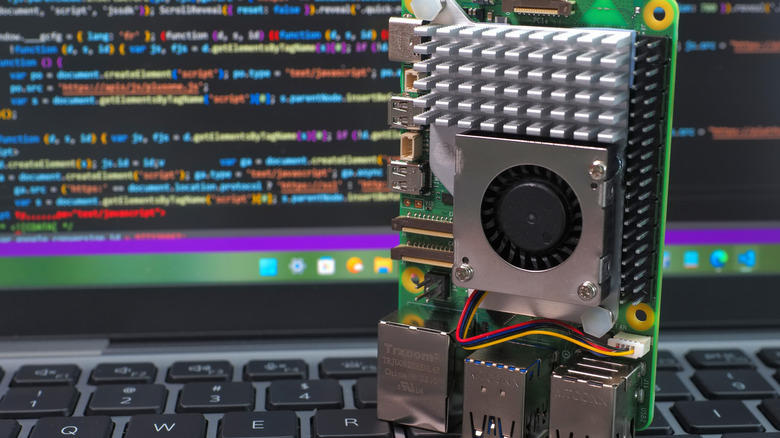
It's worth mentioning that Raspberry Pi has been hit hard by AI data center-induced RAM shortages. Eben Upton, the head of Raspberry Pi, has announced several price hikes for many Pi models, although he's also announced a 3GB variant of the Pi 4 as a more affordable alternative. The Pi 5 with 16GB of RAM now runs at $305, up $100 from its prior price, while the higher-end Pi 500+ now costs $410 following a $150 price hike.
The company is still trying to keep its prices as low as possible, but it's never been more expensive to jump into the Raspberry Pi ecosystem. If you're just eager to start messing with some GPIO, buying the Raspberry Pi Pico or Zero is a great way to hop on the train without breaking the bank.
It's unclear when the current RAM crisis will subside, but with enough luck, Raspberry Pi's prices may start going back to normal, especially if the company can build a healthy stock of RAM and other components. For now, at least the devices are still on the shelves, unlike during the COVID-19 pandemic when they were nigh impossible to find for months.