

5 Cool Things You Didn't Know Your Amazon Echo Dot Could Do
We may receive a commission on purchases made from links.
Amazon's voice assistant, Alexa, is renowned for its support features, such as Amazon and Prime integration, allowing you to adjust orders, place orders, and more. That Amazon shopping support is something Amazon Alexa actually does better than competing platforms like Google Home. It can also answer a wide variety of basic questions, and the newest upgrade, Amazon Alexa+, includes several new features worth trying out. The assistant can now summarize, contextualize, and discuss news and current events with you, drawing on aggregated content from licensed publishers.
Alexa+ isn't compatible with every Echo speaker, though. Some of the oldest models won't work with the new version, but they still work with OG Alexa, as they did before. Alexa can already do some pretty cool things beyond the basics, many things you probably didn't even know about. I'm not just talking about questions you can ask it, I'm referring to some really cool ways to set it up if you're willing to do a little basic app tinkering.
1. Keep it down late at night or during nap time

Did you know that Alexa can whisper? If you have Alexa in a bedroom or a common area adjacent to one, you might not want it to reply or blurt out notifications late at night. The loud noise could disturb someone sleeping, and it's not always convenient to walk over and turn down the Echo Dot. But there's a neat little trick you can use to make Alexa whisper.
When you ask Alexa to do something or issue a command, simply whisper to it first. The low-volume callout will encourage it to whisper back, keeping the volume low so the rest of the family can enjoy their peace and quiet. You will need to enable this mode in the Alexa app first. Open the app, tap the More tab in the top left (three horizontal lines), then go to Settings > Voice Responses under Alexa Preferences and toggle Whisper Mode on. You can also tell Alexa to turn on whisper mode with a voice command by saying, "Alexa, turn on whisper mode." From then on, when you whisper, it'll whisper back.
2. Work as an intercom system with other Echo devices
If you have multiple Amazon Echo speakers throughout your home, you can send messages to individual speakers to get someone's attention or send them to all speakers at once. It works similarly to an intercom system, and if the party at the other end knows how to use it, they can even send a response back. You can also use the "drop in" feature available through the Amazon Alexa app to talk to any speaker and those on the other side.
You can initiate a drop-in directly from an Echo device by saying "Alexa, drop in on [the intended device]." Calling out the living room or bedroom, for example, will connect you to those speakers. Group conversations are also possible with Alexa's drop in feature enabled.
Alexa Announce also lets you send a specific notification to related speakers, though this feature is intended for one-way announcements or messages. You could tell the kids it's dinner time, have someone finish their chores, or call someone over when needed.
3. Create an impromptu white noise machine
For some, it can be tough to sleep without soothing background noise. That's where a white noise machine comes into play. They're designed to play a variety of sounds to help lull you to sleep. If you have an Amazon Echo Dot in your room, you don't need a separate white noise machine. You can actually ask Alexa to handle the task.
"Alexa, play some white noise," will do it, and it will pull from its library of ambient sounds. You can also be more specific and ask Alexa to play a sound you like, such as "Alexa, play ocean sounds," or "Alexa, play the sounds of rain." If you want a wider variety of sounds, you can install an Alexa skill, like Ambient Sounds by Sleep Jar or Sleep Sounds by Voice Apps. Bear in mind, you don't need the Alexa skill to make the white noise feature work; it just improves the functionality. Some examples include instruments, truck engine sounds, lawn mowers, wolves, snoring, distant thunderstorms and much more.
Alexa Skills are definitely one of, if not the most important, essential tips and tricks for users to make the most of their Amazon Alexa devices. You should give them a try or experiment with them if you haven't already.
4. Group Echo and smart home gadgets together
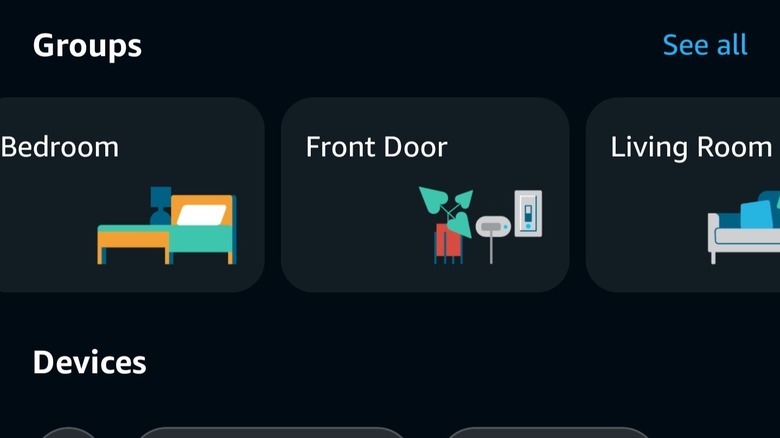
Alexa can connect to and control smart home devices, provided they're compatible, via voice commands and the mobile app. You can control smart lights, smart switches, various internet-enabled devices, and much more. You can also install Alexa Skills to control various brands and tech that might not be supported out of the box. But a standout feature that makes all the difference when your home is decked out is the ability to group devices within the Alexa app.
You can group devices by room, location, or create custom groups for larger areas. This works well when you want a subset of devices to do something, like if you want multi-room music playback in a living room, game room, and auxiliary room, but not your bedrooms. You can also group Echo speakers with devices to simplify controls. For instance, designating a group as office and pairing the speaker with in-office lights lets you control them with just "Alexa turn on (or off) the lights," and it will do so based on the grouping. This saves you from having to call out the individual room you want Alexa to control, provided you've set up your groups correctly.
5. Call emergency services when you need them, fast
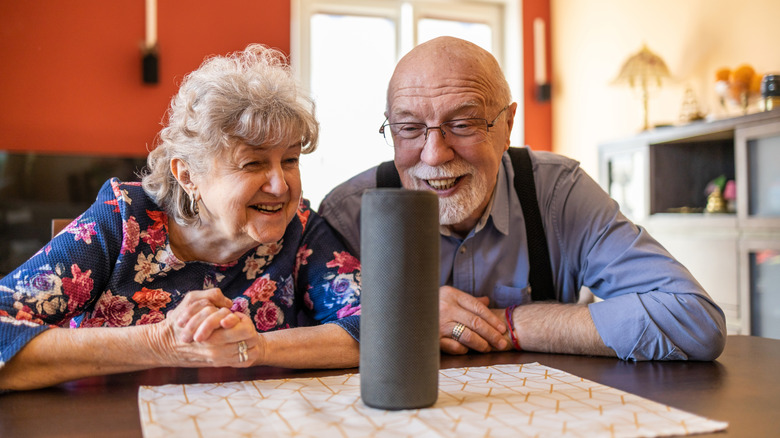
By default, Alexa doesn't support emergency calling. It's a separate subscription service, which is why I've included it last.
If there's someone in your family who lives elsewhere, like an older parent or an elderly member, or even someone younger, you can use the Alexa Emergency Assist service to stay informed about potential emergencies and make sure everyone is safe. The service enables 24/7 urgent response from police, fire, and ambulance through Alexa devices, including the Echo Dot. Additionally, you can add up to 25 emergency contacts who will be immediately and automatically notified if an emergency call is placed, and they'll also be notified when that call ends. Finally, the device can be configured to share critical information with emergency services, such as gate codes, medical conditions or medications, pet details and more. Alexa can also listen for the sounds of broken glass, smoke alarms, or carbon monoxide alarms, sending Smart Alerts to registered contacts with 10-second audio clips for context. The latter used to be a feature of another service called Alexa Guard, but has now been rolled into Alexa Emergency Assist.
Once the service is all set up, the wake word is simply, "Call for help," given at the first sign of trouble. At $5.99 per month for Prime members or $59 annually, it may be worth the peace of mind for many.