

What Those Four Colored Dots On A Samsung TV Remote Are For
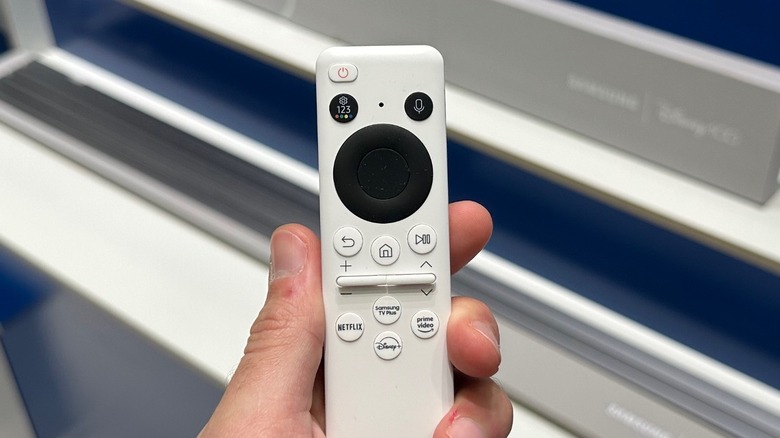
Samsung has one of the best TV remotes in the industry thanks to an exciting charging feature. Some manufacturers add as many buttons as possible, and the user experience is just terrible, while Samsung has been very straightforward about its remotes for over a decade now. With a minimalist design, it's an easier remote to use. If you have one, you'll have noticed that your remote has four colored dots, but you probably never used them. These buttons have been the standard for decades to navigate Teletext or interactive Red Button services on live TV. While many users rarely interact with them directly on the main smart interface, they still serve a purpose.
These four colored dots are customizable, and their function can change depending on what you're doing on your TV. For example, if you have a specific app open, you could use them for searching, sorting, and so on. It depends on how the app has been designed. If you're watching live TV streaming, then some of those buttons can be used for teletext, subtitles, or channel info. Or if you're using your TV with an external device, like a Blu-ray player, it can open menus or set-top box shortcuts.
Four colored dots button is a thing from the past
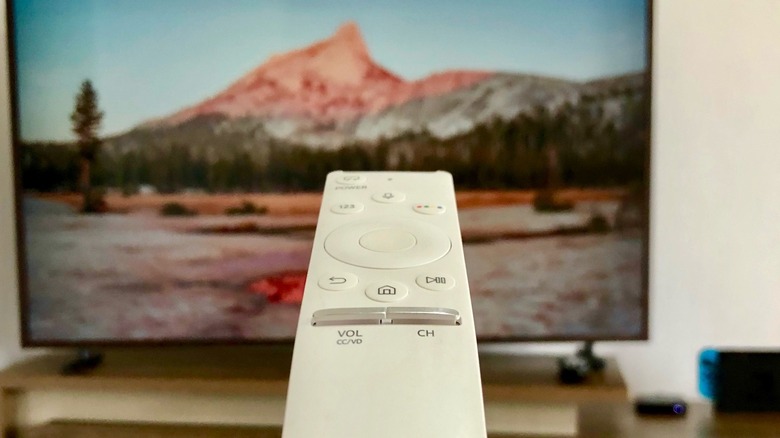
While using these four colored dots won't drastically change your experience watching TV, Samsung still offers them, as it's something that has been available on TVs for ages. The company understands that most people don't use it, which is why it decided to hide these colored dots alongside the numerical pad and Settings shortcut.
If you press the colored dots button once, you can open Settings. If you press it again, you'll alternate between the four colored dots and the numeric pad. Depending on your region, these buttons might not do anything at all. Since Samsung offers a universal One Remote, the buttons are standard for all regions — even if they don't do anything. Depending on what's on display, you might see on your TV an indicator of which colored icon you should press and what it could do. However, if you don't see any information when you're pressing the button, it's likely that it won't do anything.
These buttons are still mandatory for Hybrid Broadcast Broadband TV – a technical standard that merges broadcast TV with internet services on a single screen. While the U.S. is currently rolling out a new standard called NextGenTV by the Advanced Television Systems Committee, it's unclear when the new standard could be adopted or if some of these legacy buttons could disappear from TVs.