

Using Your Laptop On A Soft Surface Can Slowly Kill It - Here's Why

As the name seems to suggest, a laptop is designed for your lap. That's even how it's described in the dictionary. It's a more convenient and portable computer you can take with you for work, school, or play. All that portability means you may use it in some more comfortable locations such as your bed or the couch. While it's easy to move from room to room or to a coffee shop where you may put it in your lap, working on a laptop on a soft surface may harm it more than you'd expect.
Placing a laptop on a couch cushion or on the bed can obscure its fan and block airflow. Doing so may cause the laptop to overheat as the fans are forced into overdrive in an attempt to cool it down. That strain can, over time, damage parts such as the battery, leading the laptop to run less efficiently. A big tell that a laptop could be too hot is if the fan sounds much louder.
There are ways to make sure the laptop is properly vented and cooled even if you use it on a soft surface. There are a few things around the house you can use to help, but one of the most effective ways is to get a cooling device. You can also prevent overheating laptops with this cooling pad.
How to use your laptop on a soft surface without damaging it
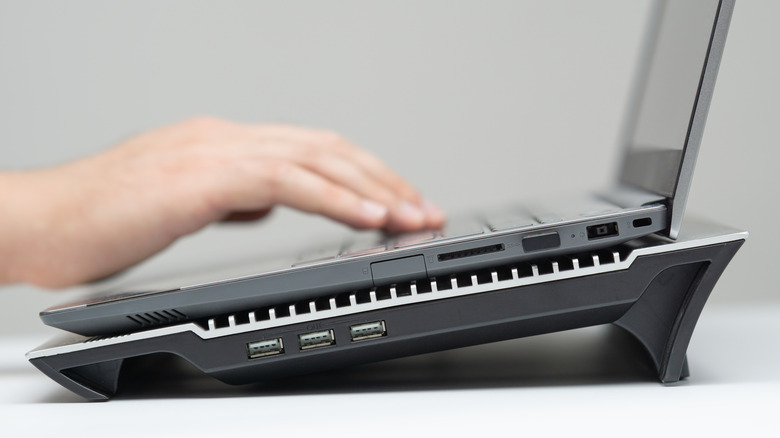
Using a laptop on the bed, couch, floor, or your lap can be done without it overheating if you plan ahead. If you prefer browsing the net or working that way, a cooling pad provides cool air for your laptop. They come in many shapes and forms, but work by blowing cool air into the underside of the laptop so it does not overheat.
Cooling pads, sometimes called mats or fans, are flat mats that are placed between your laptop and the surface it's resting on. They can be used just about anywhere you please from a bed, a carpeted floor, your lap, a comfy recliner, or a table. Many work through batteries or come with a USB cable to connect directly to the laptop. Though if it's your first time using a cooling pad, make sure you aren't accidentally using it wrong.
Cooling pads are a great way to cool down a laptop or to make sure it doesn't reach hot temperatures. If you are in a pinch and are waiting for your cooling pad to arrive, you could always elevate your laptop on the soft surface. Another suggestion is to use a hardbound book to prop up the laptop, just make sure it's not blocking any vents or fans. You could also invest in a stand you can place on the surface as well.
Ways you can cool down your laptop
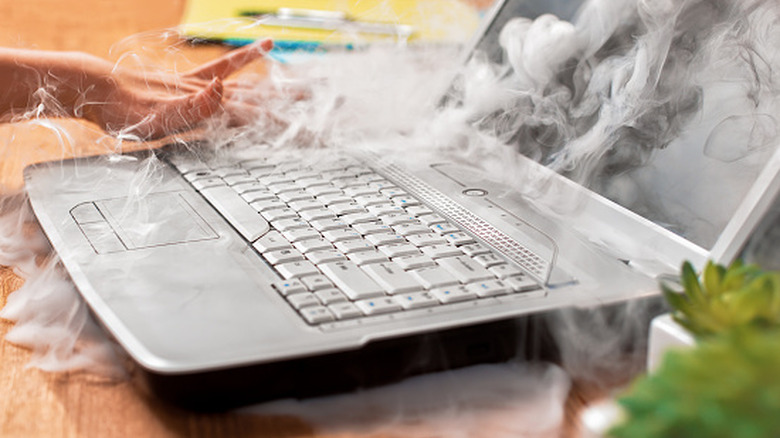
Keeping a laptop from overheating comes down to making sure it's elevated, cooled, and can vent properly. However, using a laptop on a soft surface isn't the only reason it could get overheated. There are several other ways your laptop could heat up even if you use a cooling pad or elevate it properly.
As you use your laptop, it will collect dust and dirt that can clog the interior components. You could open up the laptop and clean it yourself, but using a can of compressed air on the vents may do the trick best. Another cause of overheating is running too many applications at once. If you're playing a graphically heavy game, chatting on Discord, and streaming, your laptop's CPU and GPU may struggle, causing the fan to work harder. Though you may not need a new laptop as there are laptop upgrades cheaper than buying a new computer.
If you want to use your laptop on a soft surface, using a cooling pad or stand is a good idea to prevent it from potentially overheating. Taking care of your laptop by blowing out dirt, using less applications, and tools that manually control the speed of the fan can help. Though, when in doubt, shutting it down if it gets too hot, waiting until it cools, and turning it back on can help.