

Why Some Routers Have Two Networks (And What They Mean)
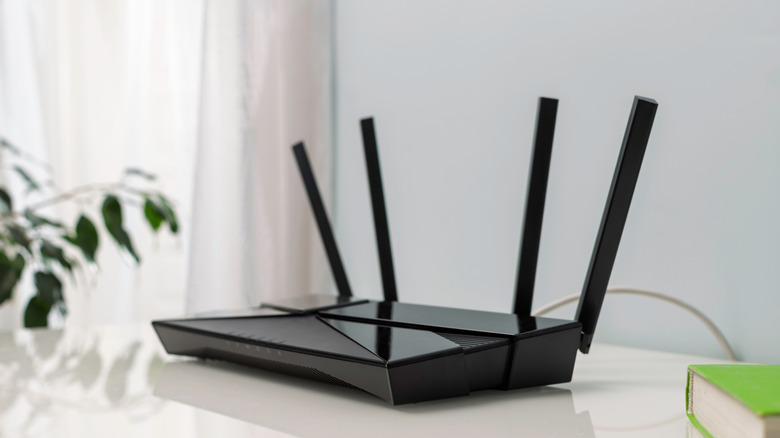
You may notice that your Wi-Fi router comes with two network options: 2.4 GHz and 5 GHz. It's a feature most modern routers offer and is known as a dual-band network. Called frequency bands, both allow devices, including phones, TVs, gaming consoles, and computers, to connect to the internet through Wi-Fi. The difference is found in the range and speed between the two bands.
The 2.4 GHz frequency band is able to reach farther, while a 5 GHz network has a shorter range. The lower band is best used for connecting devices that may be located in another room or ones that don't require faster speeds. On the other hand, 5 GHz is faster and offers increased speed for devices, though it does not increase the internet speed of your plan.
Most newer routers will feature dual-band networks, allowing you to connect to either one. The key difference is that only certain devices can connect to the individual networks. The router can be configured to differentiate between the two bands, so you know which network is available when it's time to connect to the Wi-Fi. Both can be named to your liking, but to know which band is 2.4 GHz and 5 GHz, having the band in the name does help. While in the router's settings adjusting those names, there are a few other cool things you can have your router do.
What is the difference between 2.4 GHz and 5 GHz

As their names suggest, a 2.4 GHz band is not as powerful as a 5 GHz network. However, it's not quite as simple as one is better than the other. They both allow your devices the ability to connect to Wi-Fi, but not everything with internet access in your home can connect to a 5 GHz band. While most anything that can connect to the internet can hook up to a 2.4 GHz network, you may find a device like your TV or Xbox Series X/S runs better on the 5 GHz band.
Where the router is will impact what can connect to it. The 2.4 GHz band includes an extended coverage range, meaning the service will work throughout a larger area. It is also less prone to being blocked by walls that may reduce its signal strength. On the other hand, 5 GHz provides a more powerful connection, though the downside is it does not cover as wide an area. Any device you want connected will need to be closer to the router.
One thing to keep in mind is the devices you wish to connect to the router. It may be best to connect certain ones — especially new ones built to handle faster speeds — to the 5 GHz network. These range from game consoles, TVs, and devices you're more likely to stream, play games, or spend most of your time with. If you only have a 2.4 GHz router, you might need to upgrade to get the best possible outcome.
Do I need both networks in my home?

Today, it's highly likely there are multiple devices in your home that use the internet. The average home router can connect to dozens of devices at once, but connect too many and you'll clog the system, causing potential slowdowns. Connecting a TV, a smartphone, and a laptop for casual watching and browsing may not require a 5 GHz network, while streaming 4K movies and video games work better with a 5 GHz one.
Similarly, a 2.4 GHz frequency band is a good option if you don't have a lot of devices connected to the network. If you're going to load up your home network with a lot of devices, though, you might want to offload some of the more powerful ones to the 5 GHz band. Using the lower frequency band is also best for devices that may be a few years old. Many older devices may not be able to connect to a 5 GHz band anyway. You could get by with just the lower option if the space you're working with is a bit larger, too, since the 5 GHz network works best with a smaller footprint.
It all comes down to how many devices you have connected, what they are, and where they are. If you focus on streaming or playing games, the 5 GHz is the better option, while the 2.4 GHz is designed to handle older devices or ones you won't be asking a lot from. If you get a new router, though, it'll most likely have a dual-band network offering you the choice of either one.