

What The Notch On Your Oura Ring Is For
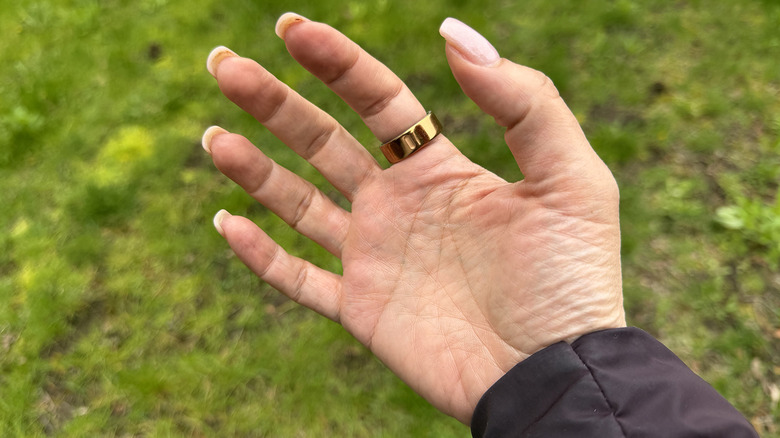
The Oura Ring, including the latest Oura Ring 4, employs a classy, elegant design. But you may notice that on some models, including the Oura Ring 4 and the Gen 3 Horizon, there's a small notch, or dimple, that runs up and down vertically on one side. You might think this is just for style points or wonder if it serves a specific purpose. The answer is the latter. The notch is there for a reason.
It stems back to how smart rings work. They have photoplethysmography (PPG) sensors on the underside that come in contact with your skin. These sensors emit LED light that, when it hits your skin, is absorbed by blood pumping through your vessels. By detecting changes in the absorption of this light throughout the day, even minute by minute, the smart ring can capture data like your heart rate. It also uses red light absorption to measure blood oxygen. When your heart contracts, blood volume increases, and when it relaxes, it decreases. Some smart rings have temperature sensors as well to monitor temperature rhythms. Then, of course, there's an accelerometer that detects your movement in various directions. To accurately capture all this data, the sensors need to be positioned properly on your finger, which is one of the key reasons for the notch, though not the only one.
Positioning and accuracy
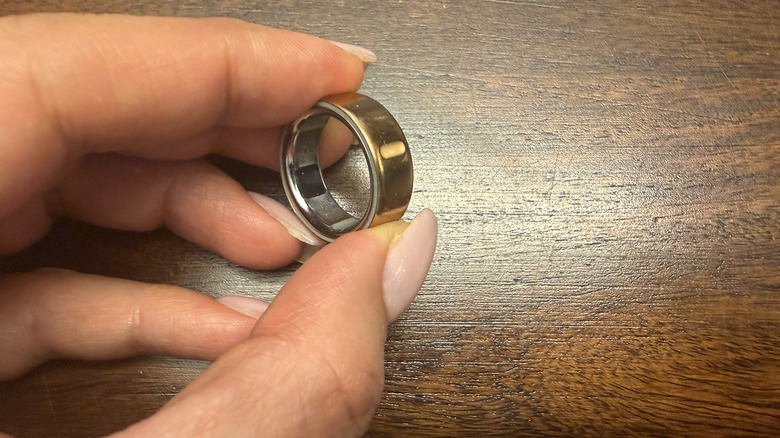
For the best results from the biomonitoring function, you should place the little notch that you see on an Oura Ring on the underside of your finger. This is essentially telling you this is where the bottom of the ring is and what side should not be visible from the top of your hand. This is especially important for models like the Oura Ring 4 that have recessed sensors and that don't emit bright, visible LED lights you can see (and can be pretty distracting) as it's measuring. Conversely, it's also not as strictly necessary for this new model since it has something called Smart Sensing with more than double the signal pathways compared to the Oura Ring 3. This means that, even if the ring shifts around on your finger while you fidget or sleep, it can still accurately and continuously track data, reducing instances of gaps in measurements caused by ring movement.
No matter which Oura Ring you have, though, proper positioning is the best way to ensure the most accurate data collection possible. And this notch also serves as a tactile cue. If you wear the ring on your index, middle, or ring finger, the three best fingers to wear a smart ring on for the best blood flow measurement, you should be able to reach your thumb over and feel for the notch. If you don't feel it on the underside, you can use your thumb to rotate the ring. If it's too snugly fit to do so, use your other hand to reposition.
It's also for charging alignment
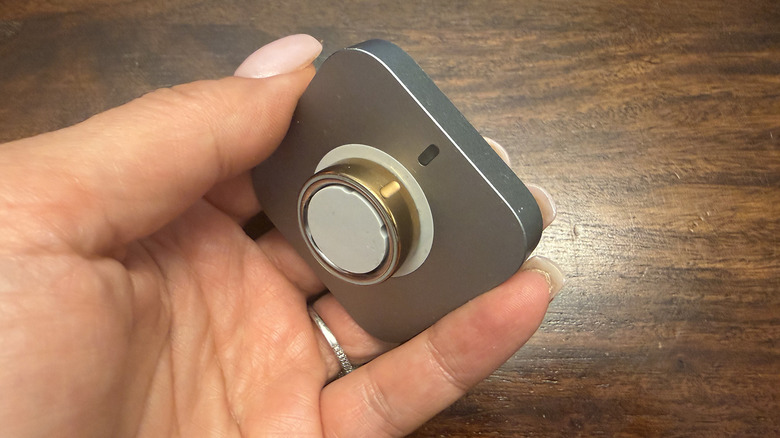
The notch on the Oura Ring is also a handy guide for charging. It can otherwise be a chore to figure out how to fit a smart ring properly onto the charging dock or into the case. This notch shows you how to align the ring immediately. With the Oura Ring 4, you'll notice a matching notch on the charging dock that indicates how to place the ring. Simply align the notch on the ring with the notch on the dock. Interestingly, the new charging case, which works with the Oura Ring 4 and Oura Ring 4 Ceramic, does not have the notch. But the notch still helps with alignment — just remember that you need to position it at the front of the charger.
The notch is especially useful for the Oura Ring 4 since sensors on the underside are flush within the housing and visible all around, so it's challenging to know the right position for the most accurate tracking. With older models like the Oura Ring Gen3 Horizon, it's important to feel for that pill-shaped notch since that smart ring doesn't have Smart Sensing. The Oura Ring Gen 3 Heritage edition has a flat top that makes it easier to position, negating the need for a notch. While they can rotate on your finger, a notch like the one on certain Oura Rings helps ensure tracking is just as accurate.