

Can A Bulky Phone Case Affect Your Battery?
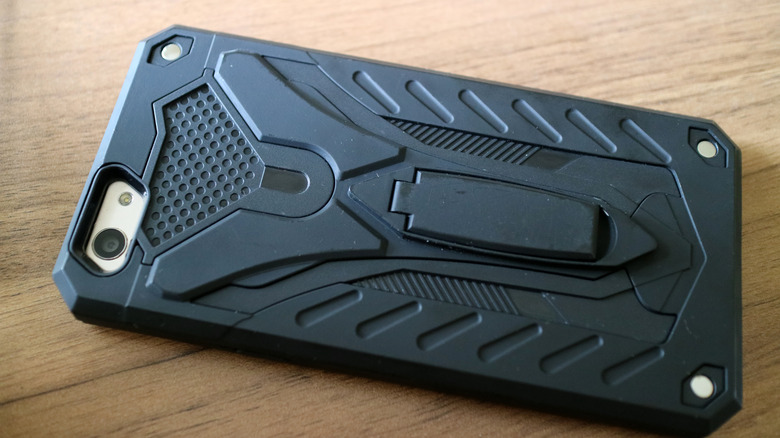
People put their smartphones in cases for a multitude of reasons. Many use them to protect their handset from drops and scrapes, or to have a better grip to prevent those drops in the first place. Alternatively, they might want to add new features like card holders or kickstands, or simply give their device a fresh or stylish look. Phone cases come in all shapes and sizes and use an array of materials, and in some instances, this could be problematic.
If a case has a rugged or bulky design and uses something like heavy plastic or thick leather, the dense material could potentially trap heat inside the phone, raising its temperature during intense activities like gaming, video editing, or even charging. That might not sound like a big deal, but if it causes your battery to drain faster than it ordinarily would, it could make your phone's power source age prematurely because you're having to charge it more. But for people who rarely use their phone for demanding tasks, the battery impact from a case is likely to be minor.
Bulky cases could act as an insulator

Anyone who uses their phone for strenuous tasks like graphics-intensive gaming or video editing will notice their handset running hotter, especially if they're not using a case and are handling the phone directly. Heat is created when the phone's CPU and GPU are managing a more resource-heavy task. Put a durable or bulky phone case on, or one made with a dense material, and it could act as an insulator, reducing airflow and slowing heat transfer from the phone's body to the outside environment. Cases that trap heat can raise the phone's operating temperature, which in turn reduces processor efficiency and affects battery performance.
As a result, the phone may draw more power to complete the same tasks, causing the lithium-ion battery to drain more quickly during that session. That means you'll have to charge it more, and with phone batteries having a finite life, more frequent charging will shorten their overall life. In addition, you'll want to be sure that you're not charging it incorrectly. As cooling down is made more challenging inside a bulky case, there could be some extra heat build-up, but it's not straightforward.
Built-in thermal protections aid your phone battery
Mrwhosetheboss on YouTube tested various cases to see how they affected a phone's temperature, the results included a few surprises. Firstly, he found that applying a skin to the back of a phone caused more heat build-up than any of the cases he tried. He put this down to the skin being applied directly to the phone's body, with heat unable to easily escape. The bulky case that he tried resulted in a lower temperature than the skin, as did a case that acted as a complete enclosure for the phone. Mrwhosetheboss noted that some bulky cases are designed with ventilation in mind by including vents and ridges to ensure it doesn't squeeze against the phone, trapping the heat inside.
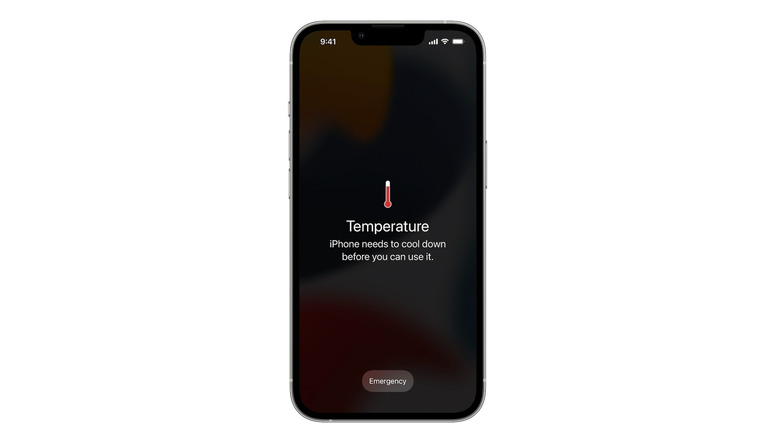
With that in mind, the extent to which any heat remains inside the phone appears to depend on the specific case design. A key point is that modern smartphones come with built‑in thermal protections that kick in when the device gets too hot. The protections involve the phone automatically slowing the processor, or dimming or turning off the screen, among other measures. The safeguards aim to prevent battery damage, but the downside is that the phone's operations might temporarily feel sluggish.
The bottom line is that having a bulky case that hugs the back of the phone can make it heat up more quickly and cause quicker drainage, but the device's thermal protections will activate to prevent damage. So if you want to use a bulky case, consider one that allows the heat to dissipate. Additionally, be wary of skins, especially thick ones, if you're into demanding tasks like gaming and video editing.