

3 Useful Apple Pay Features You're Probably Not Using (But Absolutely Should Be)
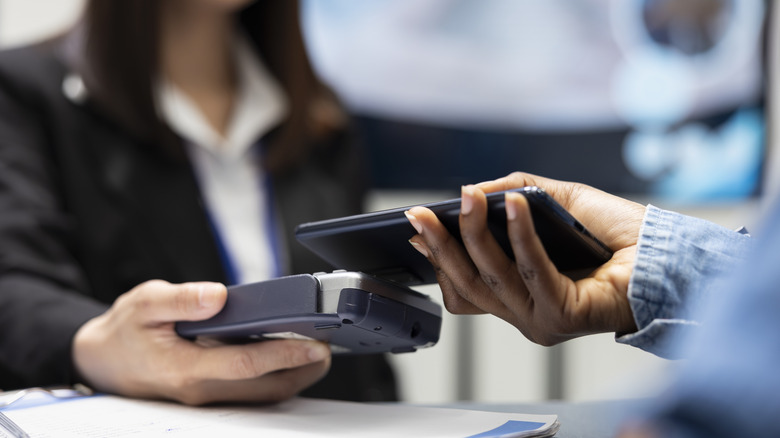
The benefits of making payments with Apple Pay are numerous. Along with making the process of checking out quick and easy, Apple Pay is also a fairly secure payment option. However, even if you already use this form of payment, you might not be leveraging it to its full potential. There are numerous Apple Pay features you might not be using simply because you don't know about them.
Keep in mind that using Apple Pay doesn't just save you time. It can also help you keep your funds and financial information safe in various circumstances. For instance, by using Apple Pay's tap to pay capabilities, you can avoid accidentally sharing your information with gas station pump card skimmers.
That's merely one advantage of embracing this payment method. Just be aware that you'll get even more value from Apple Pay if you familiarize yourself with features you may not have used before.
Track orders with Apple Pay and Apple Wallet

Learning the status of an order you placed online can involve a few steps. You may need to access your account via the retailer's website or app, then navigate to your "recent orders" page to get the information you seek. Or, you might first have to track down an order confirmation email, then open the link or use the tracking info provided.
The process can be much simpler if you placed an order with Apple Pay. All you have to do is open Apple Wallet and tap on the three dots at the top of the screen representing the "More" option. From there, tap Orders. You should then see a list of qualifying orders you've made using Apple Pay. You can tap an order to get more details about its status. You may also have the option to tap Manage Order, which will bring you to the merchant's website, or you can tap Email This Merchant to get in touch with the retailer.
Be aware that factors like your device and operating system can affect whether certain orders get tracked. Sometimes, Apple Pay tracks orders automatically. In other instances, an order confirmation screen will feature an option to "Track with Apple Wallet." You'll have to choose this option for the order to be added to those you're tracking.
Use Apple Wallet to keep track of tickets, passes, and keys
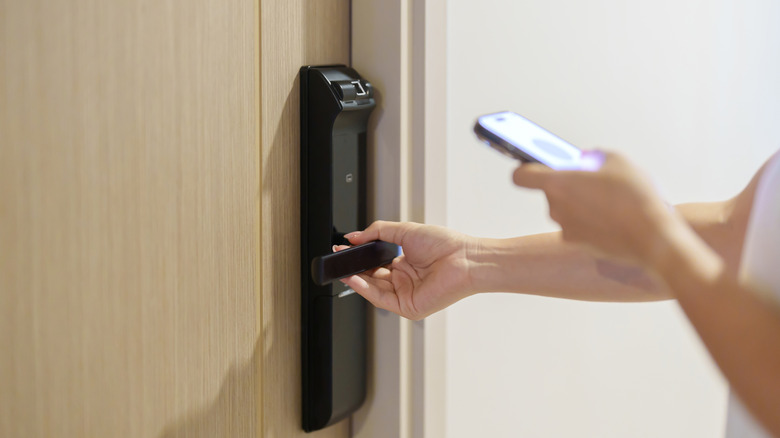
Apple Pay and Apple Wallet aren't just useful as ways of making payments. Apple Wallet and Apple Pay can also store important documents like digital versions of event tickets, boarding passes, and similar documents. How you add these passes will vary depending on their original source. For example, when you purchase an airline ticket via an app or website, once you reach the confirmation screen, you may find an option to add the pass to your Apple Wallet.
While you might already know about this feature, there are some ways to optimize it that users might overlook. For example, on an iPhone, you can go to Settings, then tap iCloud. Next, you can turn on Wallet. This will ensure all passes stored in your Apple Wallet stay updated across your devices.
In addition, via the Settings app on iPhone, you can select either Face ID & Passcode or Touch ID & Passcode. You'll be prompted to enter your passcode. Upon doing so, below where it says Allow Access When Locked, you can turn on Apple Wallet. Doing so allows you to access passes stored in Apple Wallet even when the device is otherwise locked.
These days, it's even possible to store your car keys in Apple Wallet. Naturally, of course, not every vehicle manufacturer offers a digital version of a key that can be stored on a mobile device. You may need to contact your car's manufacturer to find out if this option is available to you.
Use credit card rewards via Apple Pay

Apple Pay is convenient for many reasons. One is the fact that, with Apple Wallet giving you a digital option through which to store your various cards, Apple Pay lets you make purchases with those various cards easily. You don't have to have them on hand to use them now.
However, you may not realize that Apple Pay also (sometimes) lets you apply credit card rewards to purchases. When you're ready to make a purchase online, open Apple Pay and select the card you wish to pay with. You may see a pop-up bubble reading Use Rewards. Tap it, then enter the amount of rewards points you want to use. That said, not every retailer will offer this option.
It's also worth noting that Apple Pay and Wallet features are frequently expanding with new updates. Using these "hidden" features can help you take full advantage of Apple Pay now. You should simply keep in mind that even more advanced features are likely to be available in the future.