

Dolby Vision Vs HDR10+: Which Is Better For Your Home Theater?

You haven't experienced breathtaking home theater visuals until you've watched a movie or played a video game in HDR (High Dynamic Range). HDR is a display technology that uses metadata to aid your TV in optimizing brightness, colors, and contrast. Compared to Standard Dynamic Range (SDR), HDR can deliver a more vibrant and impactful image, but there's more than one HDR format on the market. The leading format is HDR10, a video standard that uses static metadata to tell your TV how to display a movie, show, or video game.
If you've ever heard of HDR10+ or Dolby Vision, these are the other two mainstream HDR formats that use dynamic metadata to communicate with your TV. Generally speaking, Dolby Vision is more widely supported by TV manufacturers and also used more frequently by content creators, but HDR10+ is just as capable of delivering bright, colorful picture quality. It's also the only dynamic HDR format that Samsung TVs support.
If you're wondering whether Dolby Vision or HDR10+ is better for your home theater, the answer largely depends on what TV you own, what AV components you're using, and what apps you stream from. If all you care about is broad support across hardware and software, Dolby Vision tends to be the golden standard. Not only is the format supported by popular streaming platforms like Netflix, Disney+, and HBO Max, but it's also supported by numerous TV brands, 4K Blu-ray players, and Xbox consoles.
Dolby Vision is much more universal, and has a few extra tools for content creators
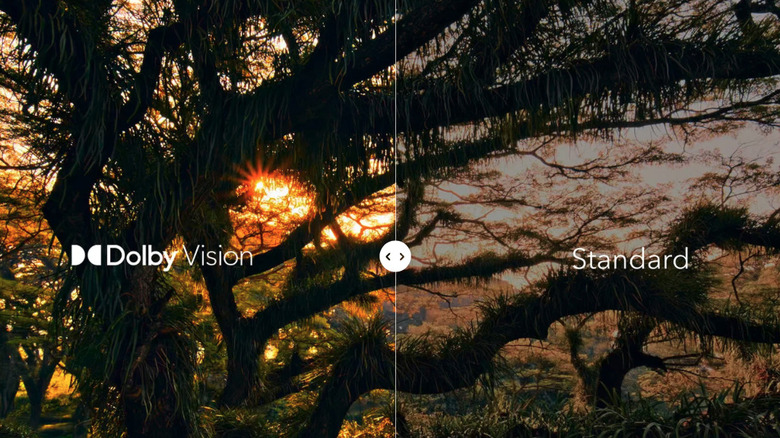
Major smart TV brands like LG, Sony, Hisense, and TCL are all-in on Dolby Vision. The format actually has two main versions that content creators can work with: Dolby Vision Profile 5, which is primarily used for streaming, and Dolby Vision Profile 7, which is what 4K Blu-rays use. Some 4K Blu-rays even contain a Full Enhancement Layer (FEL) that allows certain TVs to process and downsample 12-bit video for smoother-looking colors.
When you break things down, HDR10+ isn't all that different from Dolby Vision, but the format doesn't have use-case profiles and doesn't support manual adjustments to its metadata. While this isn't necessarily a deal-breaker, colorists using Dolby Vision are able to tweak tone mapping parameters, allowing certain TVs to deliver stronger black levels and richer colors. HDR10+ also doesn't get into FEL territory, which means you'll always be working with 10-bit color data.
Are there any advantages to HDR10+? Not really. The only benefit we can think of is that TV and AV brands aren't beholden to licensing fees when using HDR10+, as they are with Dolby Vision. The royalty-free approach is a big part of the reason Samsung has stuck with the format. Of course, that matters less to the consumer than it does to the TV maker or content provider.
Both Dolby Vision and HDR10+ are better than HDR10
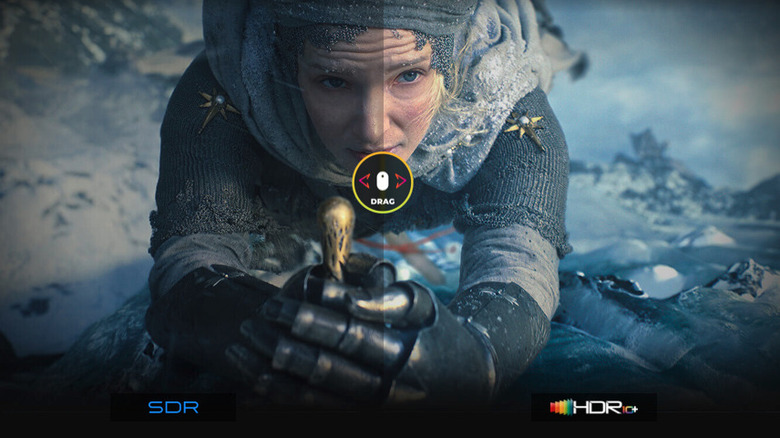
The gap between the classic HDR10 format and Dolby Vision or HDR10+ is far greater than the difference between Dolby Vision and HDR10+. Most of that boils down to static versus dynamic metadata. Static and dynamic metadata are how often the HDR format provides visual instructions to your TV. Static metadata does so once at the beginning of your movie, show, or game, while dynamic metadata can be processed on a scene-by-scene, or even a frame-by-frame basis. Dolby Vision and HDR10+ are both dynamic, so that means either format is better than HDR10.
But at the end of the day, what matters even more than supported HDR formats is the quality of your TV. A bright, colorful Mini LED flagship showing regular HDR10 media can easily look better than a midrange LED TV with Dolby Vision support, because the former leans on panel tech and native image processing more than the latter. It's also worth mentioning that HDR isn't always pushed to its limits by content creators, so some movies, shows, and games may not look much different in HDR than they do in SDR.
One thing is for sure: If you're buying a brand-new TV, HDR compatibility is something to start thinking about. When it comes to visual bravura, there's truly nothing like it, so set yourself up for the best experience possible. Make sure HDR is enabled on all your home theater tech, and don't be afraid to experiment with TV picture settings when you're watching or playing HDR content.