

Motorola Razr Fold Review: The Complete Foldable Package
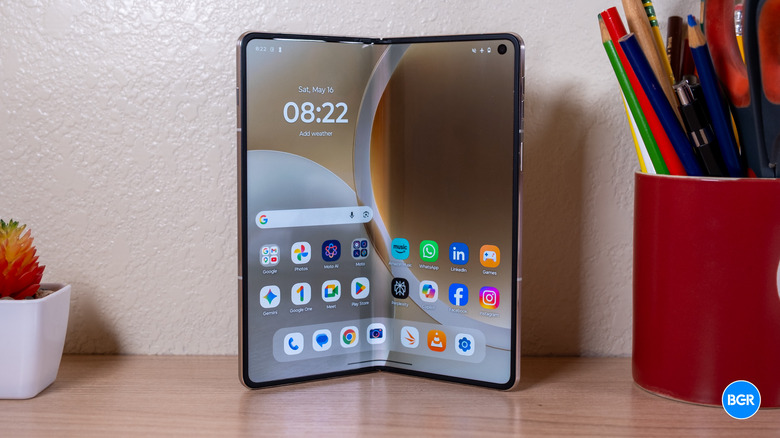
Motorola has been making foldables for years now, but always of the flip variety. The Razr Fold is the company's first attempt at a book-style foldable, and it aims to take on the likes of the Samsung Galaxy Z Fold 7 and the Pixel 10 Pro Fold, at least in the markets that it's releasing in. That said, it doesn't quite feel like a first-generation product — it's solid, decently slim, and mostly well-rounded.
It's also kind of pricey. At $1,899, Motorola has to prove not just that the Razr can keep up with the competition, but that it's better. After all, unless it is truly better, why buy from Motorola instead of more established brands like Samsung or Google? The Razr Fold has a triple camera system on the back, high-end displays, and more. And ultimately, it does indeed have a lot to offer — but it's not quite the clear leader that its price would suggest.
Design
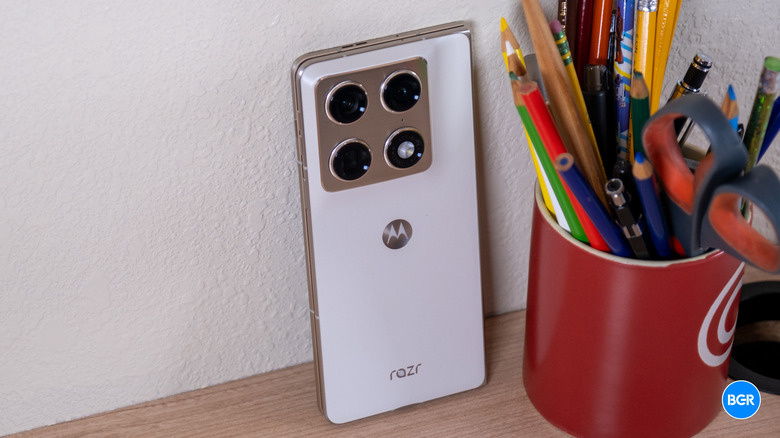
Unfolded, the Razr Fold measures 144.5 x 160 x 4.6mm, which makes it one of the thinnest open foldables you can buy right now, at least in the U.S., where phones like the Honor Magic V5 aren't available. Closed, it's 160 x 73.6 x 10mm and weighs 243 grams — mostly in line with other modern foldable phones. In hand, it feels substantial without feeling unwieldy, though the weight is noticeable during longer one-handed sessions.
Motorola has stuck to its house style on materials. There's no glass back here. The actual rear material varies depending on which color variant you get. I have the Lily White model, which has a slightly textured back, while the Pantone Blackened Blue model supposedly has a bumpier feel (I haven't held that one in person). I actually quite like the feel of it, and because it's not glass, it's not going to shatter if it lands on its back.
The hinge is a teardrop stainless steel design with a titanium inner plate, and it closes with what's effectively a zero-gap fold. That's good news for keeping debris out and good news for the crease, which is present to the touch but fades quickly in everyday viewing. I've reviewed plenty of foldable phones at this point, and I never felt like the Razr Fold was cheap or low-quality in its hinge build, but it also wasn't necessarily higher-end in feel than any other modern foldable. Basically, it felt like you could easily break it if you wanted to, but if you're careful enough, it shouldn't break on its own.
Perhaps one of the more striking design elements is the large camera module on the back. Perhaps counterintuitively, I like to see big camera modules on foldable phones. That's not because I like big camera modules — it's because the trend amongst most foldable manufacturers has been to give their foldable phones worse cameras than their best slab phones in an effort to keep the device thin. The Pixel 10 Pro Fold's camera is closer to the Pixel 10 than the Pixel 10 Pro, and the same goes for the Galaxy Z Fold 7 and the Galaxy S25 compared to the Galaxy S25 Ultra. In terms of design, of course, it does add some extra heft to the phone, and makes it feel a little top-heavy. We'll get into whether that pays off later.
The outer display is protected by Corning Gorilla Glass Ceramic 3, which Motorola claims is the first use of this material on a smartphone and significantly tougher than its predecessors. I didn't test this, though. The IP rating is IP48/IP49, which means that it should survive limited water exposure, but you should be careful around dust or other small particles. The Pixel 10 Pro Fold, by contrast, has an IP68 rating, which is much more robust.
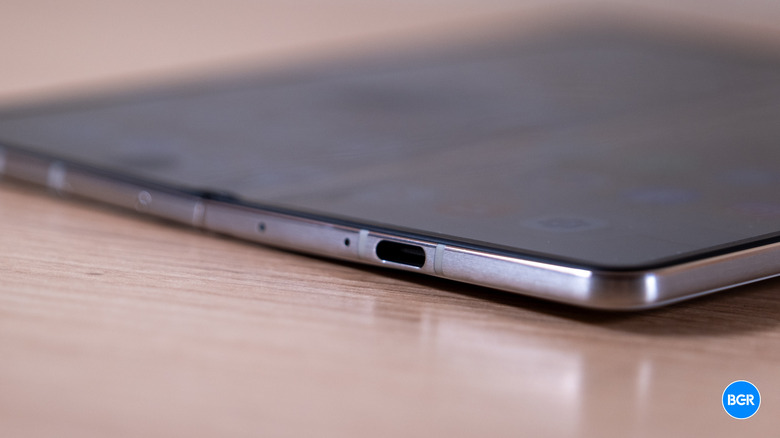
As for the rest of the hardware, the Razr Fold has a volume rocker and power button on the right edge, and the power button doubles as a fingerprint sensor, which felt quick and accurate. On the bottom is a USB-C port, and on the left edge, there's an extra AI button, which, unfortunately, isn't as customizable as I would have liked.
Generally, the Motorola Razr Fold is well-designed and seems durable. It's not overly bulky or thick, which is always nice, and that clearly would have been a non-starter with so many increasingly thin foldable phones currently available.
Display
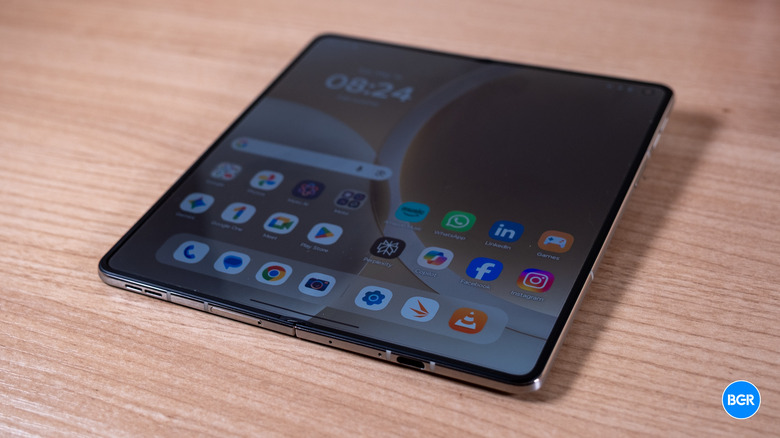
Both of the displays on the Motorola Razr Fold are high-quality. The inner display is an 8.1-inch LTPO pOLED panel with a resolution of 2,484 x 2,232 (410 pixels per inch) and a dynamic refresh rate ranging from 1Hz to 120Hz. Motorola advertises peak brightness up to 6,200 nits under specific HDR or outdoor conditions. The outer 6.6-inch pOLED screen runs at 2,520 x 1,080 with a 165Hz refresh rate and peaks at 6,000 nits. Both panels handle 10-bit color, HDR10+, and Dolby Vision, and both work with the Moto Pen Ultra stylus.
Again, both screens look great. I will say that in measuring the brightness of the inner display, I didn't hit the peak brightness that Motorola advertises -– and I can normally hit those. I was able to hit a little over 4,000 nits peak brightness with the smallest measurement window I'm able to measure: 2%. That brightness doesn't hold up very well at larger window sizes, and while the brightness of its small window is higher than on the Galaxy Z Fold 7 and Pixel 10 Pro, at larger window sizes, it throttles to being similar. The color accuracy is very good too, and while not as accurate as the Pixel 10 Pro Fold, it's close enough, and you're not going to notice a major difference.
All this to say, the display is very bright and vibrant. It's not as much brighter than the competitors as its spec sheet suggests, but it still ranges from being on par to brighter, depending on the scenario.
The crease is still there, and it's more pronounced than some other modern foldable phones — but I've never found a foldable phone's crease to be a big deal. You get used to it pretty quickly, and it stops being distracting or even noticeable unless you hold it at the exact wrong angle and it catches light. That's not common.
Performance
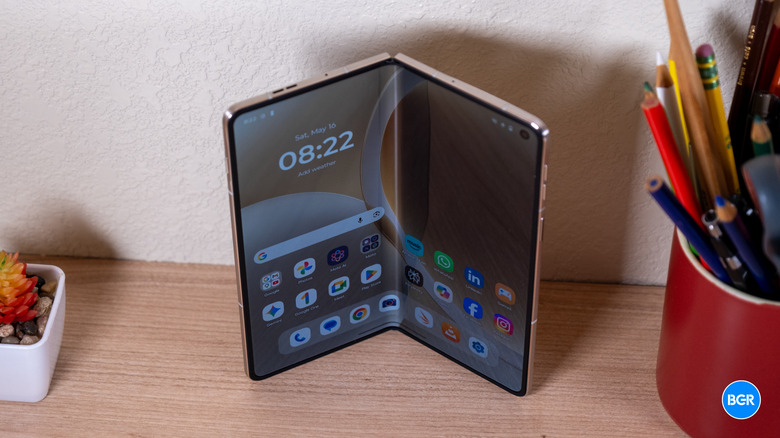
Under the hood, the Motorola Razr Fold has a Snapdragon 8 Gen 5 chipset coupled with 16GB of RAM. It's not the highest-end Qualcomm chip (that would be the Snapdragon 8 Elite Gen 5), but it's more than a good enough performer for the vast majority of use cases. Still, at this price point, you shouldn't have to compromise on performance — Samsung doesn't for the Z Fold series.
Of course, the Razr Fold will still handily outperform the Google Pixel 10 Pro Fold, at least in certain tasks. In reality, even the Pixel 10 Pro Fold still feels snappy and responsive, so the differences in performance will come down to things like gaming and may become more apparent towards the end of the life of the phone. That's where, in theory, the Galaxy Z Fold 7 will still be performing better than the Razr Fold, which will still be performing better than the Pixel 10 Pro Fold.
An advanced liquid cooling system helps the phone retain high performance longer without having to resort to throttling — at least not as quickly as some other phones. That did indeed make a difference, even if most users won't notice it in day-to-day use. The Razr Fold was able to sustain its solid performance much better than the Galaxy Z Fold 7, and after throttling, the Razr Fold actually performed about as well as the Galaxy device, despite the lower-end chip. Again, you'll really only notice that if you game heavily -– it probably won't even come into play for heavy multitasking.
Battery and charging
Powering the Razr Fold is a 6,000mAh battery, which is split across two cells and uses silicon-carbon tech to fit the capacity into the thinner build. I'm glad to see more companies adopting silicon carbon battery tech — it's proven to allow for longer-lasting batteries in the same size cell.
The benefits were pretty clear. The phone did a great job lasting through the day, though of course, that will depend on how you use it, how much you use the inner versus the outer screen, and exactly what you're doing on those screens. Most people won't necessarily get through two full days of use, at least for moderate to heavy use. Light users may be able to stretch the phone to two days, though. In video playback tests, the Razr Fold lasted longer than the Galaxy Z Fold 7 and Pixel 10 Pro Fold by more than a few hours. Charging is fast as well. According to Motorola, wired charging tops out at 80W via TurboPower, and while I didn't quite hit that maximum charging speed, I was able to hit 65% in 30 minutes of charging. That's not bad.
What is bad is how Motorola has handled wireless charging. The company claims the phone can hit 50W in wireless charging, but in practice, that's not really true. Why? Because there are no wireless chargers that work with Motorola's wireless TurboPower tech at 50W. I reached out to Motorola about this and was told that the device was able to hit 50W in ideal lab conditions, but that doesn't really matter until Motorola releases a charger to consumers that can allow them to reach those speeds. In practice, you'll be limited to 15W wireless charging speeds. There's no magnetic charging alignment on offer either.
Camera
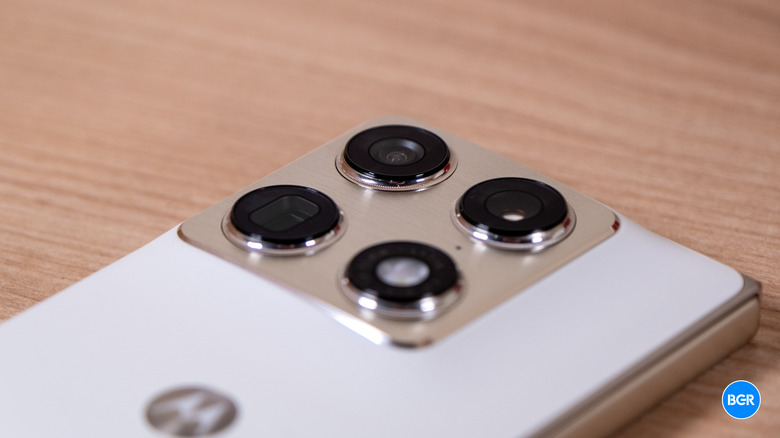
Back to that giant camera module. The Motorola Razr Fold comes with a triple camera system made up of a 50-megapixel main camera with a 1/1.28-inch sensor and an f/1.6 aperture, a 50-megapixel ultrawide camera, and a 50-megapixel telephoto camera with a 3x optical zoom. It's a capable system as a whole.
Images captured by the Razr Fold were sharp and colorful, with decently accurate colors overall. Photos on the main camera looked solid, and while they perhaps didn't have the same level of detail as the 200-megapixel camera on Samsung's Galaxy Z Fold 7, most won't notice the difference.
The phone offers a 3x telephoto camera, which is on par with the Galaxy Z Fold 7, though the Pixel 10 Pro Fold has a deeper reach with its 5x camera. Still, images captured by that telephoto camera were more color-accurate than those captured by the Pixel or the Galaxy devices, so you win some, you lose some.
The two front-facing cameras are slightly different. On the cover screen, there's a 32-megapixel front-facing camera, while the inside screen features a 20-megapixel camera. I would have reversed them — when you're video calling, you're likely to use the inside screen, and if you just want to take selfies, you can use the main camera system with the cover display as a viewfinder, like on other foldable phones.
I will say, the video stabilization on offer by the cameras on the Razr Fold isn't great. I find the stabilization to be better on the Google and Samsung foldables, though this only matters if you are an especially dynamic video recorder. For most, it will certainly be good enough.
Software
The Razr Fold ships with Android 16 under Motorola's Hello UI, which has historically been one of the lighter Android skins and still feels close to stock. That remains true here, though of course Motorola has made some adjustments to make it better for the foldable form factor.
For example, there's a customizable taskbar, along with the ability to have two apps open in split-screen view and a third app in a freeform resizable window. Saved multi-app layouts launch from the home screen or taskbar, which improves multitasking. That said, you don't have complete control over the software — you can't have as many sizable windows open on the screen as you want, and at times, I found it slightly buggy, though it seemed to get better over the course of testing.
There are some other desktop features, too. You can plug the phone into a monitor over USB-C and you get a windowed desktop environment with an emulated trackpad over the phone's screen, which is a very neat feature. It's probably not something you could use to replace an actual computer if you use one regularly, but I can imagine someone like my wife, who almost never uses her laptop at work (she has a work-supplied one) using this for the rare computer-related tasks she does do.
As you would expect in 2026, there are AI-based features, though their value will vary from user to user. Features like Catch Me Up can summarize notifications, while Next Move can suggest context-aware actions. There are some image tools, too. Perhaps the most useful AI tool of the bunch has nothing to do with Motorola — that being Google's AI assistant Gemini, which is an Android-wide feature at this point.
Unfortunately, you can't really map the AI Key to much beyond Moto AI. You can map a double-press to Catch Me Up or Pay Attention, which is a recording and transcription tool. And you can map a press-and-hold to either launch Moto AI or do nothing.
That's a pretty huge waste of a hardware button. I get wanting to push your AI service, so it makes sense to set these features to the button as the default. But an extra mappable button, like Apple's Action Button, can be a real selling point for users who want to trigger apps or functions that best suit their needs, and I can't imagine all that many people are using Moto AI. You can't even map it to Gemini, though pressing and holding the power button does trigger Gemini.
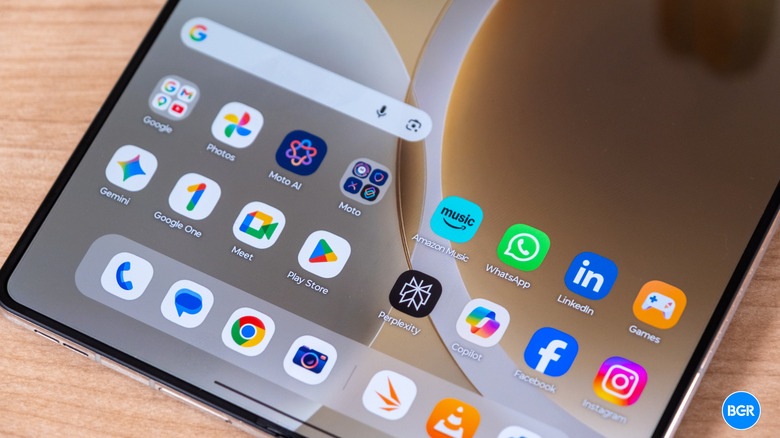
Motorola has promised seven years of OS upgrades and seven years of security patches, which would put it on par with Google and Samsung. That's a major change from previous Motorola flagships, which typically got three OS versions and four years of security patches. That said, it's impossible to know if Motorola will actually live up to that promise right now. Moving from 3-4 years to 7 years is no small feat. Last but not least is the extra bloat, and while Hello UI is mostly scaled back, there's still some unnecessary software. Sure, apps like Amazon Music aren't unknown, but the vast majority of users of the device don't use it. It can be uninstalled, as can the likes of Perplexity, Copilot, Facebook, LinkedIn, and Instagram, but it still feels intrusive to have them there by default instead of allowing the user to explicitly choose them.
Conclusions
I hesitate to treat the Razr Fold as a first-generation product because the situation isn't that simple — Motorola has been building foldables for years now. In this form, it is the first of its kind from the company, though, and it's a pretty compelling option.
What it's not is the new clear leader. There are aspects of the phone that don't measure up to the likes of the Galaxy Z Fold 7 and Google Pixel 10 Pro Fold. Despite those issues, I found the Motorola Razr Fold to be the best foldable on the whole right now, even if the hardware differences are fairly minor. It's well-rounded, offers great software, and takes good photos.
The competition
Against the Galaxy Z Fold 7, the Motorola Razr Fold performs slightly worse but has a slightly better display setup, a longer-lasting battery, and a camera that's about equal, if not slightly better. Its software is also a little easier for me to navigate, but plenty prefer Samsung's One UI.
Against the Google Pixel 10 Pro Fold, the Motorola Razr Fold performs better, has a slightly brighter screen at times, has a camera that's slightly higher-quality (but perhaps less versatile), and, in my opinion, has worse software. The Razr Fold also has longer battery life.
For the most part, I've been comparing the Motorola Razr Fold to the Galaxy Z Fold 7 and the Google Pixel 10 Pro Fold because those are the phones that will provide the most obvious competition to the Razr in the markets it's available in. If you do have access to other foldables, they're worth considering. I haven't been able to test all of the foldables from the Chinese brands, but I have tested the Honor Magic V5 and find it to be sleeker while competing on battery life and in other areas. Its camera and software aren't as good as the Razr Fold, though.
Should I buy the Motorola Razr Fold?
Yes, if you're willing to spend the cash on a foldable phone and like the combination of features on offer by the Razr Fold.