

5 Of The Best Monitors For Mac Users

We may receive a commission on purchases made from links.
All Mac devices, including the Mac Mini, Mac Studio, and MacBooks, are known for offering much higher pixel density (pixels per inch) than most Windows devices. This is why, even between two displays with similar specifications, the one running macOS often appears sharper and more refined. That's also what makes choosing a monitor for a Mac trickier than usual. After all, you don't want to get an external display that doesn't capitalize on your Mac device's color accuracy capabilities.
However, because the demand for external displays among Mac users is so high, there are now countless options available across different price ranges and monitor brands. And you have to look beyond just the screen size, resolution, or price and consider the package as a whole. That includes factors such as the number and type of ports available, refresh rates, and ergonomic features like tilt, swivel, and pivot adjustments.
To make things simpler, we've compiled a list of the best monitors for Mac users in 2026. Our picks include the BenQ MA270UP, Apple Studio Display (2026), Innocn 40C1U, UPerfect Delta Max Touch, and Dell S2722QC. The list includes a healthy mix of traditional 16:9 monitors, 21:9 ultrawide options, portable dual-screen displays for multitaskers, premium Apple displays for users who want to stay within the Apple ecosystem, as well as affordable 4K monitors.
BenQ MA270UP
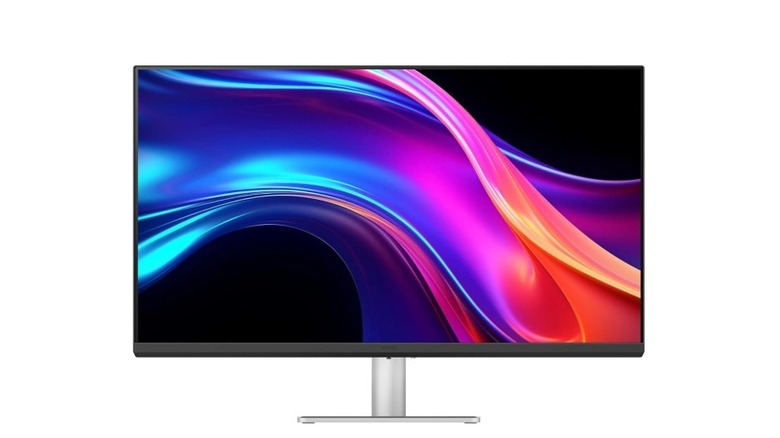
The 4K BenQ MA270UP boasts a near-perfect 4.8-star rating on Amazon and is also widely regarded as one of the best displays for Mac users by Macworld and Creative Bloq. After all, it's one of the very few monitors built from the ground up with Mac users in mind. The monitor offers 95% coverage of the P3 wide color gamut, and the results are clear from what real-world users are saying. For example, Macworld concluded that the "images are much closer to the Studio Display," while one Amazon user said that it "matches my MacBook Pro screen very well."
It offers both glossy and matte screen options at the same price ($549.99), unlike Apple's Studio Display, which charges extra for the latter. This means you can choose between the glossy finish for punchier colors, deeper blacks, and brighter whites, or the matte option if you prefer reduced glare and fewer mirror-like reflections. The monitor also comes with a built-in USB hub, which includes two HDMI ports, two USB-A ports, and a USB-C port (15W). You also get another USB-C port with 90W power delivery, meaning it can simultaneously charge your MacBook.
Moreover, thanks to BenQ's Display Pilot 2 software, you can directly use your MacBook's keyboard to adjust monitor settings such as brightness and volume. This means you don't have to fiddle around with the small joystick underneath the monitor. Lastly, the monitor is not only height-adjustable — something Apple charges extra for on the Studio Display — but it can also pivot a full 90 degrees. This is especially useful for anyone wanting to use it as a secondary screen for tasks like coding, reading documents, or running communication apps such as Slack or Discord.
Apple Studio Display (2026)
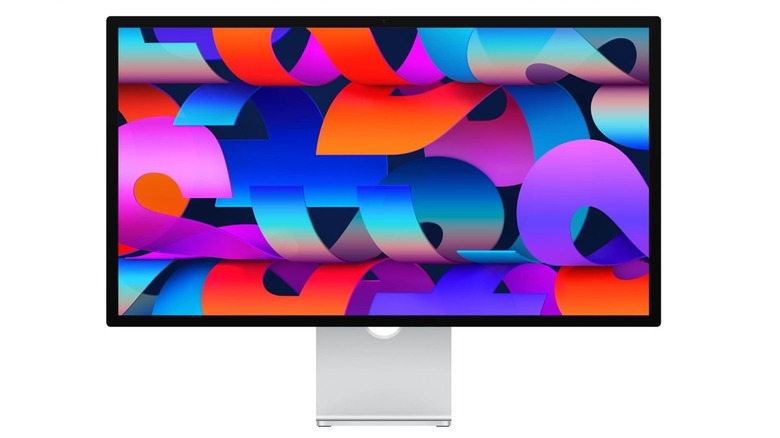
The Apple Studio Display (2026) is a cheaper alternative to its insanely expensive cousin, the Pro Display XDR. It is a good display for Mac users who not only want to stay within Apple's ecosystem, but are also impressed with Apple's design choices and want the same aesthetic across their entire work setup. The 27-inch 5K display boasts an impressive 4.5-star rating on Amazon, with users saying that it's "incredibly sharp" and that everything from "text to video editing looks crisp and premium." Even expert reviewers such as RTINGS have praised the monitor's color accuracy.
However, a huge part of this monitor's appeal — and why users say it's "worth every penny" — is that it's an all-around integrated package. It comes with two Thunderbolt 5 ports: one upstream port with 96W power delivery and another downstream port that also supports daisy chaining of up to four monitors. This means you can add more displays without occupying additional ports on your main Mac device. Furthermore, there are also two USB-C ports with up to 10 Gbps transfer speeds. The Studio Display also comes with a built-in 12MP webcam with Center Stage and Desk View, which lets you show what's directly underneath the monitor during video calls.
In addition to the Dolby Atmos-supported six-speaker system, which reviewers describe as "loud and well-balanced," it also comes with a studio-quality mic system, essentially making it an all-round work from home gadget. As for the downsides, the Studio Display is on the expensive side, priced at $1,499. Plus, the base variant is only tilt-adjustable, meaning you'll have to spend extra if you want height adjustment as well. Similarly, if you want the nano-texture matte coating for reduced glare and fewer reflections, that will cost extra too.
Innocn 40C1U Ultrawide Monitor
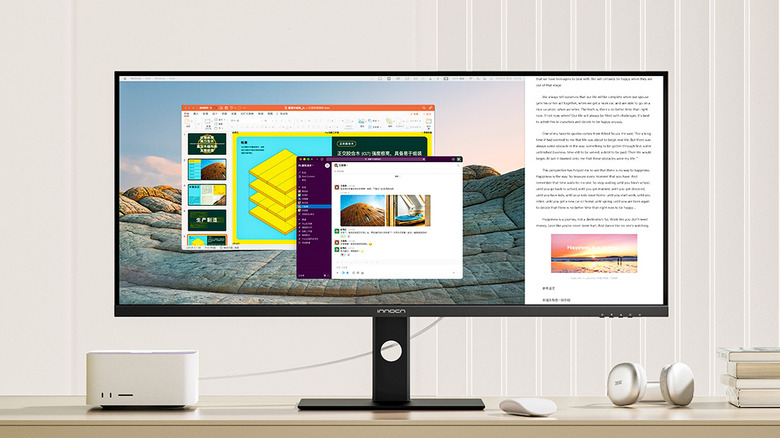
If you're a Mac Mini, Mac Studio, or a MacBook user who wants as much screen real estate as possible, consider buying an ultrawide monitor like the Innocn 40C1U instead of splurging on two separate 16:9 monitors. The Innocn ultrawide monitor delivers professional-level quality while also providing excellent value for money. Currently priced at $594.98 on Amazon, with a 4.3-star rating after 1,200 reviews, it features a crisp 5K IPS display with 106% DCI-P3 and 135% sRGB support for accurate and vibrant colors. You also get 350 nits of brightness alongside a solid 1200:1 contrast ratio.
Real-world reviews have backed the display's quality claims, with users saying that "the screen is extremely bright" and that "the colors are spot on." You get two HDMI ports, one DisplayPort, two USB-A ports, and one USB-C port with 65W power delivery. The latter can both transmit video from your connected Mac device while simultaneously charging it, which is especially useful if you're connecting a MacBook. The monitor also supports Picture-in-Picture (PiP) and Picture-by-Picture (PbP) modes, meaning you can connect two Mac devices simultaneously and work with inputs from both side by side. This is handy if you have a dedicated Mac Mini/Studio setup but also occasionally want to plug in your MacBook and work on a larger display.
While the monitor does include built-in speakers, users say they're not really powerful, and you'd be better off using dedicated speakers or headphones. TechRadar tested the monitor for both creative tasks and general productivity and concluded that it not only makes workflows "much easier," but is also simple to set up and tune the color to your liking. That makes it a strong option for both everyday and professional use.
UPerfect Delta Max Touch
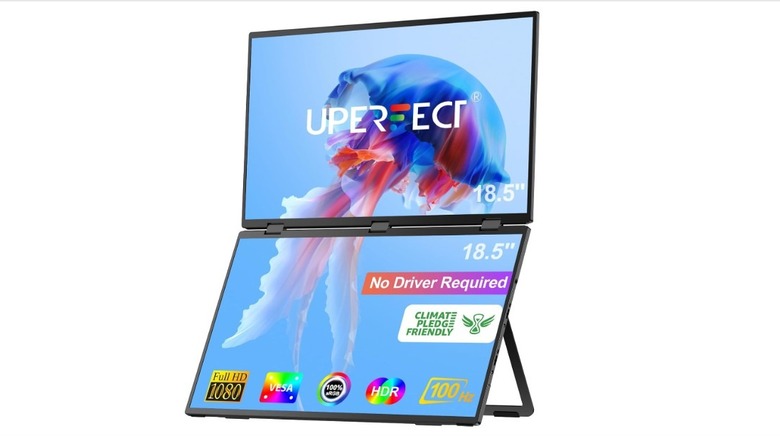
The UPerfect Delta Max Touch is a good choice for Mac users who value productivity and multitasking above everything else. It's a 360-degree foldable dual-monitor setup featuring two 18.5-inch touchscreen displays, both with 1920x1080 FHD resolution and 100Hz refresh rates. It's currently available for $499.99 on Amazon, where it holds a solid 4.3-star rating. Users say that "the picture quality looks sharp and clean," with one reviewer highlighting that they didn't notice "any backlight bleed or any dead or discolored pixels."
The monitors can be stacked both vertically and horizontally using the stand. They're also VESA compatible, so you can set them up as a traditional dual-monitor desk setup as well. And when you're not multitasking, you can simply fold the monitors together and use them as a single screen. Creative Bloq's testing highlighted that the hinge mechanism strikes a good balance between being sturdy and not overly stiff. They also found the touchscreens to be highly responsive, even around the edges.
The monitors also limit the amount of blue light entering your eyes to help reduce eye strain during long hours of use. As for connectivity, you get three USB-C ports and two Mini HDMI ports. And while UPerfect provides a long list of configuration options and all the necessary cables in the box, setting the monitors up exactly the way you want can require a bit of playing around. Alternatively, if you want a portable Mac monitor but not a dual-screen display, you can get the UPerfect 16006DD, which is a 16-inch 4K display with 1,200 nits of brightness. It's priced at $259.99 and holds a 4.5-star rating after over 5,000 reviews on Amazon.
Dell S2722QC
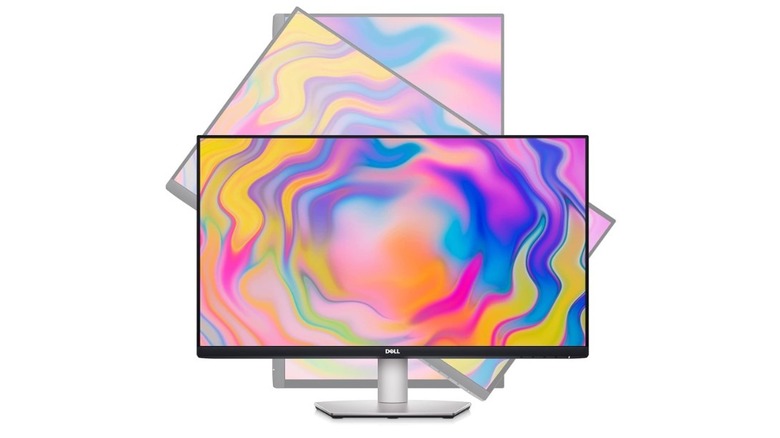
The 27-inch Dell S2722QC is a good budget monitor and a decent option for anyone looking for a Mac monitor for under $500. At the time of writing, you can get it for $400 on Amazon, where it holds a solid 4.4-star rating after nearly 2,000 reviews. For the price, you get a "sharp, responsive, and bright" 4K monitor with 99% sRGB color coverage, up to 350 nits of brightness, HDR support, and a 1000:1 contrast ratio.
It also features a full USB hub that includes two HDMI ports and two USB-A ports, and a USB-C port with 65W power delivery. It can charge your MacBook while connected and make connectivity more seamless. While the monitor lacks Thunderbolt ports, several Amazon reviews suggest that it works well with Mac devices.
Like the BenQ MA273U, the Dell S2722QC also offers flexible ergonomics. In addition to swivel and tilt functionality, you can pivot it a full 90 degrees and use it in portrait orientation, making it a solid choice for a secondary vertical monitor.
How we selected these Mac monitors

While looking for the best Mac monitors, we didn't just focus on displays that are technically compatible with macOS, but on ones that are also capable of maintaining the source device's resolution and color accuracy. Connectivity was another major consideration. While we treated the presence of a USB-C port with power delivery as the bare minimum, we leaned more toward monitors with Thunderbolt support for the most seamless Mac connectivity.
We also kept different use cases and budgets in mind. That's why this guide includes not only premium options such as the Apple Studio Display, but also more budget-friendly picks under $500. We also prioritized ergonomically flexible monitors that can pivot into portrait orientation, as MacBook users looking for a secondary vertical display often consider this factor. Every option in this guide was selected after looking through both independent third-party testing results and real-world customer feedback on platforms such as Amazon. Speaking of which, all of the monitors featured here are easily available on Amazon.