

You Can Pair Your Android Phone With An Apple Watch — But There's A Catch
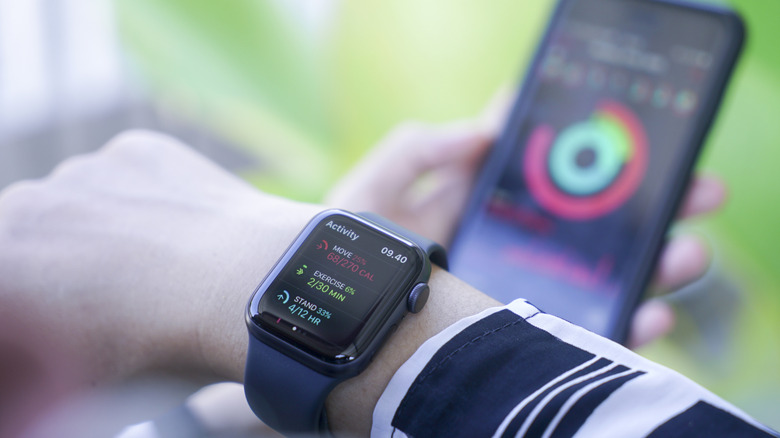
Apple has tried making the Apple Watch work with Android for about three years, according to the company's own remarks from early 2024. Apple made that revelation in response to a Justice Department lawsuit against Apple that used the Apple Watch's iPhone-only compatibility as an argument supporting its case that Apple is a monopoly. As of 2026, the Apple Watch continues to be one of the best smartwatches available to buyers, with Apple refining the experience every year. But it isn't any easier to make the Apple Watch work with Android devices. There are workarounds that allow someone to use an Apple Watch and an Android phone, but there's a big catch: Most of the advanced features the Apple Watch offers will not work properly. The wearable would offer users a more limited experience.
Instead of taking advantage of the full health and fitness features that the Apple Watch can offer when paired with an iPhone, Android users will be limited to making calls from the wearable, texting, using location tracking, accessing safety features like Fall Detection, and tracking workouts. However, the Apple Watch will not actually sync to the Android device, and it won't relay notifications. Also, many of the more advanced health features the Apple Watch offers will not work.
Importantly, even if you use an Apple Watch with an Android phone, you will still need to set up the wearable on an iPhone, and you'll need an Apple Account for the process. Also, you'll need to buy a cellular version of the Apple Watch you want, which is more expensive than the GPS models. There are two ways to use the Apple Watch with an Android phone, as you'll see below.
Set up the Apple Watch for a family member
Apple lets iPhone users set up Apple Watch models for family members who do not have iPhones. The feature can be used to give a child access to an internet-connected device that can be used for calls and messages, and for tracking the user's location. Apple has a support document that explains in detail the steps required to activate an Apple Watch for a family member. The process requires a cellular Apple Watch Series 4 or later that runs watchOS 7 or later. An iPhone 6s or later with iOS 14 or later is needed to set up the wearable. Both the Apple Watch and the iPhone will need separate Apple Accounts, as the Apple Watch user will be added to the family of the iPhone user.
The setup involves choosing the features that will be available on the Apple Watch. Apple mentions several features that will work on the smartwatch: "Location Services for the Find My app, Siri, Apple Cash Family, Messages in iCloud, Health Data, Emergency Contacts, Medical ID, Activity, Time in Daylight, Workout Route Tracking, and Photos." Apple explains that the Apple Watch user will have access to selected health and fitness features, including high and low heart rate notifications, Heart Rate Variability readings, and Fall Detection.
The support document also mentions the various Apple Watch features that will not work on the Apple Watch without an iPhone: "Medications, respiratory rate, irregular heart rhythm notifications, ECG, AFib History, Cycle Tracking, Sleep, Wrist Temperature, Blood Oxygen, Walking Steadiness, Audiobooks, News, Shortcuts, the double tap gesture, and international roaming." This suggests those features would also be unavailable when using this workaround for using the Apple Watch with an Android phone.
Configure the Apple Watch for yourself
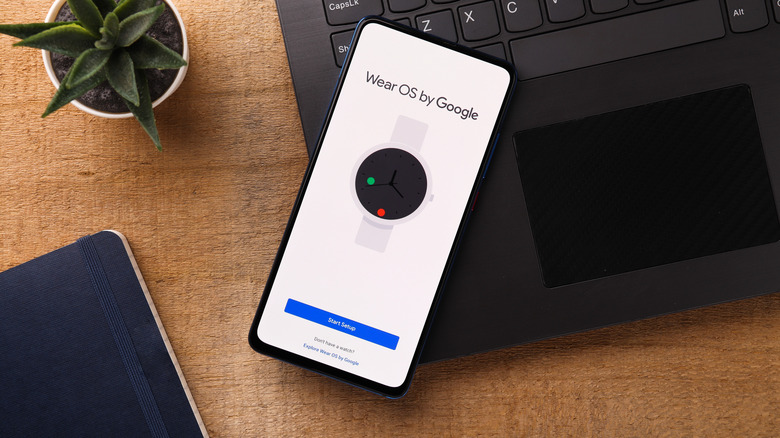
The previous method is not designed for setting up the Apple Watch for yourself, unless you create a second Apple Account for the wearable. But there's another way of making the Apple Watch work with an Android phone. You still need an iPhone and an Apple Watch with cellular connectivity for this scenario. According to Android Police, the process involves setting up the Apple Watch with your iPhone. Both devices must use your Apple Account during setup.
Once the Apple Watch is configured, you should turn off the smartwatch and the iPhone. After that, you should transfer your physical SIM card or eSIM to your Android phone and let the Android phone connect to the cellular network. Then turn on the Apple Watch. Android Police notes that the iPhone may need to be in Airplane mode for this process to work. But even this tutorial points out that Android users would be better served by an Android smartwatch. That's because using the Apple Watch with an Android phone would significantly reduce the usefulness of the wearable. The Apple Watch would continue to receive calls and texts, but many of the advanced health features that buyers may expect will not work.