

This Easy Fitbit Upgrade Improves Both Style And Function
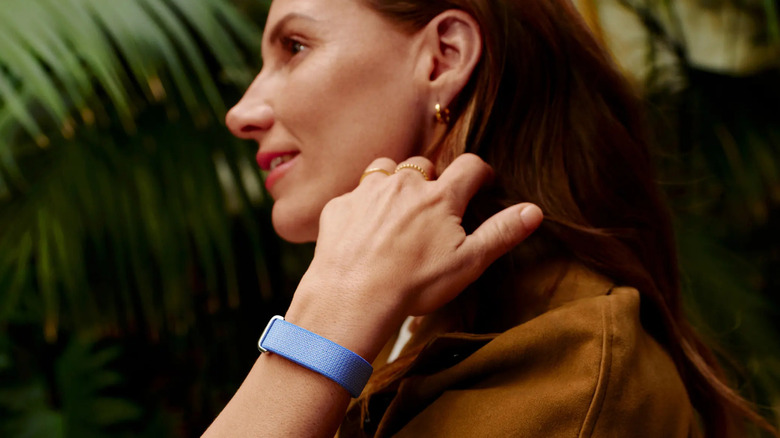
One of the main challenges of fully adopting a wearable is having trouble matching it to your particular style and aesthetic. Truth be told, many people don't even need to buy smartwatches anymore. Plus, with the growing popularity of "no-screen" wearable trackers, we recently covered everything a Whoop can do that an Apple Watch can't. But if you're considering getting a screen-free wearable like the new Fitbit Air, you should know there's a clever way to customize its look and reactivate the at-a-glance functionality you'll lose by not going with a smartwatch.
It turns out, some users of the new Fitbit Air have found a way to access the best of both worlds. In short, many traditional watches (and even some smart watches) can be added to the FitBit Air's strap. By sliding the Fitbit Air's tracker sensors to another part of your wrist, it will appear to everyone around you as if you're wearing a regular watch. It's a cool way to bring a bit of the old school style into your new-school health tracking features. Here's how to do it and what watches are good candidates.
How to add a watch to your Fitbit Air
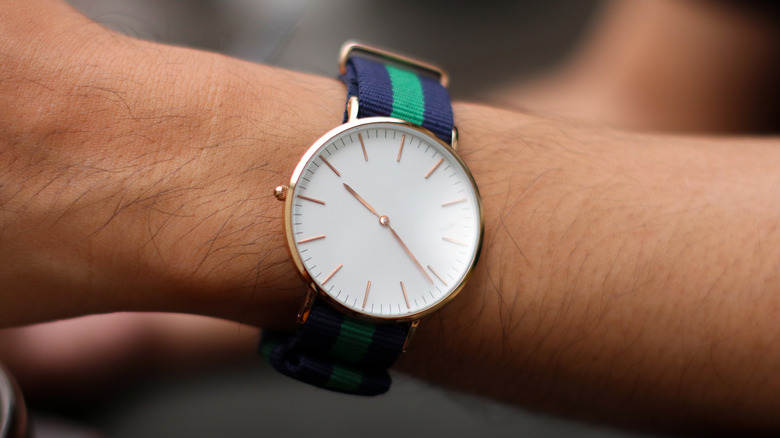
Understanding how to add a separate device to the same band as your Fitbit Air starts with understanding how a watch actually connects to a band. Most strap-style watches will use spring-loaded bars to affix a band to the watch case itself. Many watch bands just wrap around those spring bars to hold into place. So, if you've got a watch you love that fits that bill, it's as simple as removing the band itself by leaving the bars on the watch. Then feed the bottom sides of the straps from your Fitbit Air through the openings between those bars and your watch, and you've now added a watch face alongside the tracking module on your Fitbit Air.
Technically, this same process can be done with really any fitness tracker — as long as its band width matches the bars on the watch. In the case It's important to measure the band opening on your watch, though, as not all fitness trackers have the same size band. Whoop bands, for example, are quite a bit thicker than the band that comes on the Fitbit Air, which is 18 millimeters. The key here is experimentation. See what watches look good with your fitness tracker's band and if they fit. It might just give your Fitbit Air a whole new aesthetic identity.