

What Does The Leaf Symbol Mean On Google Maps?
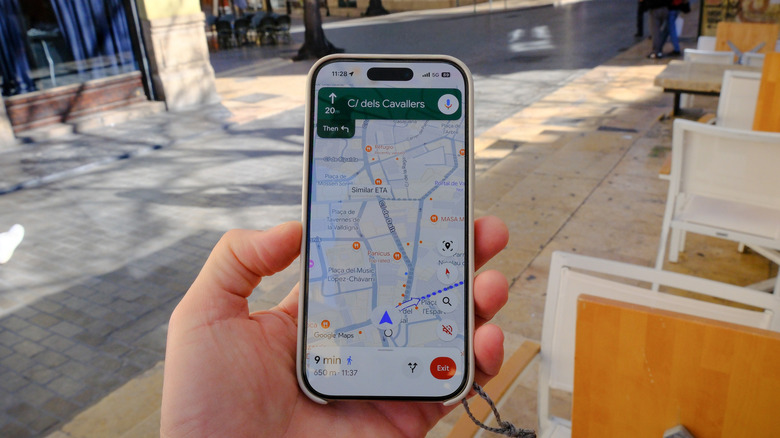
While alternatives to Google Maps certainly exist, it's still one of the most useful travel and navigation apps today throughout the world. This is largely thanks to how efficient it is at what it does — finding the fastest routes and giving you real-time traffic updates — but it's also because of some additional Google Maps features that most people don't know about.
One of these features is eco-friendly routes. If you start navigating and see a leaf symbol alongside the time and distance on Google Maps, it shows that you're taking an eco-friendly route. An eco-friendly route takes into account the traffic, the frequency of steeper areas, your ability to move at constant speeds, and several other factors to ensure you use the least amount of fuel.
This feature only works if the eco-friendly route takes a similar amount of time as the fastest one, though. It might be a bit slower, but there won't be much difference in terms of time. This feature is one of the many ways navigation apps are working to save the environment while also making your daily commute cheaper as a bonus.
How to toggle eco-friendly routes on or off on Google Maps
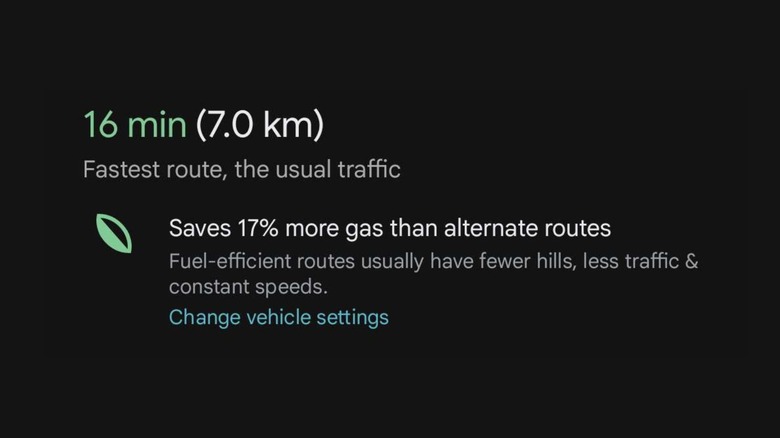
Eco-friendly routes are enabled in Google Maps by default, and if two routes have similar times, your Maps app will show you the more environmentally friendly one. The way to enable or disable eco-friendly routes is largely the same for both Android and iOS devices. You can do this by launching the Google Maps app and going to your profile. From there, select Settings, then choose Navigation, and finally, tap Route Options. You'll find the toggle for eco-friendly routes here, which you can turn on or off at any time. You can also toggle this off or on while you're already following directions. To do this, tap on the three dots on the top-right corner to access the Prefer fuel-efficient routes toggle.
You'll have to configure what type of engine your car has within the app to get the full benefits of this feature. You can do this by going to your profile to access Settings again, but this time tap on Your Vehicles. Select the correct engine type from here, whether that's gas, diesel, hybrid, or electric. The optimal eco-friendly route depends on the type of engine you have, so this step is incredibly important for the best results.