

5 Useful Kindle Features You're Probably Not Using
We may receive a commission on purchases made from links.
You might not know it, but Amazon offers quite a few useful Kindle features that often fly under the radar. These include things like rewards programs and monthly discounted ebooks, convenience features like the ability to send files to your Kindle, or built-in functionality like recaps of books so you can easily jump back into a story after a brief reprieve. If all you've been using your Kindle for is buying and reading ebooks, you should know about some of the more underrated features that can expand the usefulness of your device.
The features we'll cover below will be helpful whether you're looking to load up on fresh reads, trying to finally finish that novel you've been stuck on, or would like to bring along your own titles that aren't yet in a Kindle-supported format. And since not everyone uses their devices in the same way (there are plenty of different things you can do on a Kindle, after all), we made sure to include some lesser-known features that can help save time and money — something we can all appreciate.
So rather than use your Kindle for a singular purpose, it's time to expand your mind — and more importantly, your Kindle's functionality. Once you've given a few of these features a whirl, your Kindle should shine a bit brighter as the personalized digital reading station it was always meant to be.
Kindle Rewards
Amazon doesn't do a lot of promotion for Kindle Rewards, perhaps because the program only recently graduated from beta in 2025. But now that Kindle Rewards is an official feature, everyone who purchases ebooks from Amazon should take advantage of them.
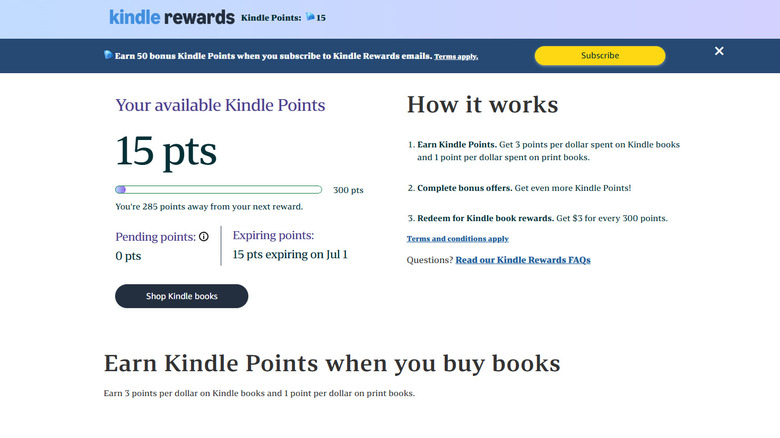
The program is rather simple in design, so it's easy to track. For every dollar spent on Kindle ebooks, you earn three reward points. For every 300 points earned, you get three dollars back, which you can then exchange for more ebooks. The catch is that you have to use these points within three months or they'll expire. At the end of the day, if you're already giving money to Amazon to purchase Kindle ebooks, there's no real downside to keeping track of your Kindle Rewards so you're aware when you have enough to discount the latest novel or manga.
What's especially nice about Kindle Rewards is that you don't have to be a Prime member to take advantage of them — your Amazon account is enrolled as soon as you purchase your first Kindle ebook. Amazon also offers occasional promotions that can net you double or triple points during specific time periods, and there are bonus offers that can boost your points further. However, you should keep in mind that if you subscribe to Kindle Unlimited or Audible, these downloads won't count toward your points since you aren't technically buying this content. You can easily check how many points you've earned using the official Kindle Rewards page. If you've purchased an ebook recently, there's a good chance you already have some points waiting.
Kindle Recaps
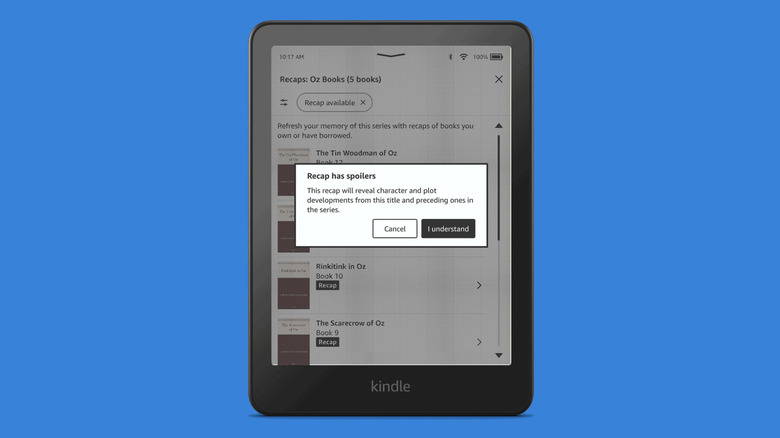
If you've ever started a book but then failed to get back to it in an acceptable time frame, it's easy to forget what's going on in the story. But who wants to start a book or series over to just catch up? Probably not many, which is why Amazon's convenient Kindle Recaps feature is built directly into every Kindle from the 10th generation onward (the current generation is 12). It's actually pretty useful, and yes, it uses AI to summarize the story up to the last point you read. This is one case where AI can shine as the generative text engine it is.
What's especially nice about Kindle Recaps is how you can use the feature to go back through ebooks in a series. For instance, if you're reading Robert Jordan's 14-novel "Wheel of Time" series, you can have Kindle Recaps sum up earlier titles to refresh your memory, perhaps because those events are now pertinent in the most recent novel you're reading. It's a handy tool that you can jump into directly from the three-dot overflow menu in any ebook, which lets you drill down to the entire collection. Keep in mind that the feature runs on AI, so spoilers can happen. Not every ebook supports the feature either, though supported titles are clearly marked on the store.
So if you've always wanted a quick summary for Kindle ebooks, Kindle Recaps are here to save the day. When an author takes years to release a new novel in a series, rather than having to reread previous books to get back into the story, you can simply open the Kindle Recaps feature and catch up in seconds.
Send to Kindle
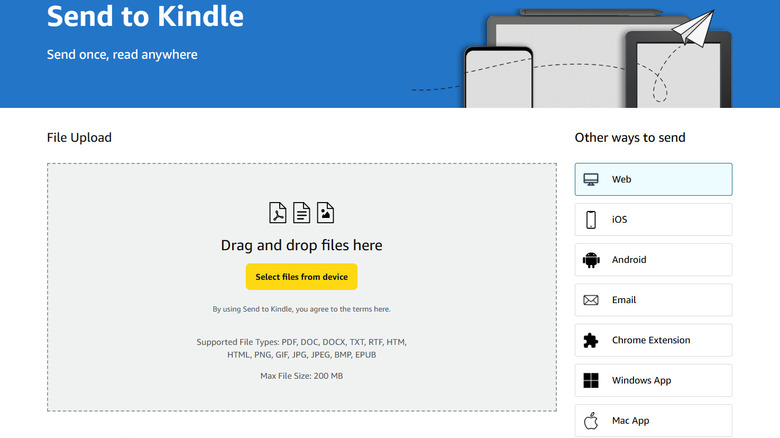
Send to Kindle is a feature that lets you send files to your Kindle, and you can do so from Kindle mobile apps, PC apps, a dedicated Chrome extension, or even by using a unique email address that's tied to each of your Kindle devices and apps. If you have a Kindle Scribe, files you send to it this way are converted to PDFs that support the included stylus. Send to Kindle can even be used to get ePub files onto your Kindle — the files will be converted to a supported format, allowing you to read and even annotate them on any Kindle.
So there is definitely a use case that goes beyond simply sending yourself a few files: You can skip third-party conversion apps and do it yourself through Send to Kindle. No need to pull out a laptop and open Calibre, as you can convert and sideload wirelessly with Send to Kindle. Even better, you can email multiple files at once, straight from the comfort of your phone.
This way, you aren't tied to Amazon's store for all of your reading material. And there are many underrated places to get free ebooks for your Kindle nowadays, from Project Gutenberg to Internet Archive. Plus, once a file is uploaded, it's in the cloud, which means you can then download the converted copy to any hardware in your Kindle collection, which also includes the apps across PC and mobile. Essentially, once a file is uploaded through Send to Kindle, it's in your library and will stay there until you manually remove it.
Libby
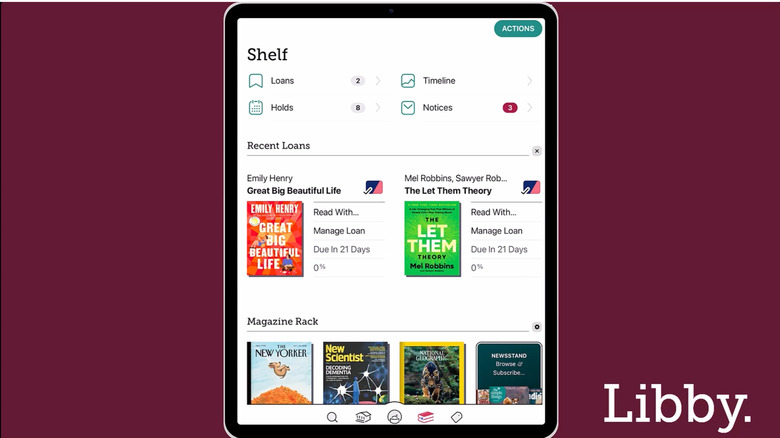
You may have heard of Libby. It's a fairly popular library app created by OverDrive specifically for borrowing digital books, audiobooks, and magazines, as part of a paid service the company offers to public libraries. If you have a library card, there's a good chance you can use it with Libby. If it doesn't support the service, the key is to find a library that has partnered with OverDrive. With over 90% of all U.S. libraries supporting the digital distribution service, it shouldn't be too difficult.
Libby is one of the best Kindle Unlimited alternatives for people looking to cut back on their online subscriptions. It carries modern content like New York Times bestsellers that you'd otherwise have to pay full price for on a traditional ebook store like Amazon's. Best of all, any ebook borrowed shows up account-wide, so you can easily pick up where you left off no matter if you're reading on a Kindle or using the app.
There are restrictions to borrowing with Libby, and they can differ depending on your library. Where one library may have a standard 14-day policy, another may let you choose to check out a book for as little as seven days or as many as 21. So you may want to shop around for one that offers the digital rental time limits you prefer. Thankfully, you can read offline, which also provides a workaround to extend your time with a rental since Libby can only revoke access once your device is connected to the internet. And don't worry, using this trick won't deprive others of borrowing the ebook, so you're in the clear to leave airplane mode on as long as you wish.
First Reads
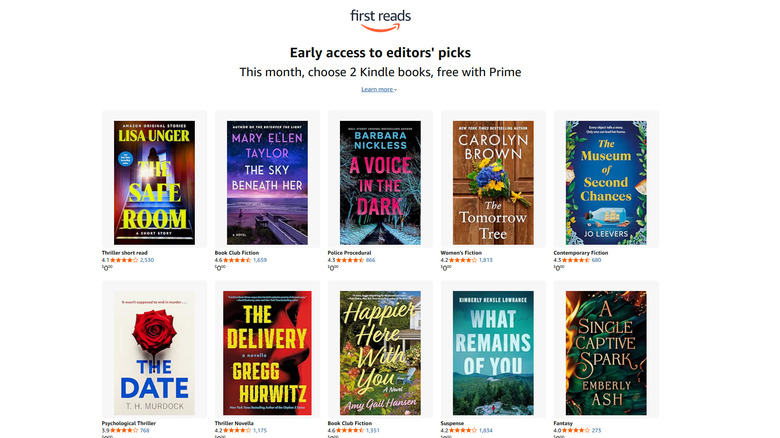
Whether you're a Prime member or skip the subscription, Amazon's First Reads is a handy way to score discounted and free ebooks. For those paying for Prime, First Reads is a perk that can net you one or two free ebooks every month from a selection of genres. If you don't subscribe to Prime, these ebooks are discounted to $1.99, well below their typical retail price. It's a good idea to check in every month to see which deals and giveaways are running.
As for the content of these ebooks, that can vary month to month. Sometimes there are heavy hitters in the ranks, and at other times it's all indie writers. Usually there's a solid mix, but occasionally it can drift into mostly romance-adjacent novels. Therein lies the fun of it: You never really know what you're going to get, so it's exciting to see what the new selection is every 30 days or so. Plus, Amazon will send you an email reminder by default, though you can opt out. So it's not like you have to watch the date closely to remember to snag some fresh First Reads titles.
Whether you subscribe to Prime or prefer to live life subscription-free, Amazon's First Reads is a great way to score new ebooks, especially if you check in every month to see what's new. Not only is this an incredibly easy way to grow your library, but it's also a great way to leave your comfort zone and explore new authors you might not choose to read if you were paying. And that's the point: First Reads is a vehicle that helps expose writers to a larger audience through early access to new ebooks for Amazon's customers.