

4 Cheap Webcams That Can Actually Beat Your Laptop Camera
We may receive a commission on purchases made from links.
If you've ever been on a video call where the built-in camera on your laptop leaves you looking washed out, grainy, or pixelated, you're probably not alone. Most of the budget and mid-range laptops you can buy today offer webcams with resolutions between 720p and 1080p, and they usually don't offer much besides standard video and audio that would suffice on most video calling platforms. Laptop webcams have to be crammed into thin bezels on most laptop screens, and with such a small amount of space to work with, the lens and sensor sizes usually needed for higher quality video are sacrificed. With hybrid and remote work now being a normality for many people, having a good quality webcam is very important.
External webcams come in all shapes and sizes, and you can get your hands on a good quality 4K webcam that trumps the quality of your laptop's built-in camera. While Teams, Meet, and Zoom all cap streaming at 1080p, 4K video will present much better, even when downscaled to 1080p. Here are four great options to consider, starting out with bare-bones 4K models you can buy in the $50 price range, to slightly more expensive options that can reframe you as you move at just under $100.
Creative Live! Cam Sync 4K
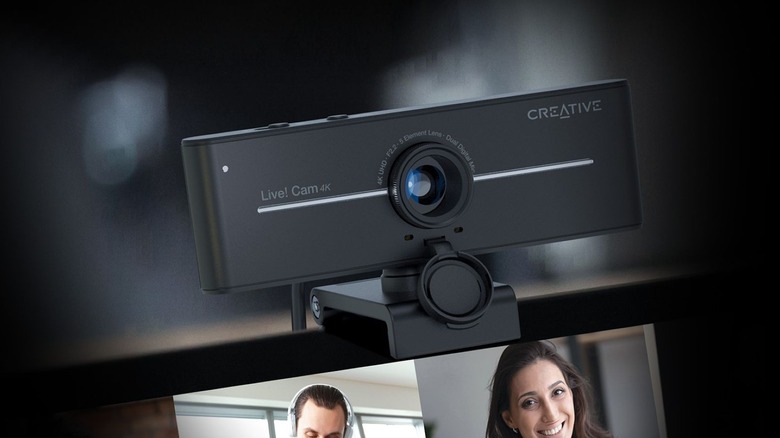
Starting out at the $50 mark is the Creative Live! Cam Sync 4K webcam, which is a bargain given what it offers. The webcam features a 95-degree field of view and sits on top of a simple jaw mount that can clip onto your display. While the attachment isn't its greatest feature, it's a small price to pay with a budget-friendly 4K option. It does, however, feature a tripod mount if you already have an existing connection.
This webcam has a physical button that offers seven levels of backlight compensation, which is its standout feature. The 4K resolution captures good details, however, the color balance is probably its weakest point, with skin tones often looking too red or washed out depending on the ambient light in the room.
One point worth noting is that it shoots at 25 fps in 4K rather than the standard 30 fps one would expect. In terms of sound quality, it features two noise-canceling microphones on either side of the camera that sound good but can sometimes come across a little hollow. The cable is 6 feet and features a USB-A port, which may require a USB hub if all of your devices use USB-C ports.
eMeet SmartCam C60E 4K Dual
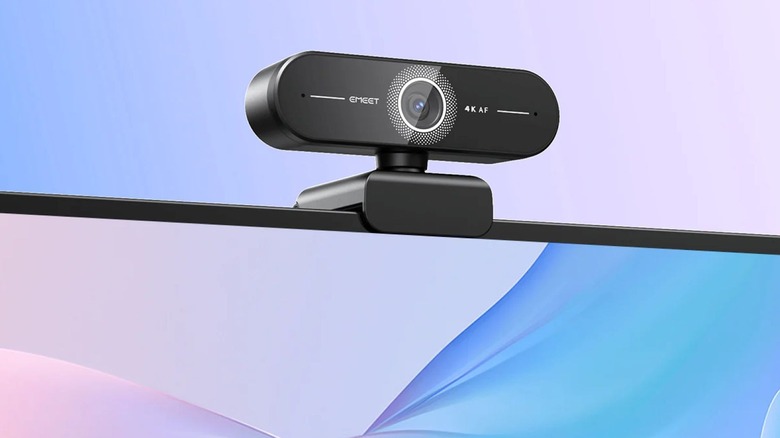
The eMeet SmartCam C60E 4K Dual, which you can buy for between $60 and $70, is a great quality 4K webcam with a handy remote control. The dual wide-angle and telephoto lenses jointly create the image, depending on what is required. It can zoom from wide angles all the way to 11x, and it uses phase-detection autofocus (PDAF) that can lock on to a subject quickly without too much hunting or switching. At its widest angle, the webcam has a 73-degree field of view — and when zoomed in all the way to 11x, it has a 45-degree field of view.
The remote control is a standout feature on this device, capable of adjusting focus, lighting, tint, and switching between presets without using any controls on your laptop. The biggest drawback is the mount's inability to swivel upward, making it awkward to frame yourself correctly. In terms of sound quality, the noise cancellation leaves a lot to be desired, and background noise can intrude. This webcam is best suited if you're working in a quiet room.
eMeet Piko+
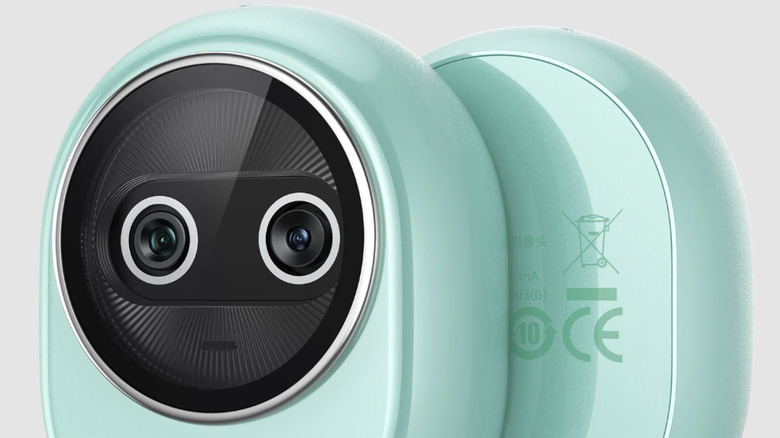
The eMeet Piko+ rivals some webcams that cost three times as much, featuring the same dual lens technology used in smartphone camera engineering. You can buy it for $60-$70, and it offers great value for the money. This webcam has outstanding low-light performance in darker office spaces, which rivals many more expensive webcams. It features two sensors that work in tandem, with a 1/2.55-inch 4K sensor used for most shooting modes, and a portrait sensor that kicks in during low-light conditions. The Piko+ can capture 4K at 30 fps and 1080p at either 30 fps or 60 fps.
The image quality on this webcam is excellent, with great detail and accurate color representation in most situations. The biggest drawback on this device is that it uses a mini tripod mount instead of a standard screen clip, which can require constant adjusting, especially for laptop users. The sound again fails to impress, with background noise bleeding through in most modes. For serious users, an external microphone is recommended.
AnkerWork C310
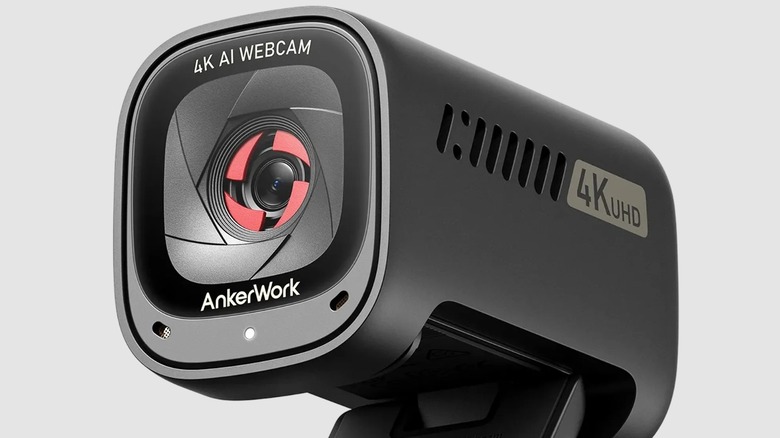
The AnkerWork C310 is probably one of the best value 4K webcams you can buy for under $100, and it delivers comparable video quality to the much more expensive Logitech Brio 4K. It has a well-built, premium feel and features a built-in privacy shutter if you're concerned about your webcam spying on you. It's connected via a detachable USB-C cable and has a standard monitor clip with secondary tripod thread mounts present. Its standout feature has to be the AnkerWork application, which offers detailed control over many of the webcam's features, such as autofocus, exposure, field of view, white balance, AI framing, and more. The AI framing feature tracks your movements and keeps your face in the center of the frame, removing the need to remain stationary.
The field of view is adjustable between 65, 78, and 95 degrees. It can film in 4K resolution at 30 fps, or in 1080p at 60 fps with HDR. Colors are well represented with this model, with well-balanced saturation in a typical home office setup. It also features AI noise-canceling which performs well during calls and is able to filter out noise effectively. The autofocus can sometimes struggle to lock on perfectly, and the HDR setting can sometimes overcompensate when a person has strong background lighting. The AnkerWork C310 is the best all-round performer in this category, offering a good balance of image and sound quality for office or gaming use.
How to choose the best 4K webcam for your needs

We chose the above list of cost-effective webcams based on their value and the fact that they offer higher resolution video than most entry-level and mid-range laptops you can buy today. While none of them are the single best webcam you can buy in 2026, they offer great value for the money. Most hybrid and remote workers use webcams on a day-to-day basis, and building a personal brand with employers relies on presenting oneself well. While these do offer greater video quality than most standard laptops, most of these affordable 4K options don't have the best sound available. If you're looking for a balance between great video and great audio quality, look into the AnkerWork C310 or some of the other more expensive options from Logitech. You can also consider purchasing external microphones to get more premium sound recording.
Every person has a unique home office environment with unique lighting setups. Balancing the cost and the webcam's ability to compensate for poor lighting should be key to your decision. You should also consider the end use, and if you are using a webcam for game streaming, a model with strong low-light performance should be a must. If you're recording vlogs, make sure you consider webcams as well as digital camera setups, depending on how serious you are about the quality. If you're using an external monitor, remember that most external displays don't have built-in webcams, so choosing the right webcam is essential.