

5 Exclusive iPad Features You Won't Find On An Android Tablet
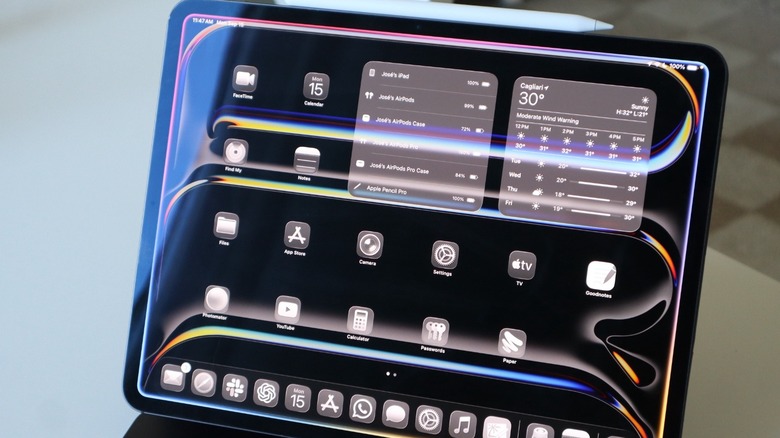
To this day, one of the best tablets available is the iPad. Apple offers a wide range of tablets, and while they can be pretty cheap or very expensive, they all provide a consistent experience not only for the customer and their device but also across several other Apple products. If you're thinking about upgrading to an iPad or want to understand how it differs from an Android tablet, it has built-in features like Math Notes, Smart Script, and Universal Control.
While most of these features were released a few years ago, they remain exclusive to iPad owners because they come with Apple's software and expertise and do not necessarily require third-party apps. Still, one of the iPad's exclusive features is the wide range of apps developed for Apple platforms that Android users can't find anywhere else.
Even though the Android tablet market is full of options and Google continues to improve the experience with Android 17 and new features, the iPad is still a great device for education, scrolling social media, and, in many cases, replacing a computer. Here are some of the exclusive iPad features users can get and how people can benefit from them.
Universal Control
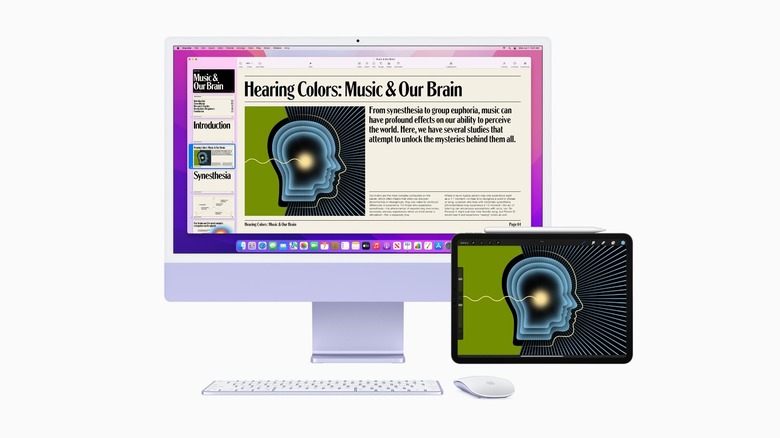
Introduced in March 2022, Universal Control was one of the original features of iPadOS 15.4. To this day, Apple continues to improve this continuity feature that lets users control multiple Apple devices using a single mouse, trackpad, and keyboard. For example, you can place your iPad next to a Mac and simply slide your cursor past the monitor's edge, and it will "magically" cross over onto the iPad screen.
This zero-latency navigation setup makes working between operating systems really fluid. Users can drag and drop images, video assets, or text documents from an iPad app to a desktop Mac timeline, and vice versa. While some Android tablets, like Samsung options, have a "Multi Control" like feature, these alternatives require a strict ecosystem lock-in and lack the smooth, system-wide integration available with Apple products.
Since Apple made this feature available, it's been a lot more fun and useful to have my iPad around while I'm working. After all, I can quickly switch between these products by just looking at them. I can even use my Magic Keyboard on the iPad to control my Mac, which is pretty convenient. This feature is a great add-on on top of AirDrop, copy in a device and paste into another, and all the other features Apple added over the years, and it still impresses users who never tried it before.
Math Notes
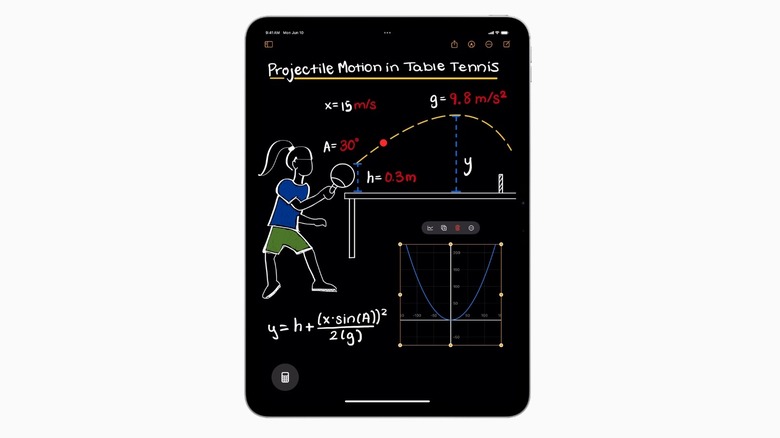
Released in September 2024 with iPadOS 18, Math Notes is a smart way for iPad users to solve math problems using either natural handwriting or typing. This feature integrates the Calculator app, which eventually made its way to the iPad, with the Notes app. That said, when you use an Apple Pencil to write out a mathematical expression horizontally or vertically, iPadOS evaluates it instantly, rendering the final answer just after you draw an equal sign. Even more impressive, the result is displayed in a machine-learning-generated font that mimics your exact personal handwriting.
Apple also lets you declare variables, sketch complex equations, or map out algebra formulas. With that, the system can automatically generate real-time graphs based on those inputs. For Android tablets, on the other hand, users need to rely on third-party apps, as they convert handwriting into digital text blocks, which loses the organic aesthetic of your notes.
For me, the beauty of Math Notes is that you can solve equations in whatever way you feel like, whether by handwriting or typing. I wish I had had a tool like that back in school, especially because it makes the learning experience much more personal, as it feels like I'm the one writing that information instead of a machine.
Smart Script
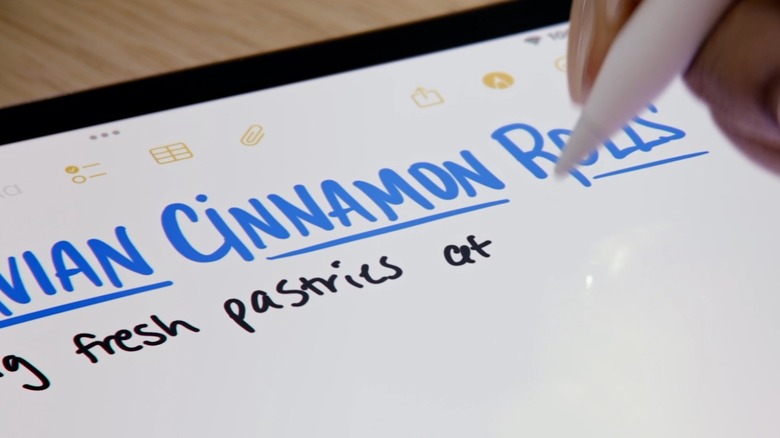
Math Notes is not the only amazing experience users can have with an Apple Pencil. Apple introduced Smart Script with iPadOS 18 as well, a powerful on-device machine learning feature that refines your handwritten text on the fly. Basically, as you write across the screen with an Apple Pencil, the system subtly smooths out rough edges, straightens lines, and improves legibility while maintaining your unique handwriting. If you use the iPad and Apple Pencil combo, you probably realize that your handwriting looks slightly better than usual, and this is why.
However, Smart Script is not only making your writing pretty, but it's also transforming that information into an editable asset. You can scratch out a word to instantly erase it, slice and drag text apart to create extra writing space mid-paragraph, or paste a block of typed digital text and watch the iPad convert it into your own handwriting style (or vice versa).
While high-end Android tablets like the Samsung Galaxy Tab feature a highly accurate handwriting-to-text conversion tool, they lack the technology that makes the iPad and Apple Pencil combo so special, as they're missing several of those layers. Besides that, we're talking about high-end Android tablets, whereas Apple offers this experience on any tablet running iPadOS 18. With that, anyone who likes to take handwritten notes doesn't have to worry about having to retype everything again, as the iPad does that automatically.
Exclusive apps
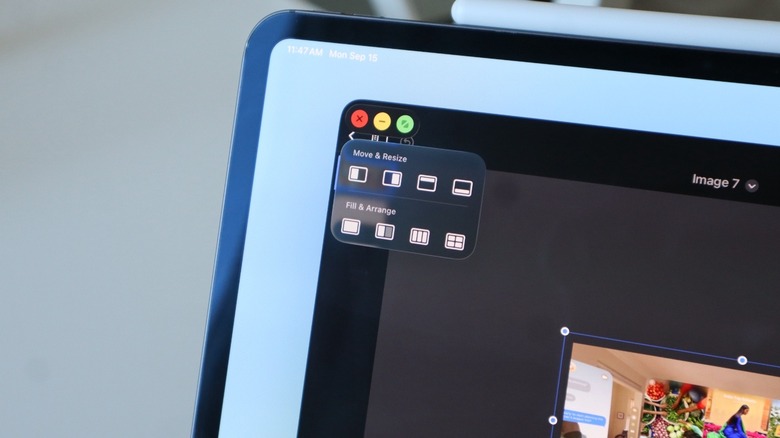
The iPad offers many exclusive features, but one of its biggest advantages over Android tablets is the number of quality apps available for it. For example, Photomator is an app I've been using for years now, and it can quickly fine-tune any of the photos I've taken and remove undesirable parts, like objects, people, and more. Apple has acquired the app, but it still represents one of the best pieces of software developed for the platform. Another cool experience is Portal, which lets you choose among several cinematic, vivid landscapes to jump into. This app helps users connect with nature and also sparks creativity and eases anxiety. More recently, the developers behind it made the app much more affordable to make it accessible to a wider range of customers.
Another app that I really enjoy, and it even looks beautiful on a bigger display, is Gentler Streak. The app focuses on the iPhone and Apple Watch experience, gathering data from the Health app or the workouts I recorded with it to tell me whether I should rest, push a little harder, or keep things as they are. As the app gets a lot more information, including details about my sleep, my recovery, and more, using it on a bigger iPad display is a lot more useful to get a clearer view of my data.
Sidecar
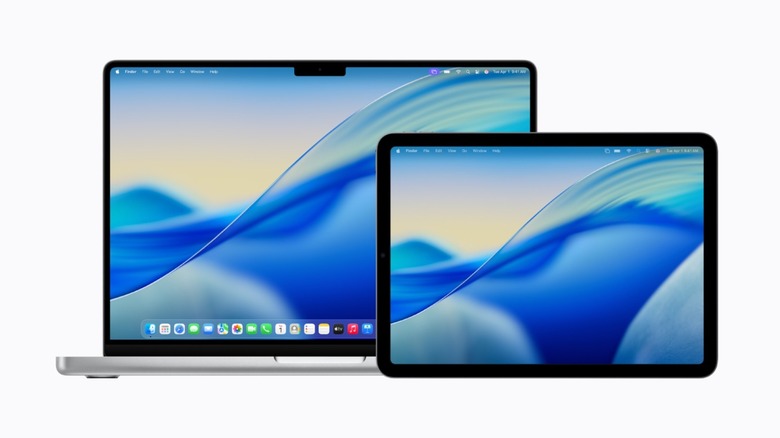
Last but not least, Sidecar has been available on the iPad for the longest time and still hasn't been properly translated to Android. Released in 2019 with iPadOS 13, this feature continues to get improved and revamped with the latest software updates. With Sidecar, users can transform their iPad into a high-performance, wireless monitor for their Mac. It not only mirrors or extends the computer desktop, but also integrates the iPad's hardware capabilities directly into the Mac workflow. It features a digital sidebar for quick access to modifier keys. It lets creative professionals use the Apple Pencil to interact directly with precision desktop Mac software like Photoshop, Illustrator, and more.
While Android tablets can technically function as secondary monitors for Windows PCs, these systems still rely on standard Miracast or generic Wi-Fi casting protocols, which can be noticeably laggy or unreliable. Apple's Sidecar uses proprietary technology that offers a crystal-clear 60 fps display connection.
With that, if you have a Mac and an iPad, you don't need to spend extra money on a monitor, as you can have a portable, dual-monitor workstation to work from a cafe, an airport terminal, a hotel room, and more. For digital artists, more importantly, it gives them the best of both worlds: All the impressive tools from macOS and a Mac, but the very reliable touch experience that only Apple's iPad can offer.