

5 Essential Apps That Will Upgrade Your iPad Experience In 2026
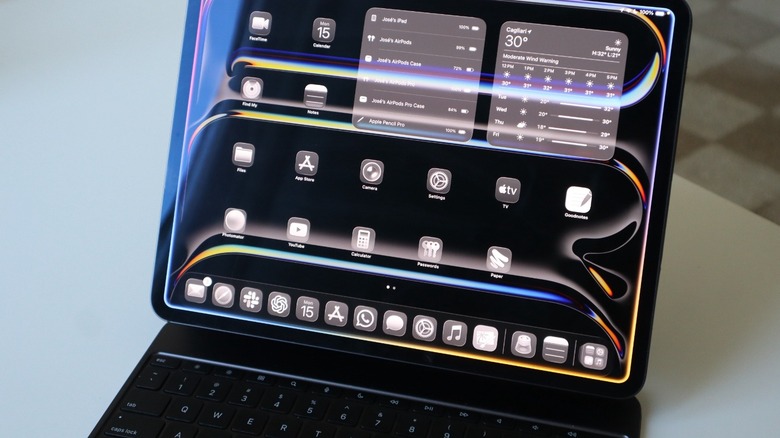
The iPad is the perfect device between the powerhouse that the Mac is and the always-on-the-go experience of the iPhone. Being an iPad user since the early days of this tablet has let me see it evolve from a "bigger iPhone" to a multitasking device that is also my favorite for watching my favorite TV shows, writing my thoughts, and exploring my creativity. From an iPad 2 to the iPad Pro M4, I had a range of iPad models, including Air and mini options.
Over the years, I also tried hundreds of different apps. While I do think my most used apps on the iPad are usually Netflix, YouTube, Apple Music, and ExpressVPN — especially when I'm in different countries and I need to access specific content of a region –, these apps listed below contain a mix of taking advantage of the iPad's big screen, its touch capabilities, and even the great combo of matching this tablet with a Magic Keyboard and Apple Pencil Pro. Bonus if, like me, you also have an iPad Pro with an M4 or M5 chip, as these tablets have the best display in Apple's mainstream products and make everything you do pop up on the screen.
Goodnotes
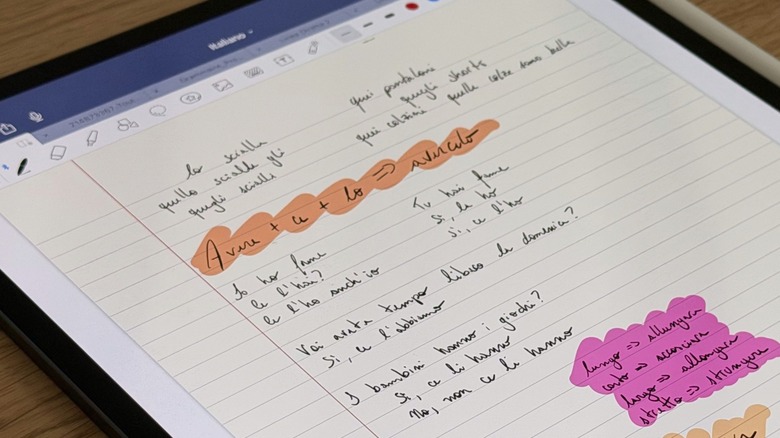
Goodnotes is the app I never fully took advantage of in college, but it was my go-to whenever I had to open a PDF, mark up something, or even sign a document. Little did I know the powerful app it was for taking notes, organizing my thoughts, and studying languages. With this app, you can create several notebooks and split them between subjects, ideas, or whatever you feel like. Currently, I use Goodnotes the most to study Italian and French, as I have specific tabs for my classes. I can add photos, PDFs, add handwritten notes, and even use tools that make my notebook look a lot better.
Even though I bought Goodnotes 5 so many years ago, Goodnotes now focuses on a subscription-based plan, which includes AI, so you can brainstorm, mind-map and diagram on an infinite canvas, record and transcribe audio meetings in real time, and even create documents that bring ideas with external insights, while still letting you collaborate with teammates. While I use GoodNotes as a personal app, the AI part wasn't an attractive upgrade. I highly recommend this app to anyone in college, taking several meetings, or just wanting well-organized notebooks. The best part is the great integration with Apple Pencil, as this is the only way I use this app with a 13-inch iPad.
Photomator
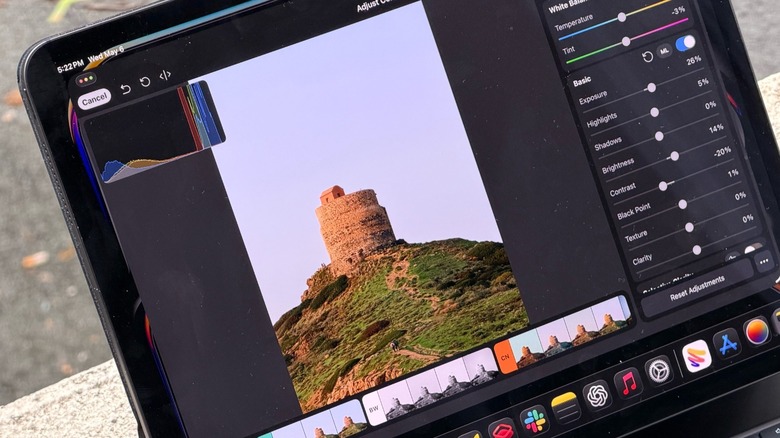
Apple acquired Pixelmator software and its team a couple of years ago. Way before that, I was already using this company's software around the iPad Air 2 release and Apple's great focus on Machine Learning, which we all now see the company calling AI. At the time, the app was called Pixelmator Photo and was eventually rebranded as Photomator. What made this app so incredible at the time was its ability to quickly fine-tune any of the photos I took, and it also offered a powerful eraser tool that, even though it wouldn't drastically change any image, could remove certain objects, people, or other things that seemed off. The best part: I could do all of that on my iPad screen.
In early 2026, we finally discovered that Apple wouldn't phase out Pixelmator software, as it would continue to update the Photomator app. However, the company also surprised users by releasing an all-new iPad version of Pixelmator Pro as part of the Apple Creator Studio bundle, which offers nine apps for a single subscription.
While I think Pixelmator Pro is the best option for those who want a similar experience to that on the Mac, especially for editing photos, I think Photomator is a more interesting tool, as you can buy it once and focus on improving your photos with its easy-to-tap features.
Portal - Escape into Nature
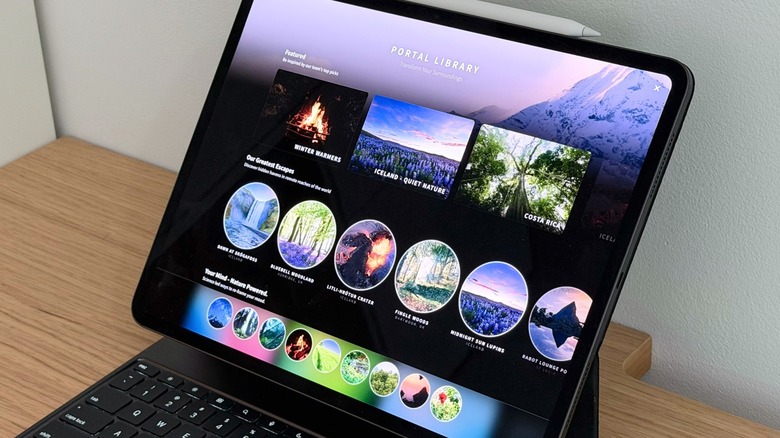
If you're having a long day at work, want to relax a bit, or really need to focus, Portal might be the best option for you. While the iPad app can't replace your desktop background, as it can on the Mac, it takes advantage of the iPad Pro's beautiful OLED display with breathtaking high-resolution images and Spatial Audio support.
Basically, you can choose between several cinematic and vivid landscapes to jump into. The idea behind this app is to connect users with nature, which helps them spark creativity, ease anxiety, and more. One of the best features introduced in 2025 is Circadian Flow, which synchronizes portals with your time zone, helping you experience different natural scenes and sounds based on the time of day. Usually, if I'm working on the Mac, I just use Portal there, but if I'm cooking, trying to relax, or even preparing to go to bed, Portal is a good way for me to just relax.
Even if you use your iPad to work instead of a Mac, you can still take advantage of the app by putting on your AirPods and just listening to the sound of nature while you work, study, or organize your thoughts. The app has a 7-day free trial and offers both a subscription and a lifetime pass. The subscription is $12.99/month or $69.99/year; the lifetime pass costs $299.99.
Paper - Sketch, Draw & Create
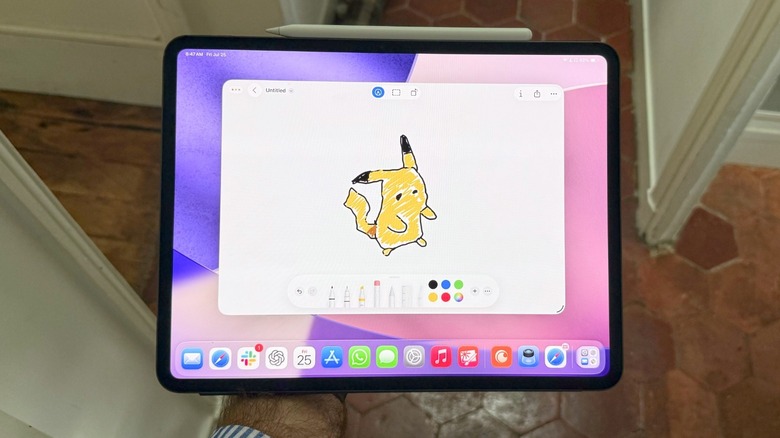
I'm far from being good at drawing. However, my very expensive iPad Pro pushes me to explore everything I can do with it, including sketching and drawing. Paper is the best app to do that. After all, it offers tools for sketching, collage, painting, and drawing. Usually, I like to add photos or other images and draw above them, so I can later delete the photo and see if I did it right.
The app also lets you add multiple photos on a single page, so you can create mood boards, storyboards, find inspiration, or just organize your ideas. Users can create different journals depending on what they want, so you can save a notebook for a moodboard, another for little drawings, another for work, and so on.
While the software is free to use, subscribing to its Pro tier unlocks unlimited journals, custom templates, canvas clips, new brush adjustments, iCloud sync, and other advanced tools. The app, of course, works better with an Apple Pencil, as you can take advantage of this accessory's pressure sensor on the iPad display. Besides that, the big display of the iPad helps you better organize your thoughts, as you can zoom in to improve a very specific part of your drawing, or have a more outside look, as if you're actually taking advantage of a physical notebook.
Ulysses: Writing App
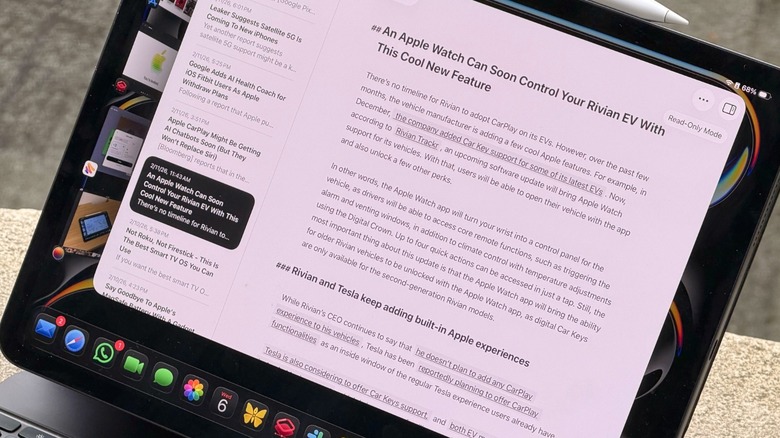
Whether you're a writer, aspire to become one, or you just like to share your thoughts every once in a while, Ulysses might be one of the most essential iPad apps. It's also available for iPhone and Mac, but there's something unique about using Apple's Magic Keyboard attached to an iPad Pro when working on your next essay, novel, or story.
Ulysses offers a markup-based, distraction-free editor that focuses on what matters the most: your creative process. With that, you don't need to stress about how pretty your text will look, as the most important part is putting your ideas out there. Ulysses lets you organize your text through projects, which you can split between different files. For example, I usually write my news stories on Ulysses, so I have a file of drafts and another one of published articles. It also lets me add links so I can back up my stories or mention other things I've written.
The app also flags wrong capitalization, punctuation, semantics, redundancy, and style. Users can create eBooks, DOCX, PDFs, and HTML files to export into different formats. Finally, it's also possible to publish from Ulysses to WordPress, Ghost, Substack, and other platforms. The app is free to download but requires a subscription for users to take full advantage of the most minimalist, yet best writing app available for iPhone, iPad, and Mac.
How I picked apps for this list
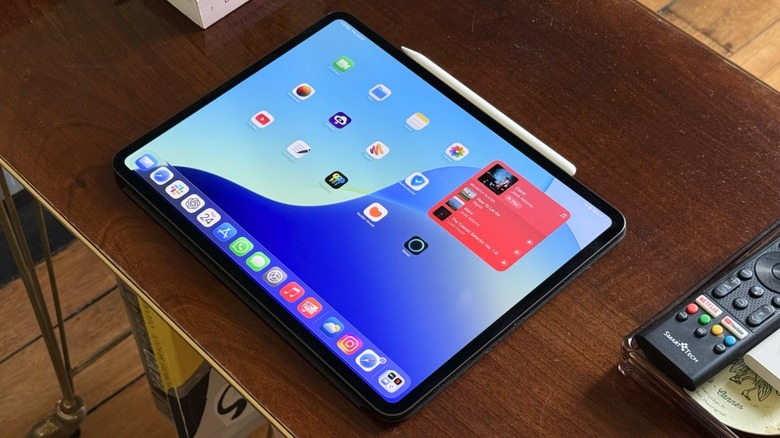
Covering Apple for over a decade and owning several iPad models since I was a teenager, I have used hundreds of apps across the multiple tablets I've used. In selecting the apps for this list, we considered many other solutions that were helpful for a while but lacked that spark. These apps also represent a mix of popular apps from larger companies and indie developers, resulting in a well-regarded selection of iPad apps.