

5 Useful Accessories Every iPad Mini Owner Needs
We may receive a commission on purchases made from links.
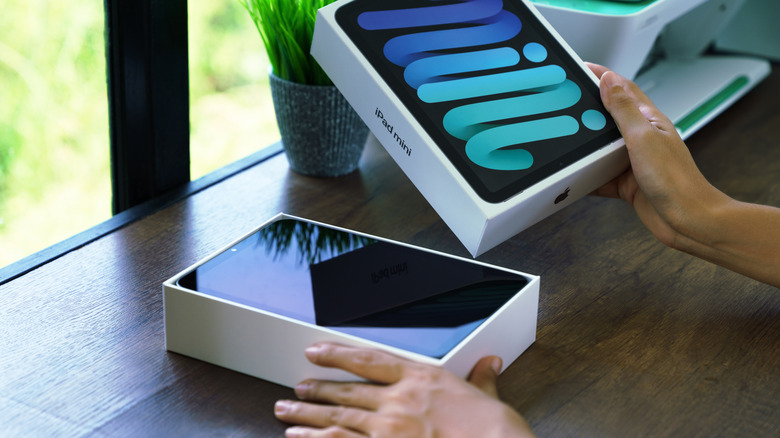
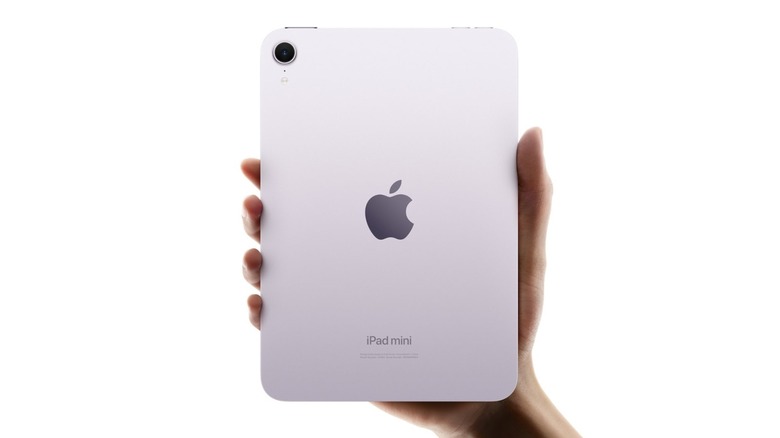
The iPad Mini is more expensive than the base iPad, as it offers a more powerful experience in a smaller form factor. That's thanks to its A17 Pro chip, which has more cores than the basic model's A16. It allows the tablet to use the Apple Pencil Pro and Apple Intelligence features, as well as Wi-Fi 6E when that's available. At 5.3 by 7.69 inches, the iPad Mini is around the size of a paperback book and significantly lighter than other iPad models, which makes it a great tablet for reading, note-taking, and traveling.
As with other models, you can greatly improve your iPad Mini experience with the right accessories. However, it can be hard to find ones you can use with the Mini, as many cases and the like are primarily made with the iPad and iPad Pro in mind. Even Apple doesn't offer a Magic Keyboard for the Mini. There are also accessories you may not have thought of using with a tablet that are perfect for the iPad Mini. Here are five that any iPad Mini owner should find useful regardless of what they use their tablet for.
Apple Pencil

Users say the iPad Mini is the perfect size for note-taking, especially if you don't have a surface to write on and need to balance it in one hand, so the first thing any iPad Mini owner needs (other than a case for protection) is a good stylus. Even if you aren't planning on writing on your tablet, styluses are a great smudge-free way to use your touchscreen. While there are cheaper alternatives worth trying, the Apple Pencil line is unmatched thanks to its pressure sensitivity and tilt sensitivity. These features, plus the Pencil's low latency, simulate the feeling of writing or drawing on paper better than third-party pencils.
The Apple Pencil is pretty much essential for artists, and the Apple Pencil Pro adds even more convenient options for switching colors and tools. Even those of us who can barely draw stick figures can appreciate the premium stylus' haptic feedback and Find My app connection, which is especially useful for something as small and easy to lose as a pencil.
At $129, the Apple Pencil Pro is a significant purchase. Other models start at $79, but, as mentioned, there are more budget-friendly options, albeit with fewer features. Depending on how you use your iPad Mini, a basic rubber-tip stylus might be all you need. If you can swing it, though, the Apple Pencil Pro provides the best overall experience.
ProCase Smart Case
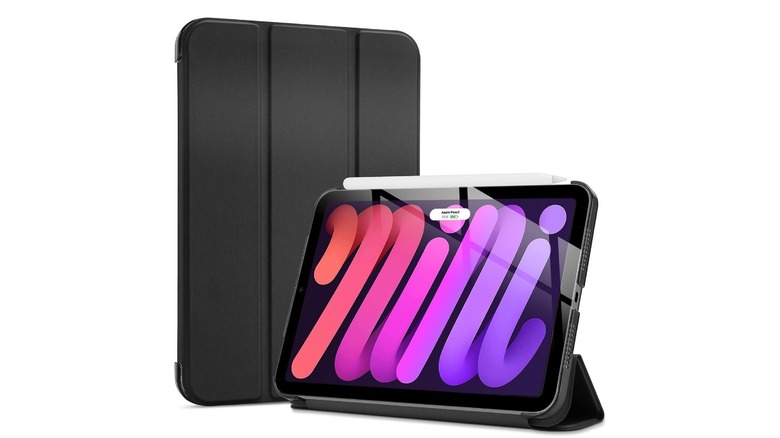
The Apple Pencil might be the most useful accessory for your iPad Mini, but a case is the most important thing to buy for your tablet. It'll protect your device from surface-level damage and cover the screen when you aren't using it to protect it from scratches (though you should also consider a screen protector to keep your iPad safe). Since you're likely going to spend most of your time using your iPad at a table, you don't have to worry about dropping it as often. That means a simple folio case is probably all you need.
One great option is the ProCase Smart Case for iPad Mini, available on Amazon, where it has 4.6 stars based on close to 10,000 ratings. Prices range based on color, but the case will only set you back somewhere between $9.99 and $16.99. Compare that to Apple's $59 Smart Folio, which is nearly identical with a front cover that can be folded back two different ways to serve as a stand. ProCase's iPad Mini case is simple but effective while also being way more affordable than the Smart Folio.
iClever Foldable Keyboard with Touchpad

If you want to use your iPad for work, school, or writing, you'll need a good keyboard. While keyboard cases are the most convenient for other iPad models, the Mini is too small for a comfortably sized one that can fit snugly in a case. There are plenty of Bluetooth keyboards that'll connect to your iPad, but if you plan to use your tablet on the go, a foldable keyboard that you can easily slip into your bag is the best choice. Our recommendation is the iClever BoostType BK08, available on Amazon for $52.99, for its clever design and solid build.
Folded up, the keyboard is smaller than the iPad Mini and weighs under half a pound — around the same as a larger iPhone. The BoostType is made of aluminum, making it sturdier than those cheap plastic keyboards you'll also find on Amazon, and it can connect with up to three devices at once. The BK08 stands out from iClever's other keyboards for its trackpad that helps recreate the feeling of working on a laptop. While it's not strictly necessary, a keyboard makes it easier to get things done on your tablet, and the iClever BoostType BK08 in particular is a great fit for the iPad Mini.
MagSafe PopSocket

Most essential accessories for the iPad Mini are useful on any model, but the tablet's size makes a PopSocket a distinctly useful tool. Since the Mini is significantly smaller than other iPads and not much larger than an iPhone, it can be difficult to hold comfortably. PopSockets make using your device more convenient just like they do with larger smartphones. Just attach one to the back to make it easier to easily support your iPad in one hand, or use your PopSocket as a mini stand.
While your mind might immediately picture a MagSafe PopSocket, you'd be better off getting one that attaches with adhesive, as iPad models don't have MagSafe built in — neither the magnets nor the wireless charging functionality. You can get a simple clear one for under $20 on Amazon, but there are, of course, plenty of colors, designs, and even characters available on PopSocket's official site. The iPad Mini's main draw is its flexibility, and a PopSocket gives you even more ways to use your tablet.
Anker power bank

According to Apple, the iPad Mini has a 19.3-watt-hour battery that should last up to 10 hours on one charge if you're using the internet or watching videos. That's not bad, but it's less than other iPads. Plus, since the Mini is so portable, it's a good idea to invest in a good power bank to keep your device going when you don't have an outlet readily available. Look for one with at least 20-watt USB-C output, as anything lower than that will be slow.
As for a specific power bank, Anker has a variety of portable batteries designed for Apple products, and our pick is the Anker Nano Power Bank. It can hold around one full charge for a base iPad, which is more than enough for an iPad Mini, and it has a 45 W USB-C output for speedy charging. Best of all, it comes with a retractable cable, so you don't have to worry about carrying one around. The Anker Nano on the company's website and Amazon and sells for $59.99.
For a budget option, Iniu offers a charger with the same capacity and speed for $23.99, though it only has a 0.4-foot cable compared to the Anker's 2.3-foot one. Both have good reviews, but users indicate the Anker is more reliable. Iniu's power bank will do the job, but go with the Anker Nano if you're willing to pay for quality.
Methodology
To select these products, we considered what types of accessories improve the basic user experience specifically for the iPad Mini. As Apple's smallest tablet, it's incredibly portable, so many of these are aimed toward users planning to take their device with them. We also looked at social media posts to see specific ways people use their iPad Mini and common complaints, like the device being awkward to hold in one hand.
As for the individual products mentioned, we selected ones that came recommended by user reviews on Amazon and other outlets. Price was not a major factor, but it helped us decide between equivalent products.