

Everblog FridgeCal Review: Essential Family Management Or Another Unnecessary Screen?
We may receive a commission on purchases made from links.
If your family is anything like mine, you're juggling a busy schedule of children's activities with irregular work hours, a never-ending chore list, and a meal planner notepad that's never been touched. It's a chaotic system that you somehow make work, but not without missed appointments, endless discussions of "what should we have for dinner?", and a fridge full of food that's rapidly going bad.
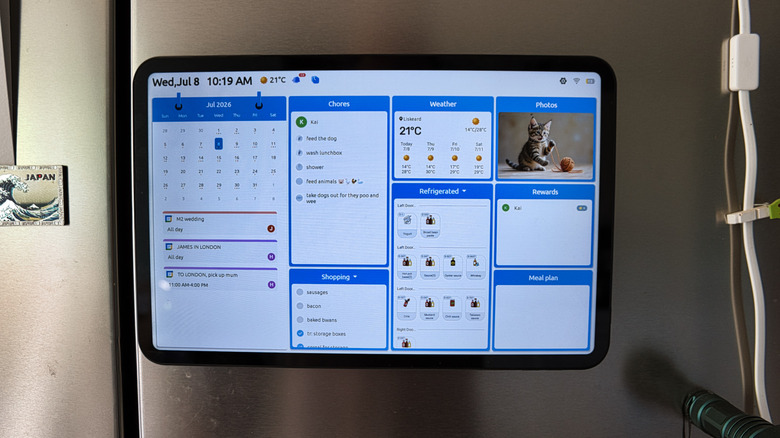
The Everblog FridgeCal, which retails for $409 but is currently marked down to $249, is a large format tablet that aims to centralize all your family management — and more — on a single touchscreen device. It encompasses features like a shared calendar view, chore trackers, reward redemption, fridge management, meal planning, as well as to-do and shopping lists. It's fair to say it's become an integral part of our family life and essential kitchen gadget, but it's not without its flaws. I'm still not 100% convinced that a well-curated set of apps couldn't do the same job.
Design and box contents
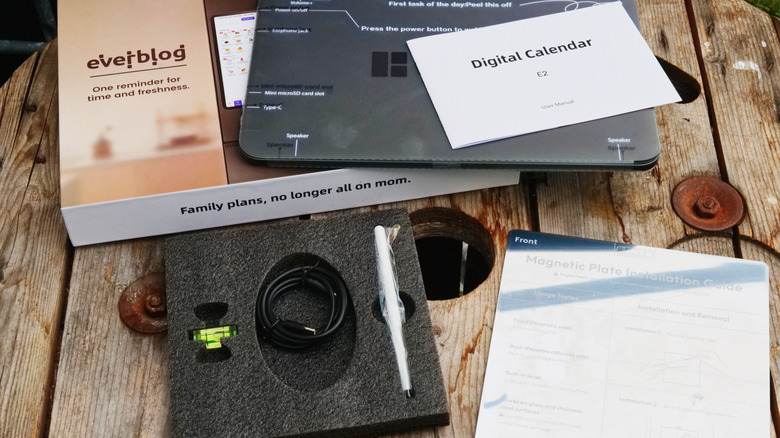
In the box is the 13.4-inch tablet itself, a USB-C to USB-C charging cable, AC adapter, stylus, and steel mounting plate. The FridgeCal includes strong magnets in the back of the tablet, and it should stick to most fridges without needing the mounting plate. If yours isn't ferrous, or you want to mount it on the wall instead, you simply peel off the sticky backing tape and stick that to the wall first. There are no alternative mounting options, however, like a tabletop stand. If you'd rather not have it on the fridge, Everblog does a larger 21.5-inch HomeCal display with a wall and desk mount.
The magnets are powerful, and I had no issues with it coming unstuck during a month or so of testing. You can mount it landscape or portrait, and as you'd expect, the interface re-orients automatically. I found the horizontal orientation to be the most useful for the main calendar view.
From a hardware perspective, the FridgeCal is solid. It stays securely attached, it's bright enough to read on sunny days, and it automatically wakes when you open the fridge door or tap on it. It's not a matte screen though, so viewing angles aren't brilliant. I suspect a touchscreen e-ink display (e-ink isn't just for Kindles, you know!) would be better suited to the task, but at a much greater cost.
Setup and install
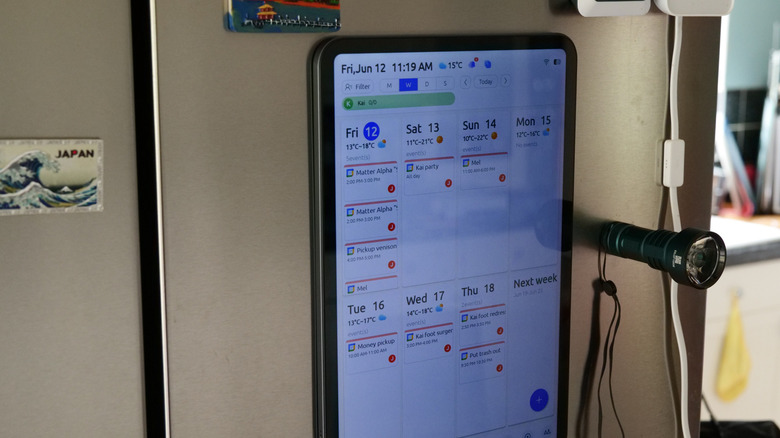
After turning the tablet on, you'll need to immediately connect to Wi-Fi, then adjust some basic settings like your time zone. You also choose a unique email address for your device ending in @myeverblog.com. In theory, this allows you forward events or flyers to be automatically scanned into the calendar: just add your name as the subject and event details in the body. In my testing, it correctly added an event, though it didn't send the promised confirmation email back — which means I wouldn't trust it to reliably add anything critical, like a doctor's appointment.
After that, you're told to download the Everblog app. The features in the app and on the FridgeCal appear to be the same, but I found a number of issues. When I added my Google Calendar to sync up events, the app resurfaced repeating activities that ended last year, while the FridgeCal displayed correctly. Moreover, after creating a set of family users, every synced calendar becomes a new member profile rather than associating a calendar with an existing user. There's no way to add another calendar for a specific user (such as a work vs. home calendar) — it all gets added as new household members.
Though I managed to work around these issues, I'm still not sure what the ideal set up is — even if it wasn't buggy. If you juggle multiple calendars for yourself, this is going to get messy, quickly. Everblog suggests exporting sensitive work event calendars in a read-only mode and creating a family calendar that anyone can edit — but doesn't actually go into technical details of how to manage this in a way that's still accessible outside of the Everblog system.
Fridge management
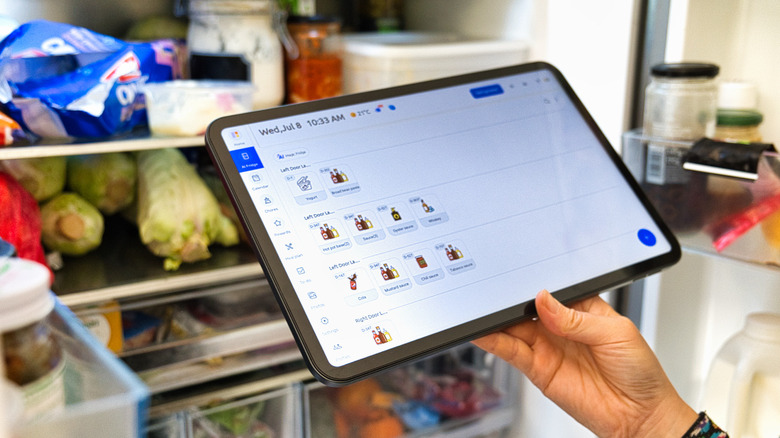
First on the list of features is fridge content management — now with added AI, similar to Samsung's Flex smart fridge. The premise is simple: track what's in your fridge, when it expires, and potentially pull those ingredients into a meal planner to help you figure out what to eat.
Rather than painstakingly writing out every single thing in your fridge, Everblog invites you take a photo and use AI analysis to populate the list. In fairness, it didn't do a bad job when I tried, correctly identifying about 80% of our visible fridge contents, including obscure items like tubs of Korean red bean paste or jars of homemade kimchi. It estimates a sensible expiry date, though you can of course edit everything. A reminder pops up when something is close to the expiry date.
At this point, I'll note that you're not forced to use any of these featured modules; they still appear on the FridgeCal tab list, but you can safely ignore them if you want. Tracking individual items in the fridge is probably not something we'll use — it's just a step too far into micromanagement.
Meal planning
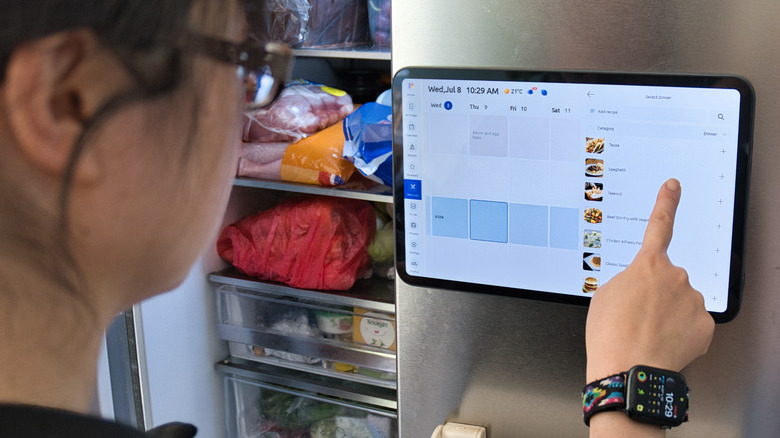
The meal planner breaks every day into three meals and snacks. The premise is simple: click on an entry and choose the meal. Unfortunately, it's a catalog of obscure recipes that fussy children would never eat (the introduction page to the meal planner shows "18th century syllabub" as an example Friday night snack, which, for those of you who don't know, is frothy milk over a sweetened alcoholic beverage).
For instance, a simple pasta or pizza doesn't exist; the closest I could find for the latter was "Homemade Pizza Hut Pepperoni Pizza." You probably have a selection of favorites in your home cooking repertoire — and the good news is that it's easy enough to make your own items and add them, but the icons associated with them are based solely on whether it's a breakfast, lunch, or dinner meal. You can't change that icon, which leads to bizarre situations like creating pasta as a lunch item, but with the pizza icon shown. The full set of icons assigned to custom recipes is bacon and eggs for any breakfast, pizza for lunch, burger for dinner, and fries for snacks. They're also separate catalogues, so if you want pasta for dinner rather than lunch one day, you'll need to make it again as a dinner item.
More annoyingly, while the calendar view can be set to show the current day as the first in the list — thereby showing the entire next seven days in the weekly view — the meal planner cannot. It's these sort of UI inconsistencies which really need to be addressed, because it feels like a disparate set of apps mushed together.
I also had a go with the AI meal planner feature. I asked it to generate a meal plan for six days worth of lunches; the only dietary requirement I added was "nothing too fancy!" It worked, sort of, but it suggested the same grilled chicken and tomatoes recipe every single day (and this was prior to scanning what was in my fridge, so it had free rein). To be honest, using ChatGPT to come up with family-safe meal plans would be easier, especially if you're not managing fridge contents.
Chore tracker and rewards
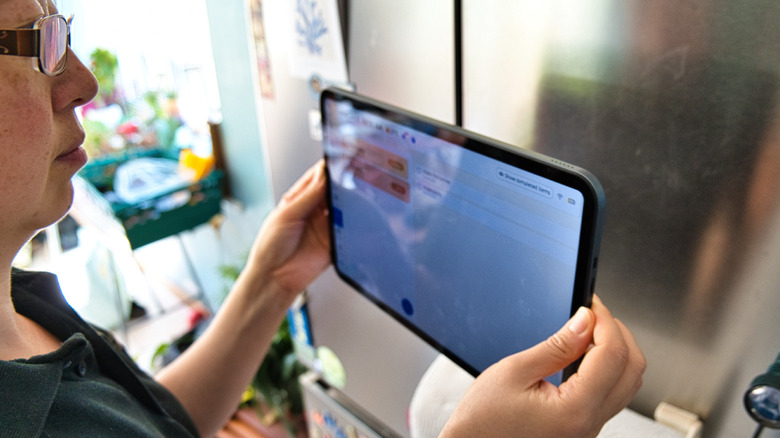
For multi-kid households, keeping on top of chores can be such a... well, chore, in and of itself. The chore tracker module let's you create one-off or recurring tasks, as well as assign a reward point value if you have the rewards module enabled (which can then be spent, and you'll be notified of their redemption). If you've got the volume up, the FridgeCal also shows a random animation and jingle once everything has been ticked off for the day.
This aspect of the Everblog works surprisingly well, but again, suffers from curious UI idiosyncrasies like insisting on displaying at least two lists. If you only have the one child and a lot of chores, that's a big waste of space.
To-do and shopping lists
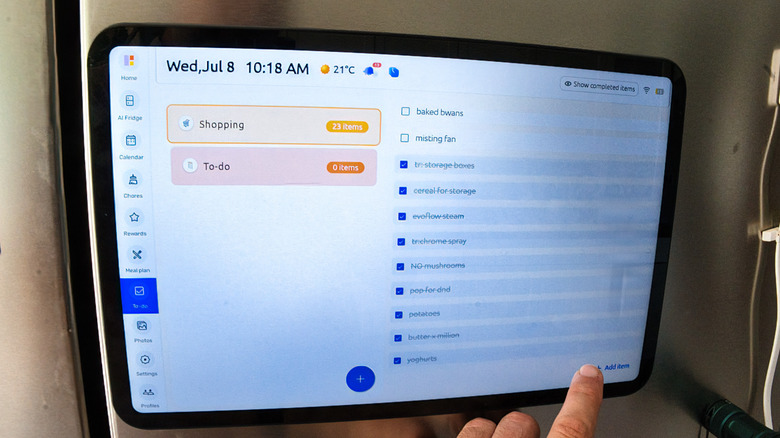
The lists are my favorite part of the FridgeCal, because I can check them just before going shopping, and anyone can add items, or I can use the app when out and about to add things to the FridgeCal for others to see. By default, you've got a to-do list and a shopping list, but you can of course create additional lists. I love lists!
But it's a familiar story of UI awkwardness here: the plus icon of the "+ Add item" label isn't clickable; you need to tap the text part instead. It should have a border to create an actual button, and the whole thing should be clickable. Over to the left is a big plus button that's shaded blue; this adds a new list instead. These are minor issues, but they add up, and they're such obvious problems with such simple solutions that it makes you wonder if the creators even use their own product.
Worse, the entire Everblog app is inaccessible if you don't have an internet connection or your FridgeCal is offline — something that frequently happens with the spotty mobile service where I live. Rather than syncing to a cloud and then to your FridgeCal when it comes back online, it seems to require a direct connection between devices.
Should you buy the Everblog FridgeCal?
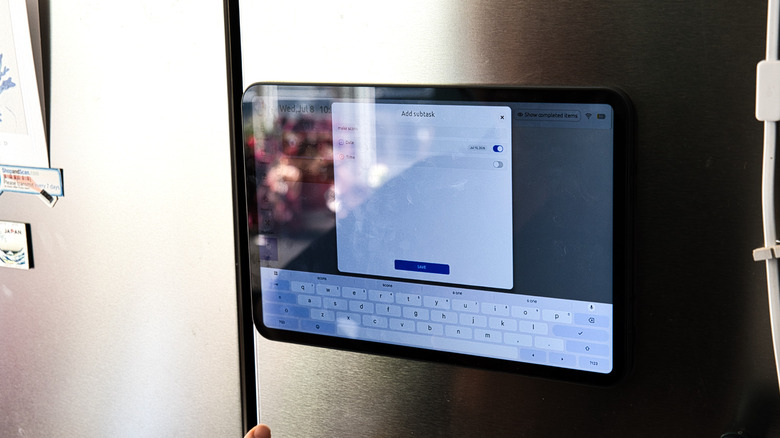
There's no doubt that the FridgeCal could do with a bit of polish, as the interface is littered with typos, spacing issues, and inconsistencies, as well as annoying workflows that need simplifying. But in terms of actual features offered, it's broad and covers most of what any busy family would want. I can almost say it's become an essential part of our family life. We don't use all the features, but some of them are justifying the $249 purchase price.
My son soon realized that adding something to the shopping list is more productive than getting upset because we've run out, and he's learning new routines more easily because of the chore list. Is it something that could be replaced by a set of apps on your smartphone? Possibly, but for those too young for a smartphone, it's an ideal compromise. Could it do with a better guide on how to best use synced calendars to keep everyone's schedule coherent? Absolutely.
As for alternatives to the FridgeCal, it's clear that Everblog drew inspiration from the Skylight Calendar, with an almost identical feature set. The main difference is the price, with the Skylight coming in at around 50% more upfront for the hardware, on top of a $79/year subscription for the Plus service. That covers things like AI import for events and magic meal planning — both of which are included with the FridgeCal. There are no ongoing subscription costs at all for the Everblog service. Taken in that context, it seems like a great alternative, and none of the UI quirks are dealbreakers (and they could all potentially be fixed with future updates and refinements). If your needs are simpler, these five digital wall calendars might be more appropriate.