

5 Logitech iPad & MacBook Accessories That Outshine Apple In Value

We may receive a commission on purchases made from links.
Logitech has been developing accessories for Apple products for years. Not only does the company sell several of its devices on Apple Stores, but it also has specific devices available on its own store that have been developed for iPads and Macs. While many customers prefer to use Apple's solutions due to the deeper integration between hardware and software, Logitech sometimes offers an experience that's just as good as Apple's — especially when we talk about the value. Apple accessories like keyboards, mice, cases, and speakers are usually more expensive when compared to Logitech's offerings. Among the accessories iPad and MacBook owners should consider is Logitech's MX Master 4, which BGR recently reviewed. There's also a pencil, which is the Logitech Crayon, a keyboard case for iPad models, and more.
These Logitech products have been selected because they outshine Apple in value but also offer the premium experience iPad and MacBook owners expect at a cheaper price. These accessories can help protect your iPad, give you more options when working on your MacBook, and offer you a second option when compared to Apple's first-party accessories. Apple now charges even more for its laptops, tablets, and other devices, and these Logitech accessories can help you maintain what you love while improving your overall experience.
Logitech's MX Master 4 for Mac
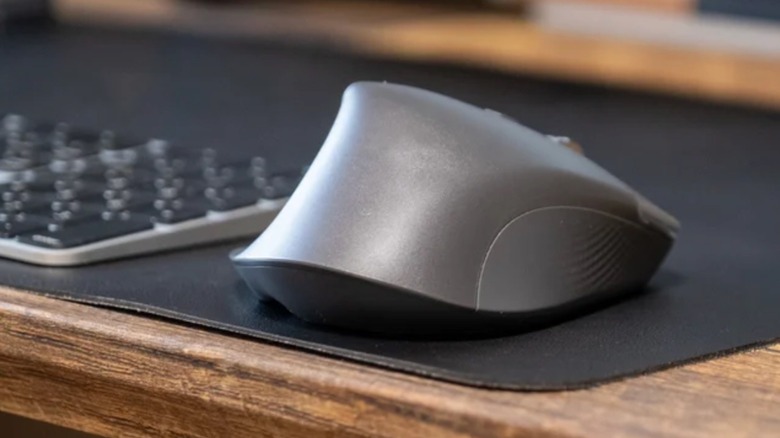
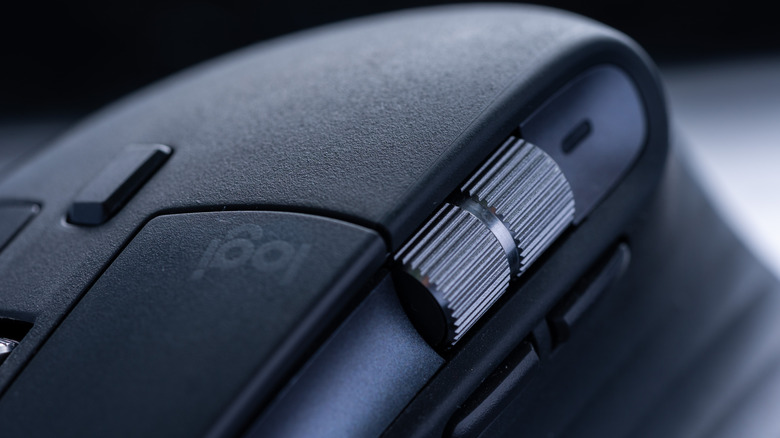
Apple currently offers the Magic Mouse for $79+ and the Magic Trackpad for $129+. As pretty as they are, and as much as I love my Magic Mouse, neither compares to Logitech's MX Master 4 for Mac. Known for its productivity focus, Logitech offers one of the best mice on the market. It's very ergonomic, which users can't say about Apple's mouse or trackpad, and it has been updated with a more rugged material, which BGR thinks will make this accessory hold up for years and years.
Unlike Apple's offerings, Logitech's MX Master 4 also features an upgraded MagSpeed scroll wheel and a horizontal thumb wheel. There are three different customizable buttons and an Actions Ring, which sits where your thumb rests and adds a customizable, on-screen radial menu that lets you create and select up to eight core tools. Most important, instead of users having to "grab a coffee" every time they need to charge the USB-C accessory, they can continue to use the MX Master mouse while it charges — which should be rare since its battery lasts up to 70 days.
This product can connect to up to three devices, which means you can easily switch between different Macs with the tap of a button. Another key point, according to our review, is that the new haptic feedback makes the touch experience a lot better. However, at $120, its price is lower than the Magic Trackpad and more feature-rich than the Magic Mouse. In fact, Apple simply doesn't offer anything like the Logitech mouse.
Z407 Bluetooth Computer Speakers
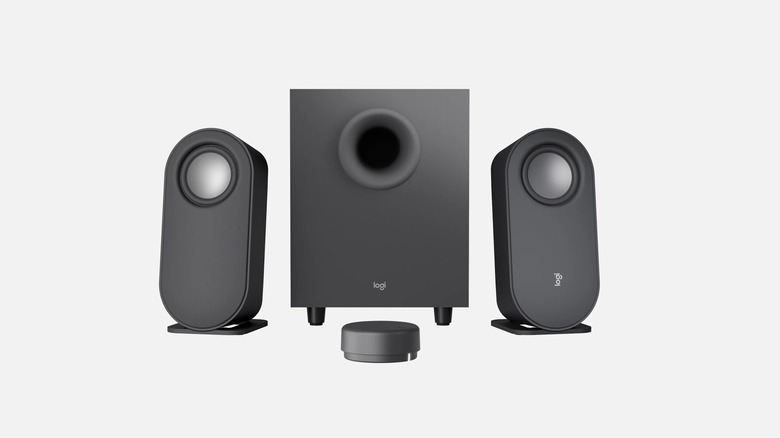
While Apple's MacBook Pros have been praised for their great speakers, a dedicated speaker system is still an upgrade for audiophiles. Apple still offers outdated HomePod 2 and HomePod mini options, but the mini's recently gotten a price increase and neither is currently an ideal investment in the long run since newer models with new capabilities might be arriving soon. Plus, Logitech's Z407 Bluetooth Speakers with subwoofer and wireless control are made for computers, while the HomePod offers a more general audio experience.
Logitech's option is not only cheaper than the HomePod at $129.99, but it comes with 80 watts of power with a 20W subwoofer and Bluetooth 5.0 support. These speakers work with Mac, Windows, or ChromeOS and iOS, iPadOS, and Android.
Logitech says this product offers a "sweet balance of depth and clarity," while the subwoofer adds boom to your favorite content. Compared to the MacBook, Logitech speakers can properly offer true stereo separation since they're physically on opposite sides of your computer, while the laptop gets the sound squeezed right out of the keyboard deck and chassis. In addition to that, the Mac's internal digital signal processing usually needs to thin out the bass to prevent the tiny drivers from distorting a sound when blasting at full volume, while Logitech's can fill a room with rich, warm sound and higher overall volume without straining simply because they're dedicated speakers.
Logitech Combo Touch Keyboard Case
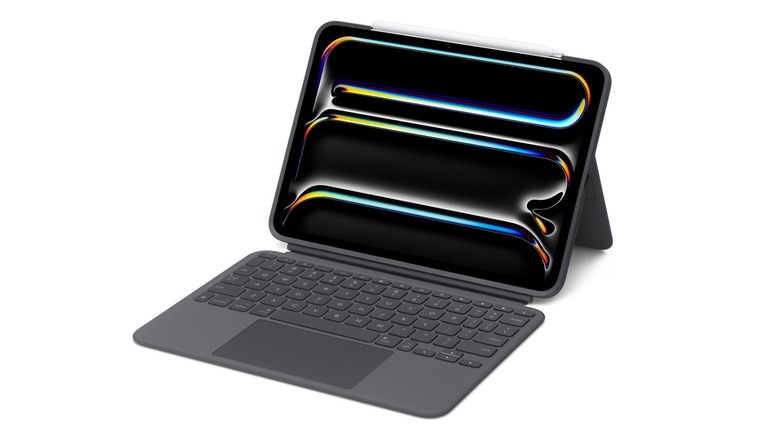
Logitech offers the Logitech Combo Touch Keyboard Case as a competitor for Apple's iPad keyboard offerings. Both companies' prices differ depending on the size of your iPad, but Logitech's options are way more affordable than Apple's. For example, the 11-inch Logitech version costs $229.95, while the 13-inch model costs $259.95. While still expensive, Apple's counterparts cost $299 and $349, respectively. Phew.
Even though I use Apple's expensive Magic Keyboard as a daily driver, there are several things that might make a customer consider the Logitech Combo Touch instead (besides the price differences). For example, it also features a premium finish with backlit keys, a big trackpad, and a flexible kickstand for working, sketching, or gaming on your iPad. I could have avoided buying Apple's Smart Folio (and spending an extra $100) if I'd chosen Logitech's option, as you can just detach the keyboard and use the iPad with only the back protection and stand.
Logitech also made this product compatible with the iPad's Smart Connector, meaning you don't need to charge it or worry about the keyboard not pairing with your tablet. Still, the company notes that this accessory is not designed to be used with the nano-textured version of the iPad Pro. That might be a downside if that's the iPad you have your eye on.
Logitech Crayon

One of the best alternatives to the Apple Pencil, Logitech's Crayon has Lightning and USB-C versions, so you can use it no matter your iPad model. For $69.99, it's $10 cheaper than Apple's USB-C option, but it might feature something the Apple Pencil lacks: some flair. The Lightning-connected version offers an orange-accented option that makes Apple's all-white offering look pretty boring.
Besides the lower price, Logitech says its Crayon pencil is made with Apple Pencil technology and offers pixel-precise touch for all iPads (2018 and later). And whether you're sketching, writing, or taking notes, you don't need to worry about your palm interfering with the usage, as you can rest your hand on the iPad screen while performing these actions.
Even though it doesn't feature pressure sensitivity like the Apple Pencil, which might be a no for some customers, it features an on-and-off toggle to conserve battery power, has a smooth anodized aluminum body to make it durable and drop-resistant, and (unlike most styluses) its flattened rectangular body leaves the pencil exactly where you put it when you set it down.
This accessory is perfect for classrooms and shared workspaces, as you can swap it between multiple iPads effortlessly, and the tip cover can only be replaced using a specialized tool, a design meant to prevent students or children from easily removing and swallowing it.
Logitech Rugged Folio Keyboard for iPad (A16)
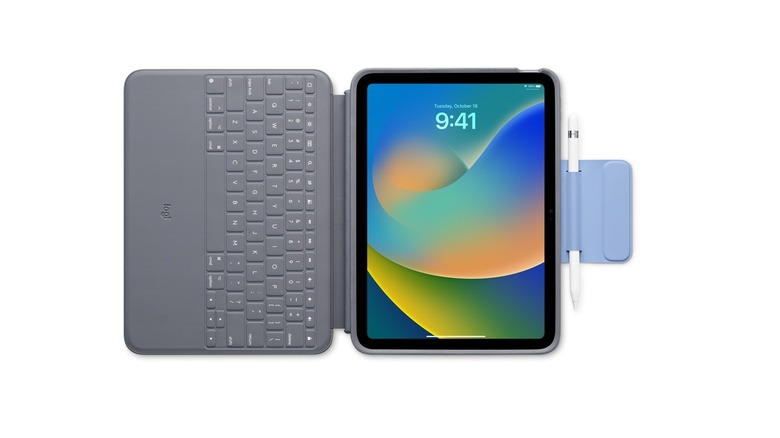
Last but not least, another Logitech product that offers a better price than Apple's counterpart is Logitech's Rugged Folio Keyboard for iPad (A16). At $139.95, it's more than $100 cheaper than Apple's Magic Keyboard Folio for the base model iPad. The main difference is that Logitech's option doesn't feature a trackpad, which can be annoying for some despite the iPad being a touch-first experience. Still, Logitech tries to compensate by offering extra protection with shock-absorbent armor and military-grade drop protection, making it ideal for commuting, coffee shop work, or travel.
The keys on the Rugged Folio are covered by a sealed membrane, which means that if you spill coffee or get crumbs on it, you can just wipe it clean without damaging the switches, which is not possible with Apple's unsealed scissor-switch keyboard. Logitech's option also features an integrated magnetic latch that folds over the Apple Pencil or Logitech Crayon when closed, ensuring the stylus won't detach and get lost inside a bag.
Just like the Magic Keyboard, Logitech's accessory works via the Smart Connector, meaning users don't need to pair or charge the keyboard to use it, and it features the full row of iPadOS function keys. That being said, since the iPad is a touch-based device, users shouldn't feel the lack of a proper trackpad, as the company chooses extra protection and affordability by trading the trackpad experience, which is available in other keyboards from the company.
How did we choose these products?
Logitech is famous for working closely with Apple, which means their products have deep integration with the company's hardware and software. For example, Logitech is the only one that offers a stylus specifically for the Apple Vision Pro, something not even Apple has developed. That said, these specific accessories were chosen because they can be cheaper than Apple's first-party options while still delivering great built-in quality and features that are unavailable with Apple's products.
Some of them have been formally reviewed by BGR staff, like the MX Master 4 for Mac, while others we have had for brief hands-on experiences at events and trade shows, but we also looked at reviews from customers at Amazon and other third-party marketplaces. What's interesting about Logitech's options is that they usually work with multiple platforms, which means you can use some of these accessories with devices from other companies, making the accessory a lot more worth it.
Our selection focuses on products made for MacBook and iPad that customers might actually want to use daily and that could make a big difference when working, such as with the mouse and its several customization options, or the speakers, which can help to make audio louder and clearer while editing a video, listening to a podcast, or watching your favorite TV show.