

How To Get The Best Audio Out Of Your Noise Cancelling Headphones
If you're looking to get quality audio from your phone, PC, or any other source, a pair of noise-cancelling headphones is a good place to start. The way noise-cancelling headphones actually work is through the use of active noise cancelling (ANC), which filters out annoying sounds and helps you focus on your tunes. That said, noise cancelling tech isn't an absolute cure for the best audio in the world. If you want to get a proper, primo listening experience out of your noise-cancelling headphones, you may need to put a little work in, whether by adjusting how they fit on your head or manually tweaking the quality of the sound they put out.
I've used a few different pairs over the years, and found that each of them, whether high-quality or budget-friendly, had their own distinct quirks that I had to make up the difference for. They're still exponentially better in terms of audio quality than the simple foam pads I wore when I was a kid, but if you don't optimize your headphones' fit and function, it's not going to be nearly as good as it could be.
Make sure you're wearing them properly
This might seem like a silly, incidental thing to focus on, but you'd be surprised how many people accidentally wear their headphones backwards or in an ill-fitting manner. In fact, I'd frequently get the ear cups mixed up when I was a kid, to the point that I now check for the L and R markings out of pure habit to ensure I don't do it again.
Wearing your headphones properly isn't just about making sure you're getting the right audio out of the correct channel sides, it's also about getting a flush cover over your ears. If your ears are poking out of the earcups, then even if they're noise cancelling, a little external sound is always going to leak in. If possible, you should check to ensure a pair of headphones will actually fit your head and ears before you buy them. If the fit isn't flush, you could swap out the earcups with new ones, though this can take some potentially invasive tinkering depending on whether they're slip-on or secured with adhesive.
Use noise cancelling presets

Somewhat paradoxically, one of the keys to getting ideal audio out of noise-cancelling headphones is knowing when to max out the ANC system and when to dial it back. Most noise-cancelling headphones have toggled ANC, usually via a switch or button on the side, but some models can be tailored via digital settings on your smartphone. Certain Sony models, for example, use a system called adaptive sound control (ASC), which automatically tweaks the degree to which noise is negated depending on whether you're sitting, standing, or walking.
If your headphones use this system, or a similar one where you can freely adjust presets, try experimenting with them and seeing what works best for you. Different presets adjust the intensity of the noise cancelling feedback, and if it's cranked all the way up, it might be more distracting and annoying than the sound you're trying to cancel. If you're not in a particularly noisy area, full of low-frequency droning noises like a bus or plane engine, dial back the noise cancelling and let your music speak for itself.
Manually adjust the equalizer
Compared to listening to music on an elaborate stereo, listening to music on your phone with noise-cancelling headphones is generally a more streamlined process. You don't really need to tinker with the sound quality directly if you're just listening casually. If you want to really experience your music in the highest fidelity possible, though, you can put aside the automatic procedures for a moment and try tweaking the levels yourself. Neglecting to use this setting could be holding back your Android music-listening experience.
Assuming you're listening to music on a phone, there may be a built-in equalizer in your sound settings that you can use to adjust bass, treble, and other assorted sound settings to your preferences. If your device doesn't have a built-in equalizer, you can also download an equalizer app to gain access to the same settings. Either way, using an equalizer in tandem with your noise-cancelling headphones' inherent specs can help you find the perfect sound for you. It's particularly nice if you're a little sensitive to particular sound types and frequencies; I don't like overly bass-heavy music, personally, so I use the equalizer to tone it down a little bit and make my listening more comfortable.
Sync volumes between devices
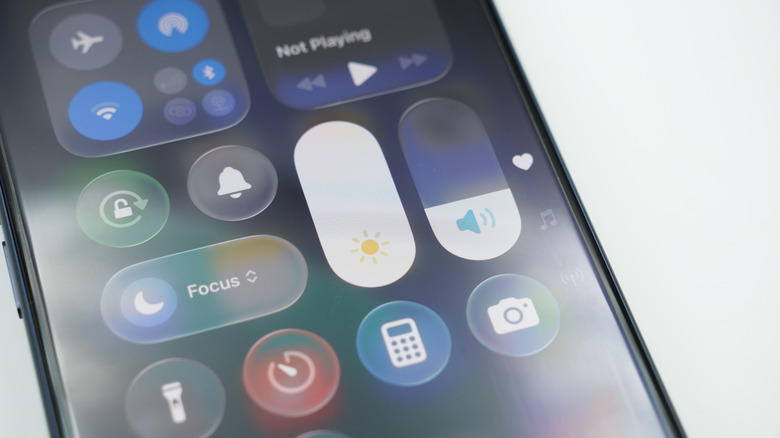
Something mildly annoying that can happen when you buy a new pair of noise-cancelling headphones is having the audio volume desync between the headphones themselves and whatever device you're using them with. Once, my headphones' audio came out at a mere whisper no matter how much I tried to crank the volume, and I didn't realize the audio had desynced for an hour because, obviously, you don't usually look at your phone screen while listening to music. Luckily, this is a very easy problem to fix.
Assuming you're on an Android smartphone, just open your Bluetooth settings, select your headphones while they're connected, and toggle on the Media Volume Sync option. This will ensure that your phone and headphones are on the same page, volume-wise, and stay that way no matter how much you adjust the volume on either device. Depending on your headphones' brand, you may also be able to raise max volume thresholds in a companion app if you want your music a little louder. Just don't make it too loud, or you'll hurt your ears.
Use a high-quality codec like LDAC
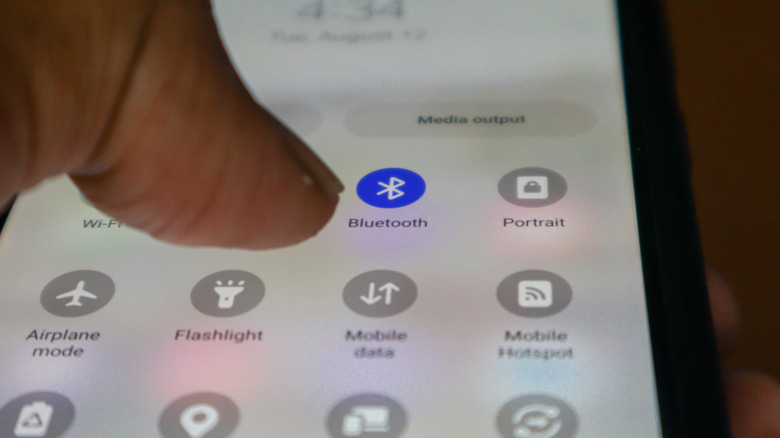
When noise-cancelling headphones connect to a device via Bluetooth, the actual data-to-audio transmission process is handled by something called a codec. The codec encodes and decodes audio data, which is what allows Bluetooth to do its business wirelessly. All Bluetooth-connected noise-cancelling headphones use a standardized codec meant to strike a good balance between sound quality and connection stability, but it doesn't provide the best possible audio.
If you can, try switching to a higher-quality codec, one that puts more emphasis on high-resolution audio that properly carries all of the original sound, such as LDAC. Not all noise-cancelling headphones support higher-quality codecs, but if yours do, you should be able to find the setting for it in your headphones' companion app. Just remember that higher-quality codecs do increase the rate of battery consumption and could make your headphones' Bluetooth signal more easily disrupted by constant movement, obstructions between your devices, or environments with a lot of signals flying around.