

3 Disadvantages Of Switching To Apple's Safari
Safari is the default web browser across Apple's platform ecosystem, from iOS to visionOS. Although it used to be available on Windows for a period, it's strictly exclusive to Apple now. It's based on the company's open-source WebKit browser engine and comes with a pretty expansive feature set. It's known for its excellent power efficiency, deep integration with Apple devices, and strong privacy controls. The company has also integrated various Apple Intelligence features into Safari, including an AI extension builder. It's one of the features that makes macOS 27 Golden Gate a worthwhile update.
However, if you currently use Chrome or one of the browsers preferred by many power users, and are looking to switch to Safari, it's important to know that beyond all of its advantages, this Apple browser has several notable disadvantages. Some of these drawbacks can even impact your everyday workflow. For example, as we mentioned, it's only available on Apple devices, so if you also own non-Apple products and want seamless syncing of your browsing activities, like bookmarks, open tabs, and history, across platforms, you won't always be able to do that with Safari.
Smaller extension ecosystem
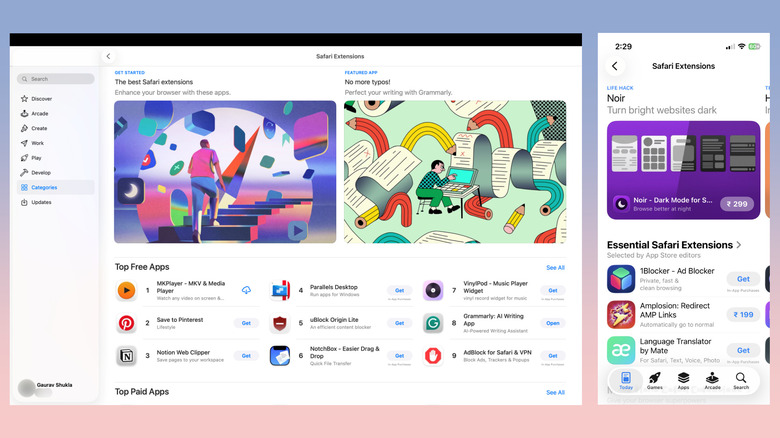
Although Safari supports extensions across Apple devices, the selection is pretty limited compared to the likes of Chrome and Firefox. While Apple is trying to solve this with its upcoming AI extension builder, the feature is not really a replacement for properly developed high-quality extensions. Moreover, there is no way to look for Safari's complete extension library. Unlike other browsers, which have dedicated extension stores, Safari extensions are a part of the regular App Store on each Apple device. Searching can also be tricky, as you are searching through the entire app store, and results can include regular apps and games unless you are adding "Safari extension" in the search term.
However, because Safari extensions are available through the App Store, they undergo Apple's full vetting process, which helps filter low-quality or suspicious extensions. That said, if your usage requires specific extensions, it might be a good idea to look for them or their alternatives in your platform's app store before you switch to Safari to avoid any unexpected surprises.
OS-tied Safari updates and limited customization options

While pretty much every other browser is updated independently of its platform, Safari releases and updates are tied to macOS updates. This means Safari on your iPhone only gets updated when an iOS update is released, and the same goes for Safari on Mac, iPad, or Vision Pro. Therefore, Safari can sometimes be slow to get new features and support new web technologies. Moreover, significant changes are often limited to major platform updates, and not point releases.
If you're someone who likes to personalize your web browser to your aesthetic and needs, you might be disappointed with the limited customization options available in the browser on Mac. For example, there is no theme support in Safari, and it can only inherit your system's light or dark mode. You also can't have vertical tabs or a split view in the same tab instance.
Website compatibility and developer tools
Being the leading web browser, Chrome has become the de facto browser to check compatibility for websites and web apps by developers. While Firefox and Safari are also often checked for compatibility issues, particularly by larger websites, it's not a given for smaller teams, internal corporate apps, and older B2B tools. This means you can potentially encounter website-specific issues while using Safari or websites that recommend using Chrome for seamless compatibility.
Another related area in which Safari lags compared to other major web browsers is tools for developers. While there is a built-in Web Inspector, it's pretty limited compared to framework-specific debuggers available on the likes of Chrome. Safari also limits what websites can do by not supporting certain web standards in the name of security and privacy, particularly when it comes to access to local hardware. However, for most users, this lack of specific web standards won't be an issue, except in niche cases.