

You Can Use Your Old Android Phone As A Universal Remote - Here's How
We may receive a commission on purchases made from links.
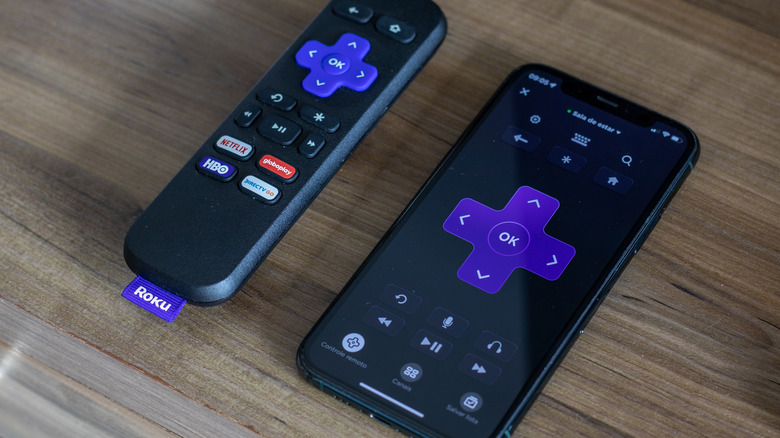
Misplacing your TV remote or losing it between the couch cushions doesn't have to be as frustrating as it seems. Sure, it's always a great idea to track down that remote, but in a pinch you can also use your phone, which is an excellent option if you have any old Android phones or tablets lying around. This is one of the best ways to repurpose your old Android phone and devices, too. There are actually several avenues to set this up, but the methods, or apps really, can differ slightly from TV brand to TV brand. Roku, for example, has its own app for Roku devices and TVs, as do Samsung (SmartThings), Google, and other brands. In fact, you can use this free alternative on almost any smart TV out there.
The easiest and fastest way to set this up, if your phone and TV are on the same Wi-Fi network, and they most likely are, is to use a mobile app of your choosing and connect via the local network. The aforementioned Roku app — or self-branded apps — are a great start; Amazon's Fire TV platform has its own remote app, as well. If there's no official app available, you can find nondescript apps on Google Play, like Universal TV Remote. Just be aware that third-party apps may show ads. Some devices and apps can also use Bluetooth to connect to a TV rather than Wi-Fi. The Bluetooth Remote app is a solid example of this. You can pretty much ditch your TV remote entirely if you use that as an all-in-one app, and it's free to boot.
You can also use your TV's IR blaster with a small purchase
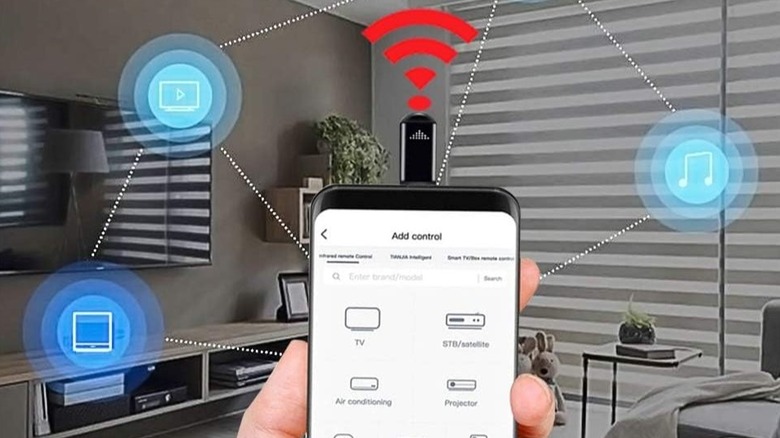
If Wi-Fi or Bluetooth aren't your style, or they're simply unavailable, you can also use a small $15 device called an infrared (IR) blaster. It turns just about any smartphone into a universal remote, no internet required. The highlighted gadget plugs into the USB-C port on your phone or tablet and operates as an IR controller; it doesn't use Bluetooth or Wi-Fi but instead communicates directly with the TV's built-in components. Most modern TVs have an integrated IR blaster to receive infrared signals from legacy and universal remotes.
As with the numerous app options for wireless sync, there are a wide variety of IR blaster options, most available through Amazon and other retailers. You can use the standard style in the example above or opt for more advanced options, such as a $20 mini-hub model that supports voice commands via Google Home and Alexa, in addition to standard remote functions. Imagine it as a truly universal remote that can connect to virtually anything, including smart home devices, TVs, media players, air conditioners, home entertainment equipment, and much more. You could ditch so many of your additional remotes using something like this. SwitchBot has a similar $36 IR blaster if you use the brand's smart home tech or anything compatible with it. In the end, having lots of choices is never a bad thing. You can find what works best for you and your family.
Most apps for Wi-Fi and Bluetooth are free, and if you go the IR blaster route, they are relatively low-cost and easily accessible.