

5 Powerful iPhone Keyboard Alternatives To Try Instead Of Apple's
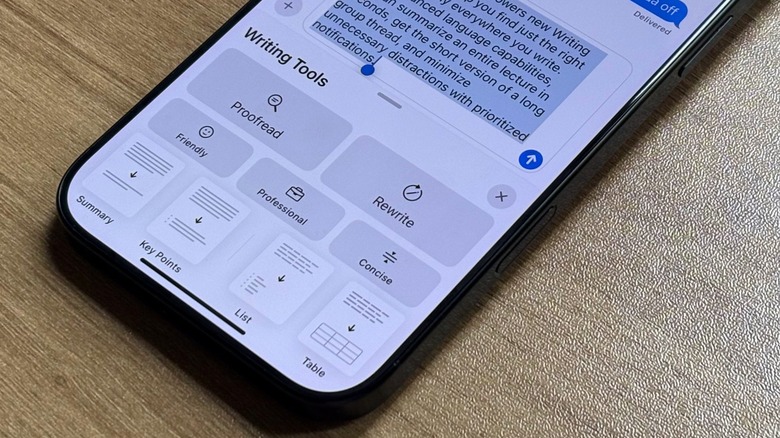
One of the things we do most on our phones, besides doom scrolling, is typing. We type long messages, passionate social media posts, and everyone has their own typing style. Some prefer to type with only one finger, others use their thumbs, and some would rather just swipe over the display. However, if you think the iPhone's main keyboard isn't enough, or it feels dumb after a new update, you might've decided to try different keyboard alternatives, such as Gboard by Google, Microsoft SwiftKey, or even Grammarly Keyboard.
These options, even though they require you to download additional software, can be better depending on your needs, whether because you never got used to Apple's main keyboard, or because you came over from the much more customizable Android world and now you can't go back to using a stock keyboard.
While I've tried several keyboards over the years, I tend to come back to Apple's main option because it feels like it integrates better with all the other company's devices I have. Besides that, there are several settings you can change on your iPhone Keyboard that can greatly improve your experience, like removing auto capitalize options, creating shortcuts for long words or sentences, or even teaching your keyboard how you like to type, so it understands that sometimes a typo isn't actually a typo, but a way you communicate with friends. Still, you might want to try these powerful iPhone keyboard alternatives before settling for Apple.
Gboard by Google
One of the most traditional keyboards and also one of the most powerful iPhone keyboard alternatives, Gboard by Google brings the company's search engine, and machine-learning capabilities into your iOS type interface, transforming the standard keyboard layout into a hub for research, translation, and media sharing with ease. Since Google's keyboard integrates with Google Search, Google Translate, and predictive GIF, sticker, and emoji search engines, it's easier to jump between apps to copy, look for translations, or grab an image, as you can query Google directly from the keyboard and paste the results straight into your conversation with a friend.
With Glide Typing, you can have fast gesture writing combined with Google's highly accurate voice-to-text dictation engine, which can be super helpful when you don't want to type a message but also don't want to send a long voice message. Gboard is free to use and does not include hidden paywalls or subscription tiers. This keyboard option is especially useful if you regularly find yourself leaving message apps to doublecheck facts or translate phrases, as this all in one solution can make you more efficient and fast while texting friends, colleagues, and more.
Additionally, this keyboard is better when you type in several different languages at the same time, as even though Apple also offers bilingual keyboards, they don't work as well as Google's options do, and it feels like you have twice the words to correct.
Microsoft SwiftKey
Microsoft is also a big player in the third-party keyboard app market. By using machine-learning models and integrating Copilot's generative AI to learn your specific vocabulary, personal slang, and writing habits over time, it also can handle true multilingual typing, allowing you to write up to five languages simultaneously within the same chat without manually changing language settings. If you speak many languages or you talk to people by using different words in different idioms, having a keyboard that actually understands what you want to write can save you lots of time.
Microsoft Swiftkey, thanks to its Copilot integration, can also help improve your drafted text by rephrasing it, adjusting its tone from casual to professional, or generating contextual replies on demand. SwiftKey is completely free to download and use on iOS. While Apple's predictive keyboard struggles with mixed languages, niched terminology, and informal phrases, Microsoft's option learns your exact communication style fast.
That said, if you speak in different languages, think generative AI is really useful for your messages, and you're tired of Apple's keyboard always getting things wrong, Microsoft can actually be the go-to option to make your texts read better, as it lets you customize your keyboard background — in case you actually want to do that — use Cloud Clipboard, which lets you copy and paste between your phone and Windows devices, and even save tasks from your keyboard and manage those in other Microsoft apps.
Grammarly Keyboard
if you're mastering a new language or really take grammar mistakes seriously, then you probably already came across Grammarly. This keyboard tool can be used with your computer, tablet, and even your iPhone as an extension to improve your writing style, rephrase words, and even adjust your tone. However, if you want to greatly improve your texting capabilities, the Grammarly Keyboard app is another option you should consider, if you're thinking about ditching Apple's native option. Grammarly targets this app at students, professionals, or anyone who wants to make their texts better on mobile.
Instead of just doing a simple spellcheck, Grammarly can dynamically analyze sentences and structures, grammar, clarity, and overall tone as you type. Depending on what you're writing, whether a quick Slack message announcing you'll be out of office or drafting an important email, it also provides real-time contextual recommendations to fix tricky punctuation, remove passive phrases, suggest richer vocabulary, and adjust the formality of your writing.
Grammarly is free for regular grammar and spell checks, but a paid Premium subscription unlocks full sentence rewrite, tone adjustments, and vocabulary enhancement. You should choose Grammarly over Apple's default option if you think Apple's autocorrect tool can only catch surface level misspellings and often introduces unwanted errors, whereas Grammarly can be an active editor across all your messaging and email apps, ensuring your writing is clear and mistake-free before you press send.
BossAI
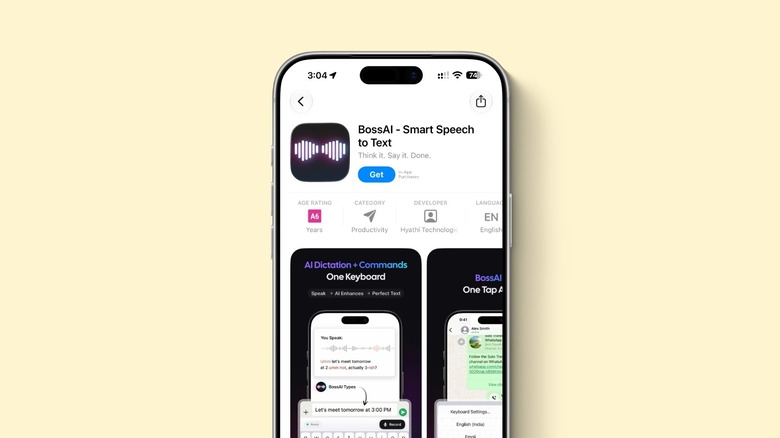
One of the newest keyboard apps available is BossAI. This is a voice-first AI keyboard designed to replace traditional mobile typing with intelligent dictation and automated task execution with screen-awareness. With a dual-mode using AI Dictation and its signature "Boss Mode", it goes beyond basic speech-to-text and disconsiders every "um," and "uh" into a clear, properly punctuated message that matches the app you're currently using. What's more interesting, Boss Mode lets you give commands to the AI, so it can perfect a message for you despite you having to actually write it.
For example, if you get a message from a company trying to partner with you, but you're not in the same region as them, or you prefer to leave a door open for the future, you can tell the app your intent, and it'll answer based on your style. Basically, the app evaluates the text on the display, and then it generates an answer into the message field instead of requiring you to copy and paste the text.
The app is available not only for iPhone users, but also on Mac, Windows, and Android. It offers a free tier that includes a limit for daily dictation and command credits, and also a paid Pro subscription ($9.99) for unlimited dictation and access to advanced features. That said, if you'd rather type than speak, BossAI can be the keyboard replacement you've been looking for.
CleverType
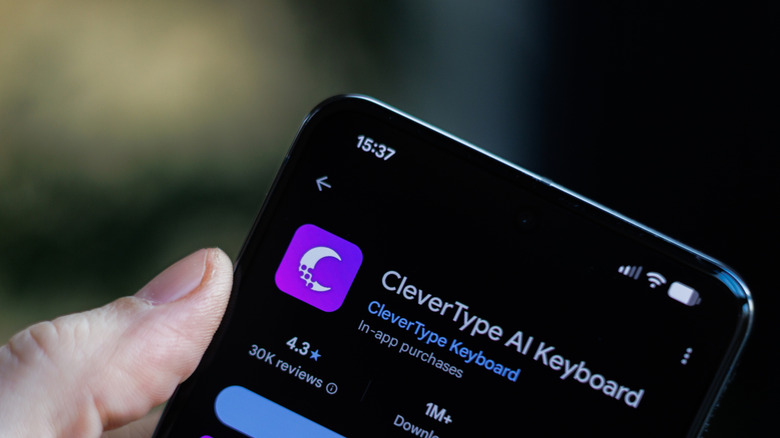
Last but not least, another powerful Apple keyboard alternative is CleverType, an AI-driven keyboard app designed to bring LLM writing assistance to your iPhone. What makes this app unique is that it integrates over 30 specialized writing tools, so you can get one-tap tone changes, real-time grammar editing across over 40 languages, real-time translation that preserves original context, and custom AI prompts built right into the typing interface.
Still, unlike many other cloud-reliant tools, CleverType processes core grammar and predictions on-device to maintain user's data safety. Customers have access to free and premium subscriptions. While the free one only offers essential grammar checks and basic AI features, the paid version brings unlimited GPT-powered rewrites and advanced tone adjustments, which means users can decide how much they actually need to take advantage of the platform.
CleverType can be a better option than Apple's native keyboard if you prefer to have something like a "co-author," as it can help condense lengthy messages, adjust conversational tone, expand context in bullets, or even draft comprehensive responses without ever copy-pasting text from an external AI app. Apple's option, while it's admittedly been upgraded with Writing Tools for compatible iPhones, only reacts to typos, which might not satisfy more pro users, or those who need to change their tone through multiple chats during the day.
Methodology
Finding a powerful iPhone keyboard alternative is no easy task, especially if you have one of the latest iPhone models with Apple Intelligence support. After all, Apple is greatly improving Writing Tools with the upcoming iOS 27 release. Still, if you're not a fan of Apple's keyboard, a third-party option can be a breath of fresh air.
Most of the apps selected above have thousands of users and have been on the market for years, being perfected by feedback, and also because they're controlled by big tech groups. For the indie apps, they bring a different look to very defined markets and options that many customers have known and tried over the years.
That said, even if you used Gboard, Swiftkey, and others in the past, it might be a good idea to give them another try. After all, companies have been focusing on offering new AI capabilities that can actually boost performance, speed up messages, and make sure you're always clear with your intent. There are also many other apps that didn't make this specific list but are worth checking out such as Omera and TypeWise — with the latter offering a custom hexagonal honeycomb layout design that's perfectly made for two-thumb smartphone typing.