

Satechi's New 240W Hub Powers My Whole Setup From A Single Outlet
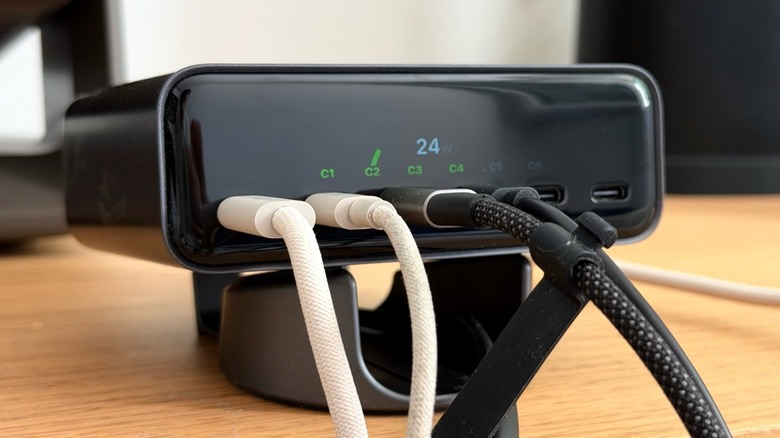
Satechi is releasing an all-new version of its ChargeView collection with a 240W desktop charger option, bringing more power, ports, and a real-time display that shows how each device has been charging. This product solves one of the most common problems people have with tech today: several devices to charge but not as many plugs available. For the past couple of weeks, BGR has been testing this product to see if the Satechi 240W ChargeView hub delivers on its promise.
Personally, I'm always having a hard time finding power bricks that could properly charge my devices with the cables I have available, and since Apple stopped offering power bricks on products sold in Europe, I've been not only running out of plugs but also USB-C chargers. With Satechi's 240W ChargeView hub, now I have more than enough options to charge a 14-inch MacBook Pro, a 13-inch iPad Pro, an iPhone 17 Pro Max, a Nintendo Switch 2 in handheld mode, and two extra ports that I can offer to my friends or if I need to charge any of my tech products. Even though I might need to improve my cable clutter, this accessory gives me power outlet freedom, while ensuring everything will charge as efficiently as possible.
Hands-on experience with Satechi's 240W ChargeView
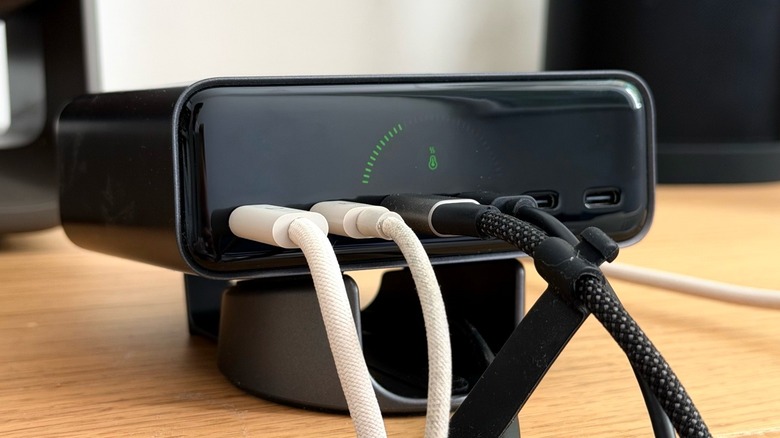
Using the Satechi 240W ChargeView is very straightforward — connect to the power supply and enjoy six USB-C ports. A mount is included, so users can decide whether to keep the ChargeView in landscape or horizontal mode. The display screen rotates depending on which orientation the user chooses, and while portrait mode helped to limit the amount of space the 240W ChargeView occupied on my desk, I prefer using it in landscape, as it's easier to read the display. As the ChargeView gets connected to a new product, it immediately starts to charge it and an animation on the LCD tells me how many watts it's providing. Tapping the button on top of the charger shows helpful information about the device such as the internal temperature and how many watts each USB-C port is drawing.
In my experience, the charger worked exactly as expected, allowing me to power simpler devices like Sonos' Play speakers, which BGR reviewed a few months ago or to have a charger ready to go when my MacBook or iPad need some juice. While I do take care to let the ChargeView charger in a place with no direct sunlight, it's impressive how it keeps itself cool even with all ports being used, even during another heatwave in Europe. This is thanks to an active cooling system ensures the charger doesn't get too hot even when it's operating in full.
Enough power for pro customers
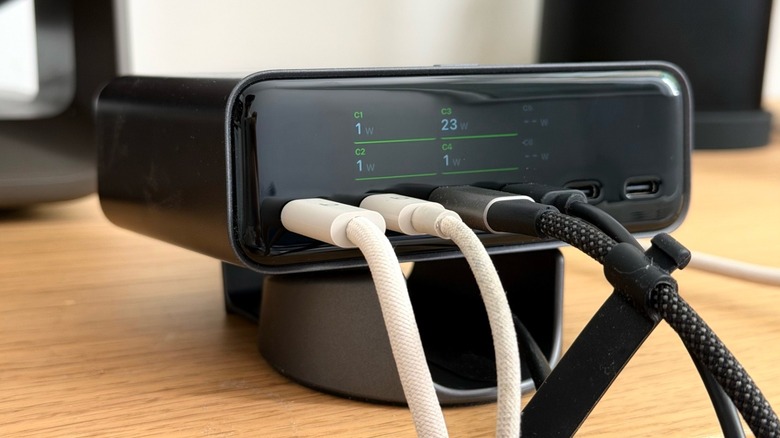
Satechi is known for its premium accessories focused on the Apple market, like the 3-in-1 Qi2 wireless charging stand, and the 240W ChargeView option is no different. Its dark aluminum finish offers an aesthetic view on any desktop office. When you connect a new device to this device, you can see in its LCD display how much power the product is draining and how much more available it has. With six USB-C ports, customers should focus the first C1 and C2 ports for more demanding devices, like computers, as they can draw up to 140W. Ports C3 and C4 can reach up to 100W, while the last two — C5 and C6 — can deliver up to 30W each. Satechi says that all ports feature USB-PD, which is a standard that intelligently offers the exact amount of power your device needs, ensuring it charges safely.
For $149.99, the 240W ChargeView is perfect for users that need the power and ports for up to six devices. Users with fewer power-consuming devices should focus on Satechi's 140W ChargeView, as it will still provide enough power for customers' everyday tech devices, and it costs $50 less.