

Are Passwords No Longer As Safe As PINs? Why Bigger Isn't Always Better
There's no definitive way to end the password vs personal identification number (PIN) debate because they serve two different purposes, but when it comes to what's more secure, PINs are winning. A password allows you to log in to various online accounts, from social media and streaming services to cloud storage and banking platforms. PINs, on the other hand, are used to grant access to a local device or system. In these scenarios, a copy of your password is stored on a server somewhere, while a PIN is stored locally and tied to the device. This is what makes PINs more secure, even if the user went through the trouble to create a particularly strong password.
Suppose someone were to gain access to your password. If you reused it on websites that don't make it part of a multi-factor authentication (MFA) setup, that person can easily gain access to those accounts and steal your personal information. If they have your PIN, on the other hand, they can only use it on the particular device you created it on (if they can get their hands on it) — they can't use it remotely. With the increasing incidence of data breaches, the prevalence of phishing attacks, and the rate at which people are reusing passwords, PINs have become safer since they are tied to a device.
You can safely sign in to websites with a PIN
Yes, a PIN is just a sequence of numbers that can easily be cracked with the sophisticated tools that hackers use, which is why it wouldn't make sense to use them as a way to log in to a website or app on their own. But these days, you can use them to log in to websites instead of a password because they are used to unlock passkeys, another form of authentication that is stronger than passwords.
When a website or app asks your device for a passkey before it logs you in, one of the ways to give it access to the passkey is to enter your PIN. For instance, on a Windows device, this will be your Windows Hello PIN, and on an iPhone, this will be your Passcode (a six-digit numeric code). Still, since PINs are not transmitted over the internet, a hacker can't use a Man-in-the-Middle (MiTM) attack to intercept it. So even if a hacker were to get access to your device, they would still have the challenge of figuring out your PIN.
Even if they hacked your device, the PIN is encrypted and protected by hardware-based security modules, like the Trusted Platform Module (TPM) on Windows, the Secure Enclave on Apple devices, and the Trusted Execution Environment (TEE) on Android. Passwords are not, which is why you should never store them on your device.
How to ensure your PIN is strong and secure
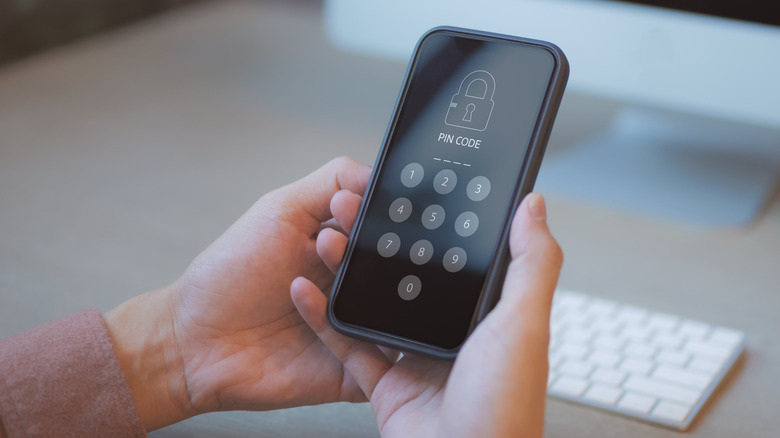
Even though a PIN is more secure than a password, it has to be a strong one to avoid giving hackers access to your passkeys if they steal your device. There are just certain PIN combinations thieves will try first that you should avoid, such as 1-2-3-4-5-6 or 2-5-8-0 (this is in the middle column of the numeric keypad). You should also avoid including any personal information in the PIN. That means no birthdays, addresses, or the last four to six digits of your phone number.
Do not use a sequence of repeating numbers like 0000, 1111111, or 9999. Also, make sure your PIN is a minimum of six digits. This is the default for something like Android phones and iPhones. On Windows, the minimum is four digits, but you can increase it in the Local Group Policy Editor or the Registry Editor.
To keep the PIN safe, make it a habit to use your device's biometric authentication methods like fingerprints and facial recognition, especially when you're in public, so no one can see you entering your PIN. Your face and fingerprints can't be guessed or stolen. They can be spoofed, but it's not as easy as you might think. For instance, to get a mold of your fingerprints, the hackers would have to use something like modeling clay, but unless you are unconscious or physically incapacitated, getting it on your fingers poses a significant challenge.