

4 Disadvantages Of Using All-In-One Modem Router Combos

Your router is a vital part of your home internet network. While it might be tempting to take the easy route and pick one of the many all-in-one modem-router combos, that approach comes with major disadvantages compared with setting up a modem and router separately. Of course, that decision becomes even trickier when you start looking at the U.S. government's latest ban on wireless routers, as you'll also want to make sure you get something that will be supported for years to come.
While going with a two-device network setup might be preferred for many, if you are thinking about going with an all-in-one combo, then you'll want to be aware of the disadvantages that come with using a single-device setup. While it is technically easier to set up and use, having to replace the entire network and deal with issues like limited options for where you can connect it can be extremely annoying and limit how far your network's coverage reaches.
You have to replace your entire network setup if something breaks
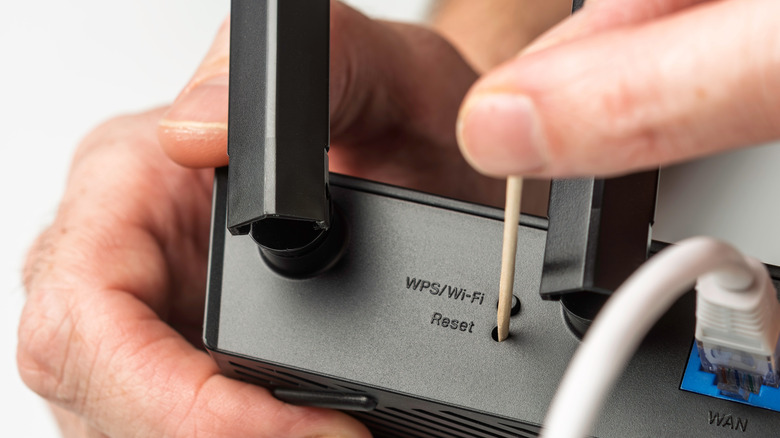
This is perhaps one of the biggest issues with using an all-in-one modem and router combo. No matter how good the tech is, there's always the possibility that something might go wrong, and it might end up experiencing technical issues or just completely dying outright. When that happens with an all-in-one modem, you can't just replace the broken piece. Instead, you have to replace the entire thing. That means getting a new modem/router device, or even speaking with your internet service provider to get one if you're using one that they provided.
Sure, it's not the most annoying issue, especially since you can get a newer device in most instances, or even plug in a new router if that's what goes down. However, it means your entire network setup will likely change, from the wireless network name to the configuration settings you might have set up on your router, and even the password you set.
It also means you may need to get used to a new UI if you do work within the router's settings at all. The worst part is that even if you could replace the part that stops working, it's difficult to tell whether the modem or router is the part that is having problems, as you can't perform one of the first troubleshooting steps that ISPs recommend, like unplugging the router from the modem and resetting it.
Fixed placement based on ISP installation

Another disadvantage you can run into with a modem and router combo is that placement in your home is going to be based on where the ISP installed your system. Some companies rely on your home's incoming cable connections, while others, like AT&T, actually install a special gateway in your home. This locks in where your connection enters the house, and if your gateway or cable connections aren't located in the ideal areas of your home, you might end up with spotty service in some rooms.
Many router manufacturers like ASUS recommend placing your router in the center of your service area. This provides the most coverage across your home. It's also recommended to keep your router away from devices that might interfere with its wireless signals, as they can create slower, less reliable connections across your network.
Overall, choosing a combo unit means you have less control over where your device ends up. If you have a large home, then this can definitely affect your bandwidth performance, especially if the signal has to travel through multiple walls or ceilings to reach your other devices.
It's harder to expand your coverage area

If you live in a large house or want to expand your internet coverage throughout your home, you could run into trouble expanding your network coverage when using a combo unit. That's because you'll have to rely on the router that's installed and the expansion products it supports. While wireless extenders can get the job done, each iteration of your network running on these devices is weaker, which means you don't get to take full advantage of what you are paying for.
One of the best ways to expand your network without losing speed or reliability is to use a mesh network. However, those networks require routers designed to work as part of a mesh network. That means the router built into a combo unit likely can't do that. Instead, you'd need to plug the mesh router that you purchase into the cable router, set it into access point mode, and then connect the rest of your system through it. Sure, it works, but it also leaves you with the same disadvantages we mentioned above, like the single failure point that requires you to replace the whole setup when something goes wrong.
Potentially less room for network customization
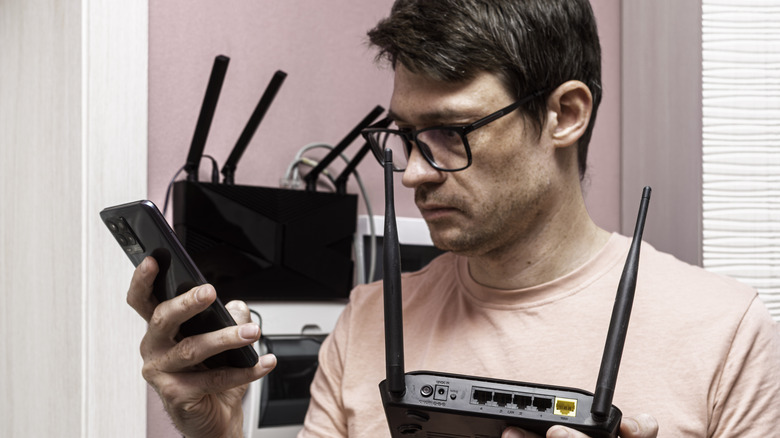
While not everyone takes the opportunity to customize their network, some users prefer more control over how their wireless network is set up. For example, if you want to use VLANs, you may need to buy a separate router from your modem-and-router combo to do so. This is the recommendation that some users have been given when looking to set up VLANs on their ISP-provided routers.
Additionally, port forwarding and tinkering with router settings might be more difficult depending on which combo unit your ISP provides. Keep this in mind if you want to run custom DNS on your router, as some users have run into issues setting up custom DNS options on routers from some ISPs. These limitations can compound, too, depending on your internet type and ISP, so it's always good to know what you might be giving up, just in case you need it. If you want to take full advantage of all the cool things your router can do, you'll want separate modem and router devices, instead of an all-in-one.